











Facebook lead ads are great at collecting leads and terrible at keeping them. Every submission sits in Meta's Leads Center, where nobody is told it arrived, and Meta deletes it after 90 days. A CRM is where those leads get called, followed up and turned into customers.
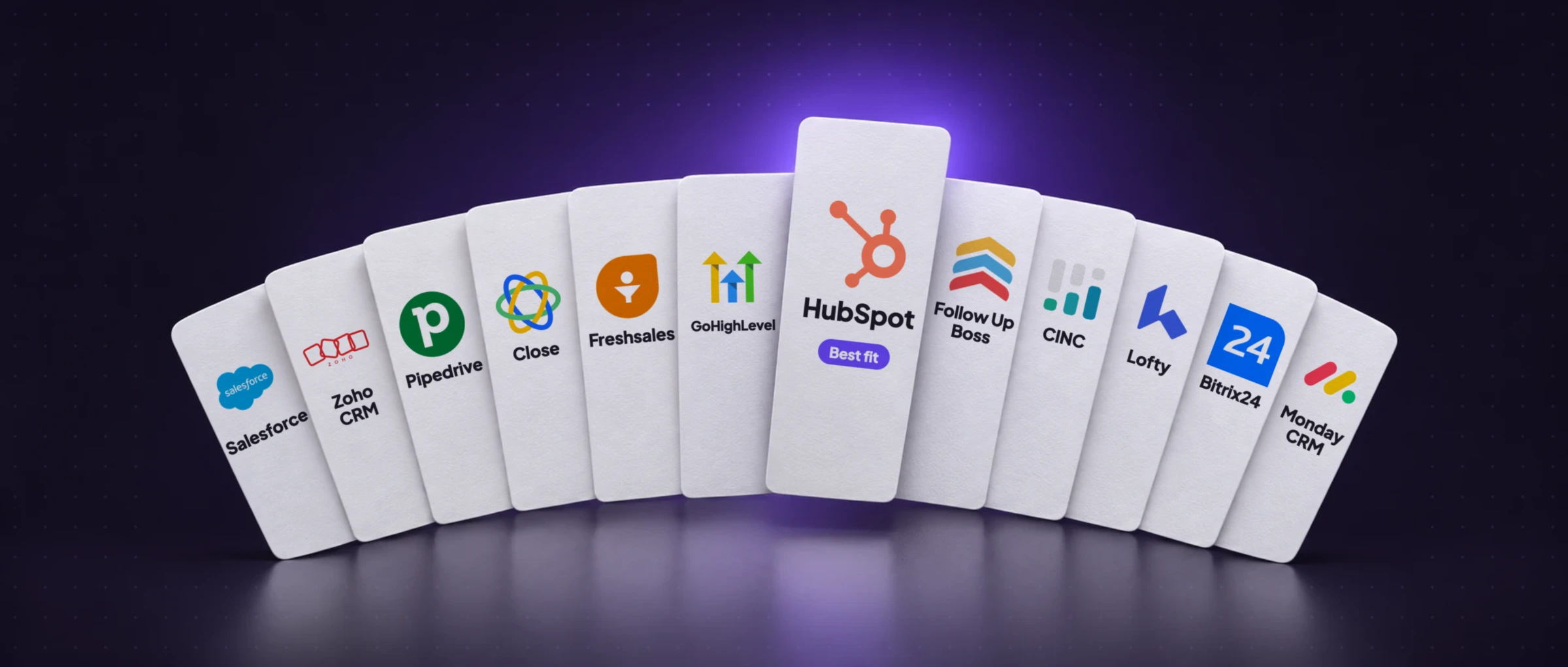
Every CRM claims to “work with Facebook”. This guide shows what actually happens to a Facebook lead in 12 of them, from the integrations we built and tested, with a real screenshot of a lead arriving in each. Then it helps you pick the one that fits how you sell.
The best Facebook lead ads CRM is the one your team will actually work every day. For most small businesses that's HubSpot; for agencies, GoHighLevel; for small sales teams, Pipedrive; for teams that call every lead, Close; for real estate, Follow Up Boss. Then connect it so every Facebook lead arrives within seconds, with every answer and an owner. Need a free CRM for Facebook leads? Start with HubSpot's free plan.
What a CRM must do with Facebook leads
Any CRM that integrates with Facebook can store a lead. What makes it good Facebook lead management software is what happens next. Six things decide whether a lead gets called while it's still warm or goes cold in a queue:
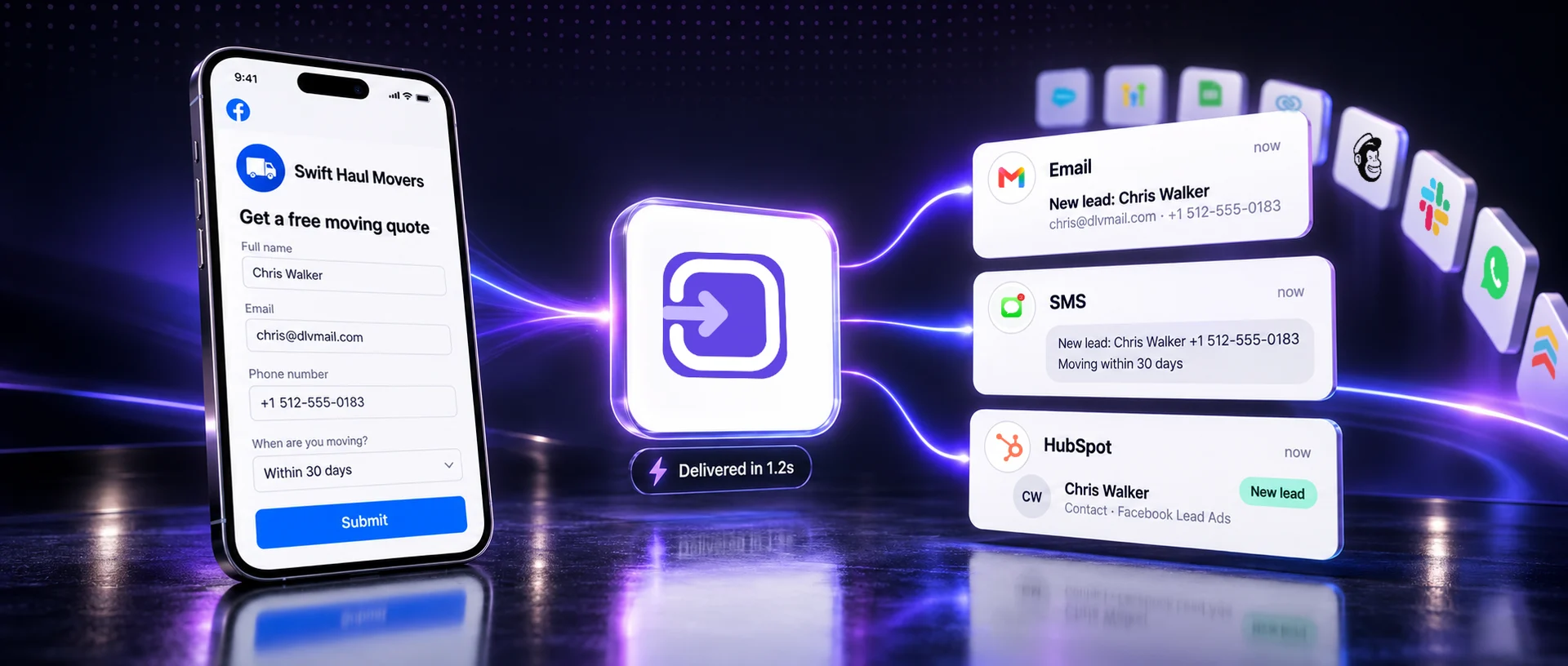
- Get the lead within seconds. A lead that waits for a manual import or a 15-minute sync has often filled in a competitor's form by then.
- Keep every answer. Budget, timeline and service questions belong in fields or a note, not lost because only name and email were mapped.
- Assign an owner. A lead nobody owns is a lead nobody calls.
- Record the source. So you can tell which ads produce customers, not just leads.
- Handle repeat leads. The same person submitting twice should update one record, not create two.
- Tell someone. A notification, task or automation the moment the lead lands.
12 CRMs compared for Facebook leads
“A Facebook lead becomes” is exactly what LeadSender creates in each CRM, so it's what your team will see.
| CRM | Best for | A Facebook lead becomes | Your form answers go to |
|---|---|---|---|
| HubSpot | Small businesses, all-round | A contact, or an update to the one with the same email | Your HubSpot properties, custom ones included |
| GoHighLevel | Agencies | A contact in the client's sub-account | That location's custom fields |
| Pipedrive | Small sales teams | A person and a lead in your Leads Inbox, with label and owner | A note on the lead |
| Close | Teams that call every lead | A lead with its contact, in the status you pick | Custom fields and a note |
| Freshsales | Sales teams on Freshworks | A contact with lead source and sales owner | Custom fields and a note |
| Bitrix24 | Budget-conscious and global teams | A lead, or a deal on the person's contact | Custom fields and the comments |
| Monday CRM | Teams that run work on boards | An item in the group you pick | Your board's own columns |
| Salesforce | Larger sales orgs | A Lead record, routed by your assignment rules | Standard and custom Lead fields |
| Zoho CRM | Teams on Zoho, worldwide | A Lead, in any Zoho data center | Your own fields and layouts |
| Follow Up Boss | Real estate teams | A new person with the source kept intact | Your custom fields |
| CINC | Real estate brokerages | A lead in your CINC pipeline, updated on repeat | CINC's contact fields |
| Lofty | Real estate teams using action plans | A lead that enters your action plans | Its fields, custom lead fields included |
Which CRM fits your business?
Pick the line that sounds most like you:
Each Facebook lead becomes a contact, or updates the one with the same email, with your own properties filled in, ready for HubSpot's workflows and sequences.
Why it fits →See the integration →- A small business that wants one place for every lead
- HubSpot. Free plan to start, and it grows with you. Each Facebook lead becomes a contact, or updates the one with the same email, with your own properties filled in, ready for HubSpot's workflows and sequences.
- An agency running Facebook ads for clients
- GoHighLevel. One sub-account per client, with its own pipeline and automations. Each lead lands in the client's own sub-account, mapped to that location's custom fields, so every client gets their own follow-up.
- A small sales team working a pipeline
- Pipedrive. A clear Leads Inbox and visual pipeline. Each lead arrives as a person and a lead in your Leads Inbox, with the label and owner you pick and every answer saved as a note.
- A team that calls every lead within minutes
- Close. Built-in calling and SMS, made for speed. Each lead lands in the status you pick with every answer as a note, so reps call from the same screen the lead appears on.
- A real estate team or brokerage
- Follow Up Boss. Made for agents, with lead routing and smart lists. Each lead becomes a new person with the source kept intact, so your source reports and agents' smart lists keep working. On CINC or Lofty already? Those work too.
- A growing team on a tight budget, or outside the US
- Bitrix24 or Zoho CRM. Full CRMs at a lower cost, used worldwide. Bitrix24 files each lead as a lead or a deal with a source and a responsible person. Zoho CRM creates a Lead in whichever Zoho data center your account lives in.
- A larger sales org with routing and reporting
- Salesforce. Your assignment rules and reports already live there. Each lead becomes a Salesforce Lead with standard and custom fields filled, so assignment rules treat it like any other inbound lead.
The best CRMs for Facebook lead ads
Each screenshot is a real Facebook test lead arriving in that CRM through LeadSender, with made-up details.
HubSpot: best for small businesses
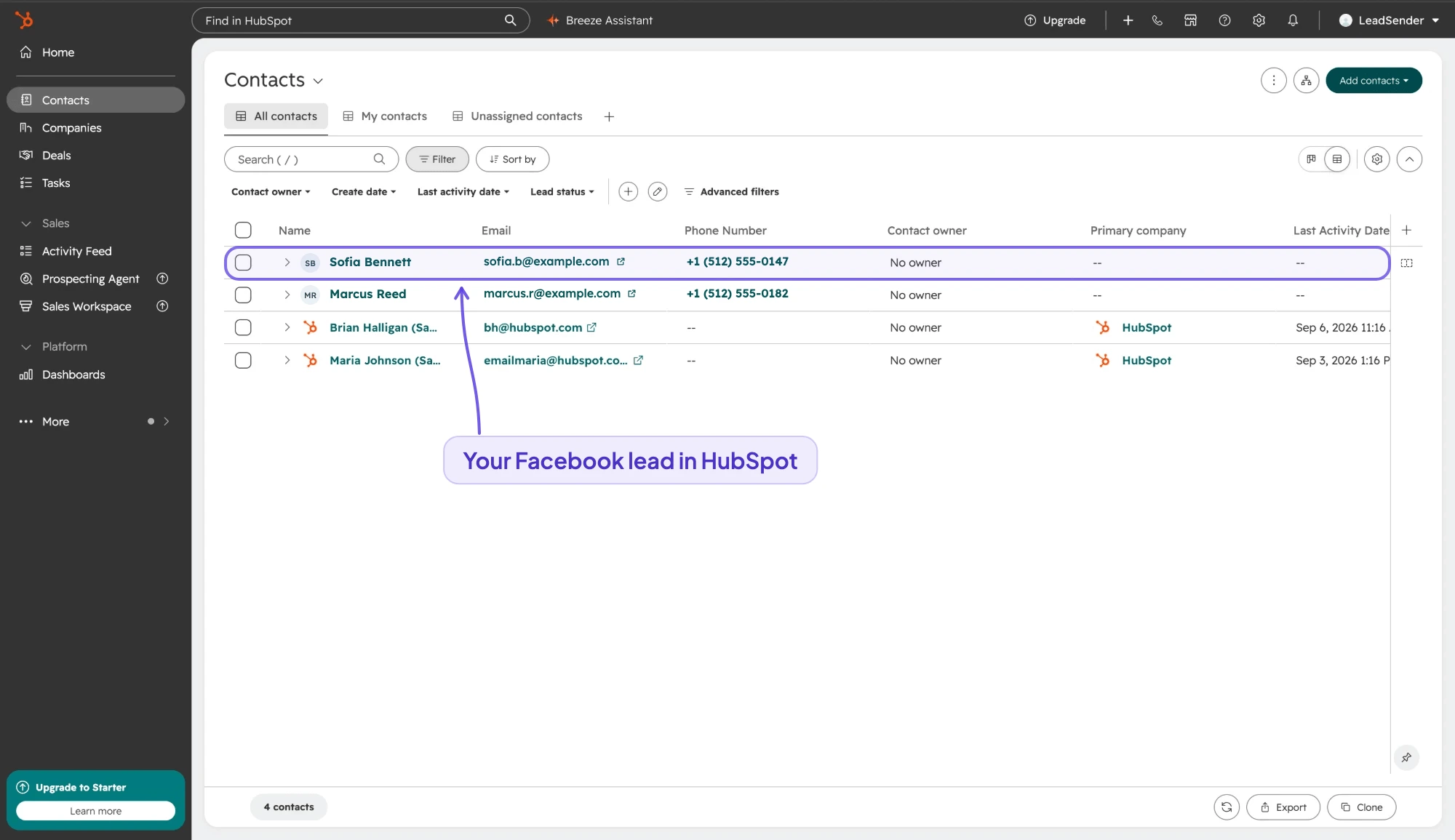
- A Facebook lead becomes: a HubSpot contact, or an update to the existing contact with the same email, so a repeat enquiry enriches the record instead of duplicating it. Answers are written to your real HubSpot properties, custom ones included.
- Good to know: HubSpot has a free plan, so it's the easiest place to start. Create the properties for your custom questions in HubSpot first, then match them.
HubSpot integration →Setup guide →
GoHighLevel: best for agencies
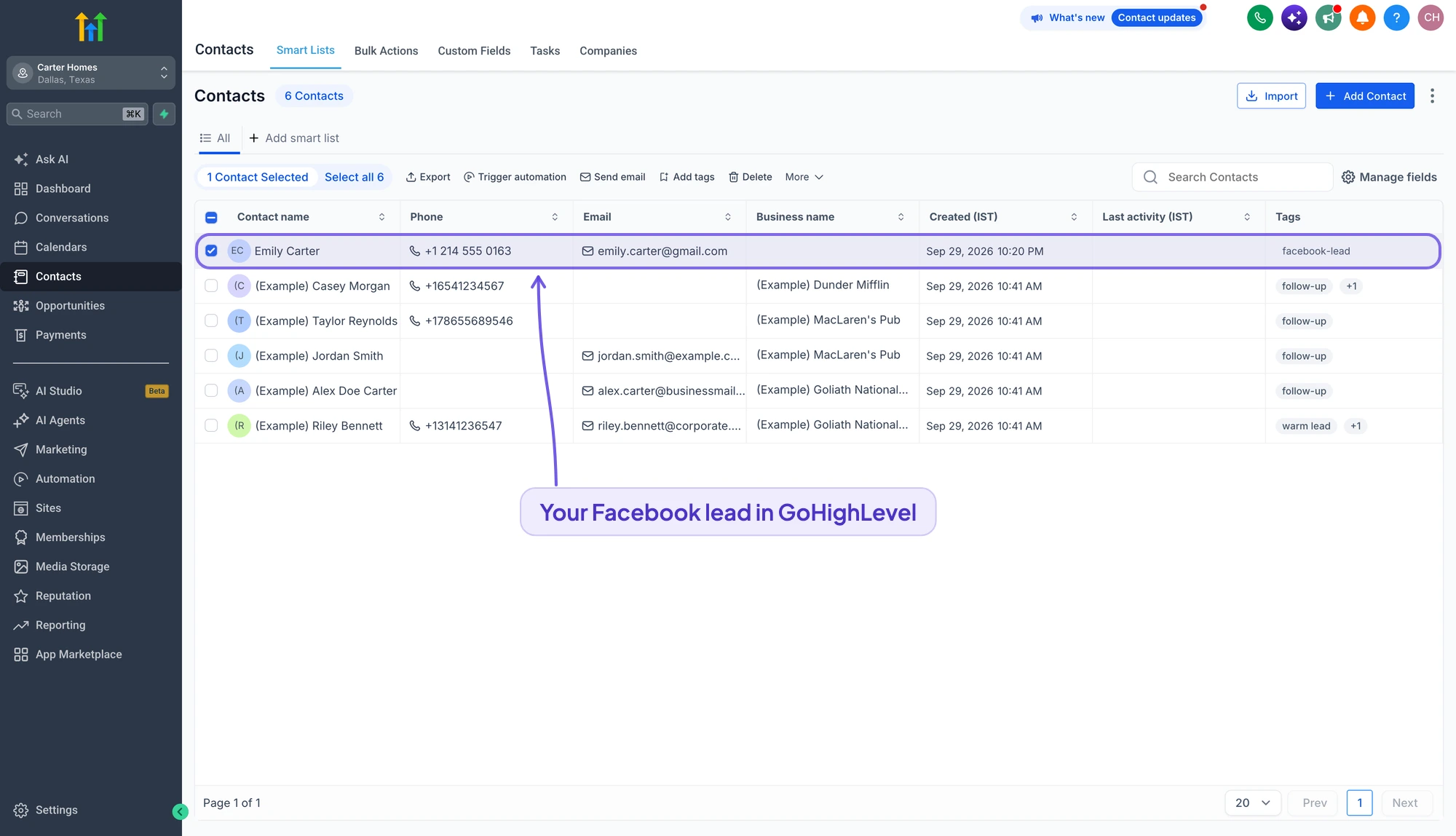
- A Facebook lead becomes: a contact created or updated in the sub-account you choose, with the answers in that location's real custom fields, ready for whatever workflow or pipeline is watching for new contacts.
- Good to know: Connect through the LeadSender app in the HighLevel Marketplace and pick a sub-account per client, so each client's leads stay in their own account.
GoHighLevel integration →Setup guide →
Pipedrive: best for small sales teams
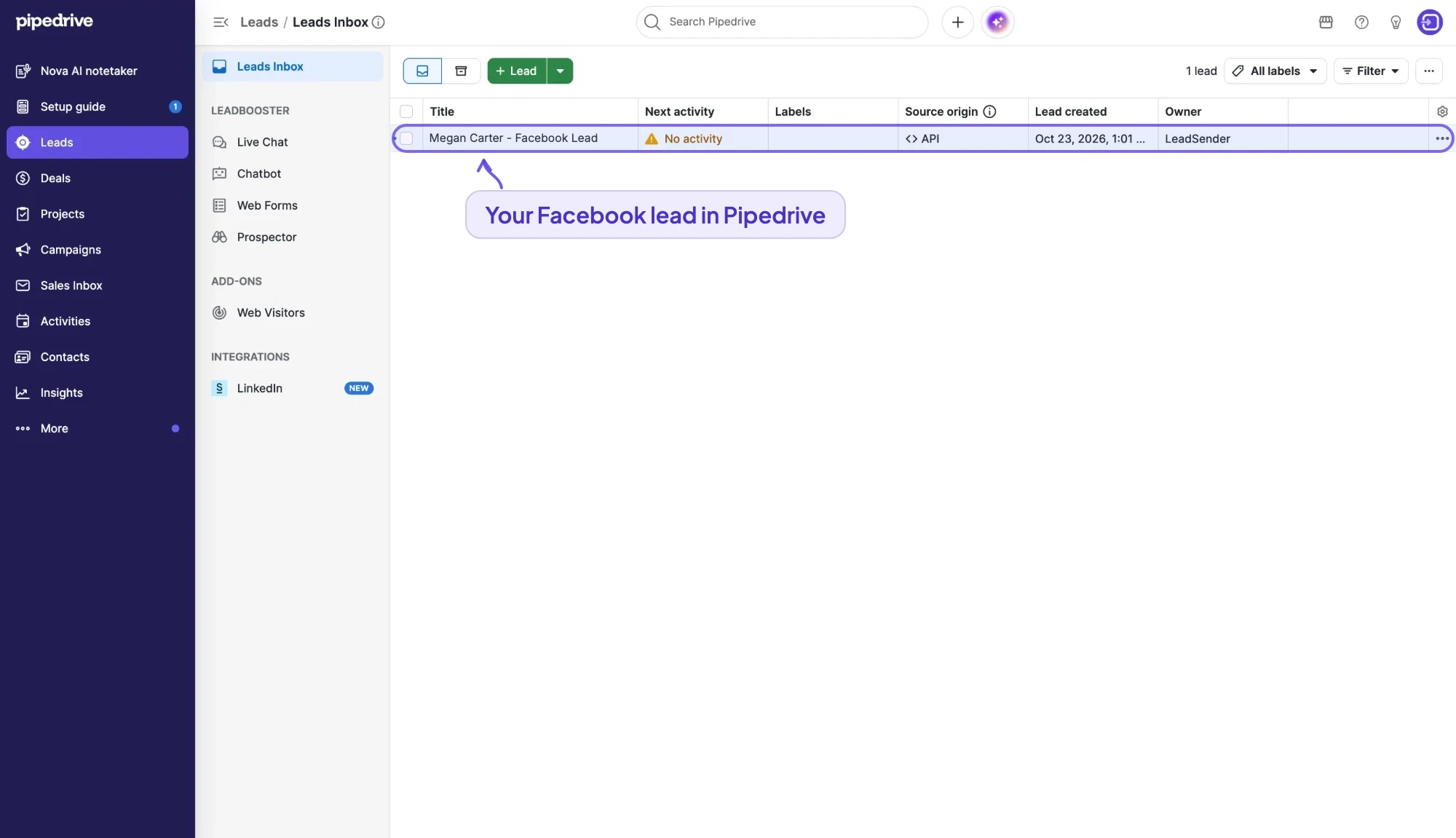
- A Facebook lead becomes: a person plus a lead in your Leads Inbox, with the contact details filled in, the label and owner you picked, and every form answer saved as a note on the lead.
- Good to know: Use a label (for example Hot or Facebook) so these leads are easy to filter in the Leads Inbox, and assign an owner so each one lands with a rep.
Pipedrive integration →Setup guide →
Close: best for teams that call every lead
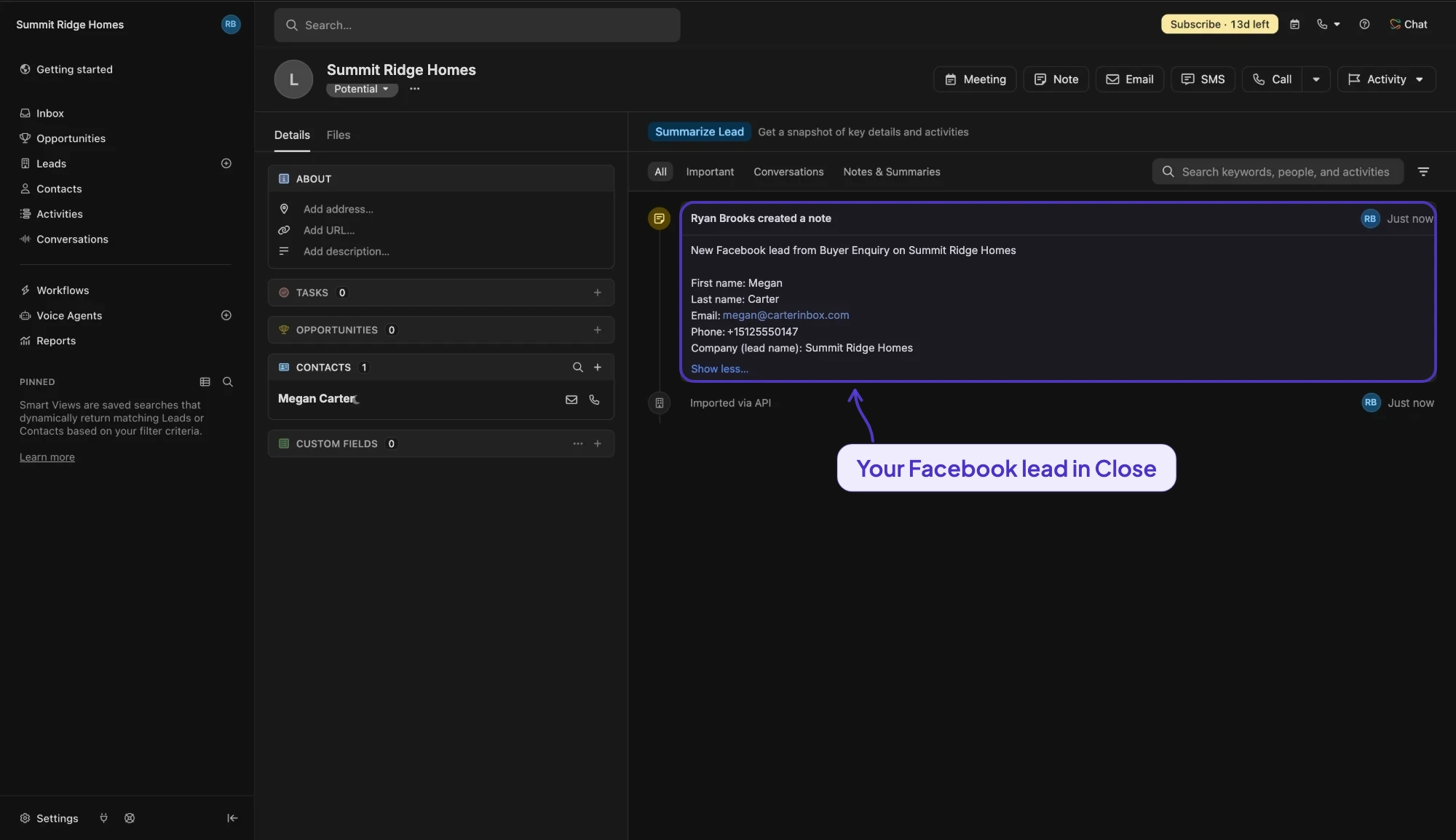
- A Facebook lead becomes: a Close lead with the person as its contact, in the status you pick, with your custom fields filled and every answer added as a note. A repeat enquiry updates the same lead.
- Good to know: Close has calling and SMS built in, so reps can call a Facebook lead from the screen it lands on. Connect with an API key from Settings, Developer, API Keys.
Close integration →Setup guide →
Freshsales: best for sales teams on Freshworks
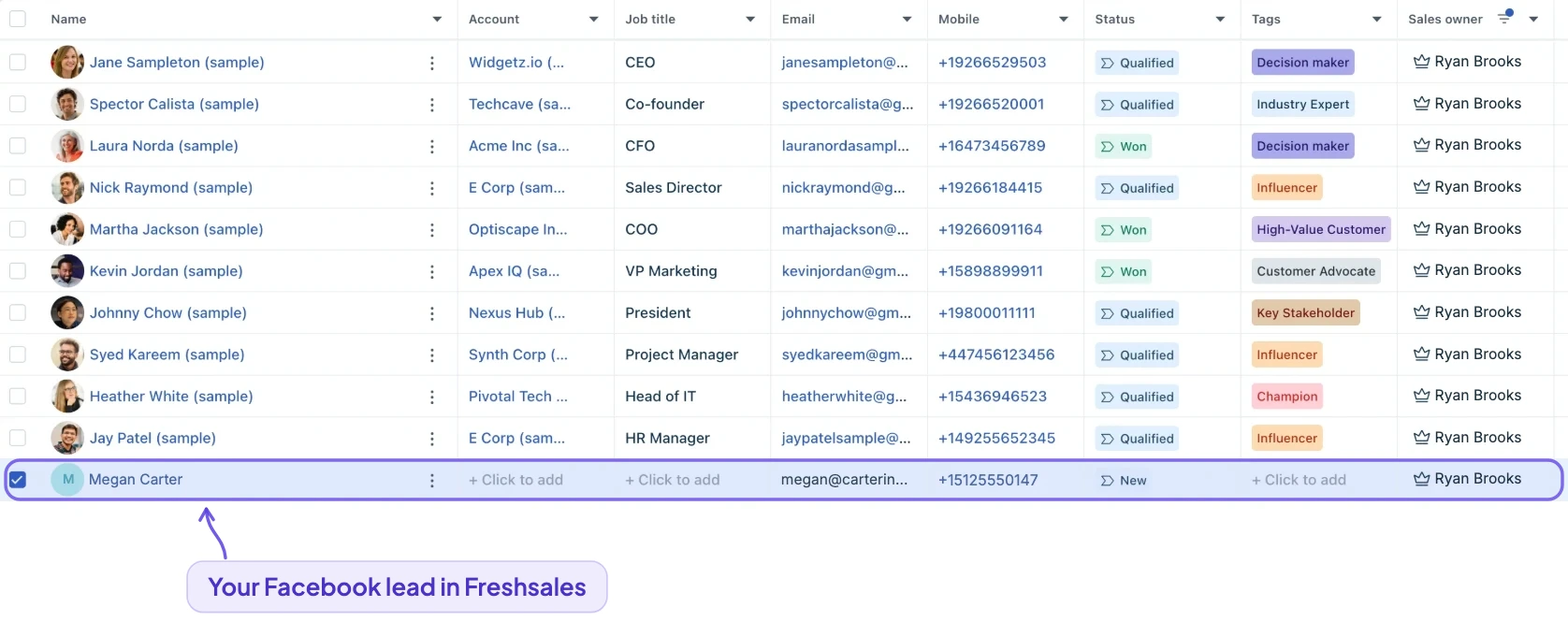
- A Facebook lead becomes: a contact with name, email, phone and address, your custom fields filled, the lead source and sales owner you pick, and every answer as a note. A repeat enquiry from the same email updates that contact.
- Good to know: Connecting needs your API key and bundle alias, both under Personal settings, API settings in Freshsales.
Freshsales integration →Setup guide →
Bitrix24: best for budget-conscious and global teams
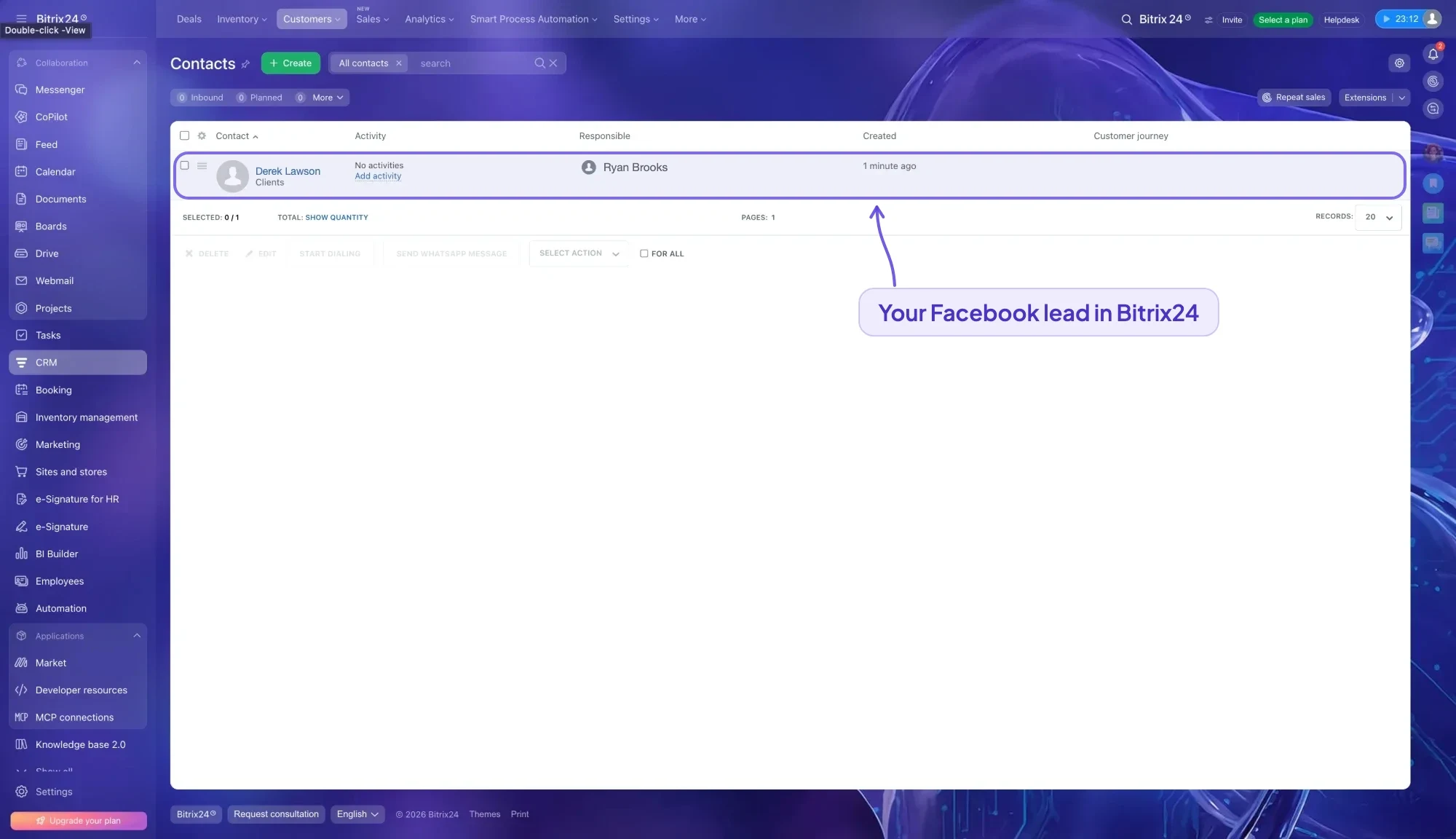
- A Facebook lead becomes: a lead in classic CRM mode, or a deal in the first stage of your pipeline on the person's contact in simple mode, with your source and responsible person set and every answer in the comments.
- Good to know: Bitrix24 has a free plan, but the inbound webhook LeadSender connects with needs a paid plan or the free 15-day trial.
Bitrix24 integration →Setup guide →
Monday CRM: best for teams that run work on boards
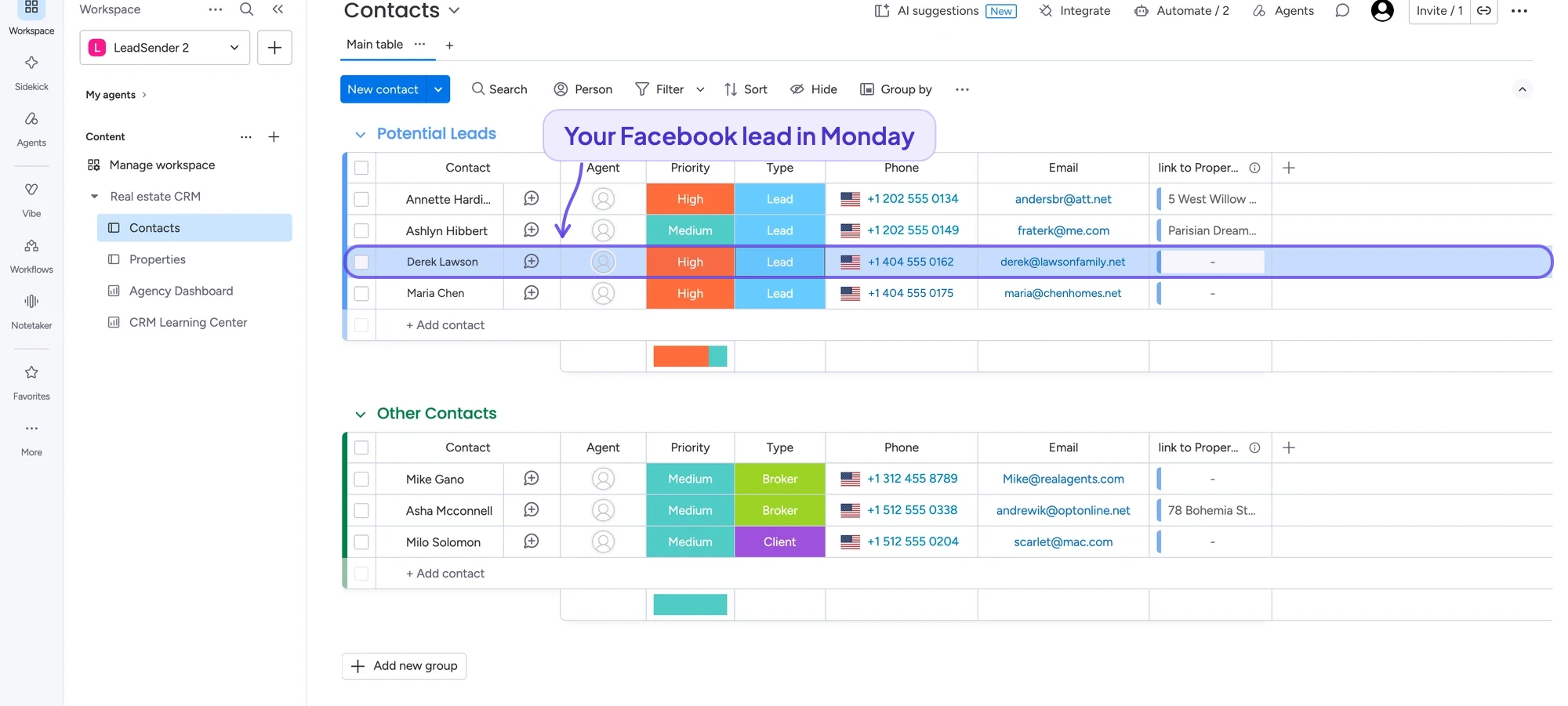
- A Facebook lead becomes: a new item on the board and group you choose, named after the lead, with answers in your board's own columns. Status, dropdown and people columns get a fixed value you pick, like Type: Lead or an agent.
- Good to know: It works with Monday CRM and with any Monday board, so a team that already runs client work there doesn't need a second tool.
Monday CRM integration →Setup guide →
Follow Up Boss: best for real estate teams
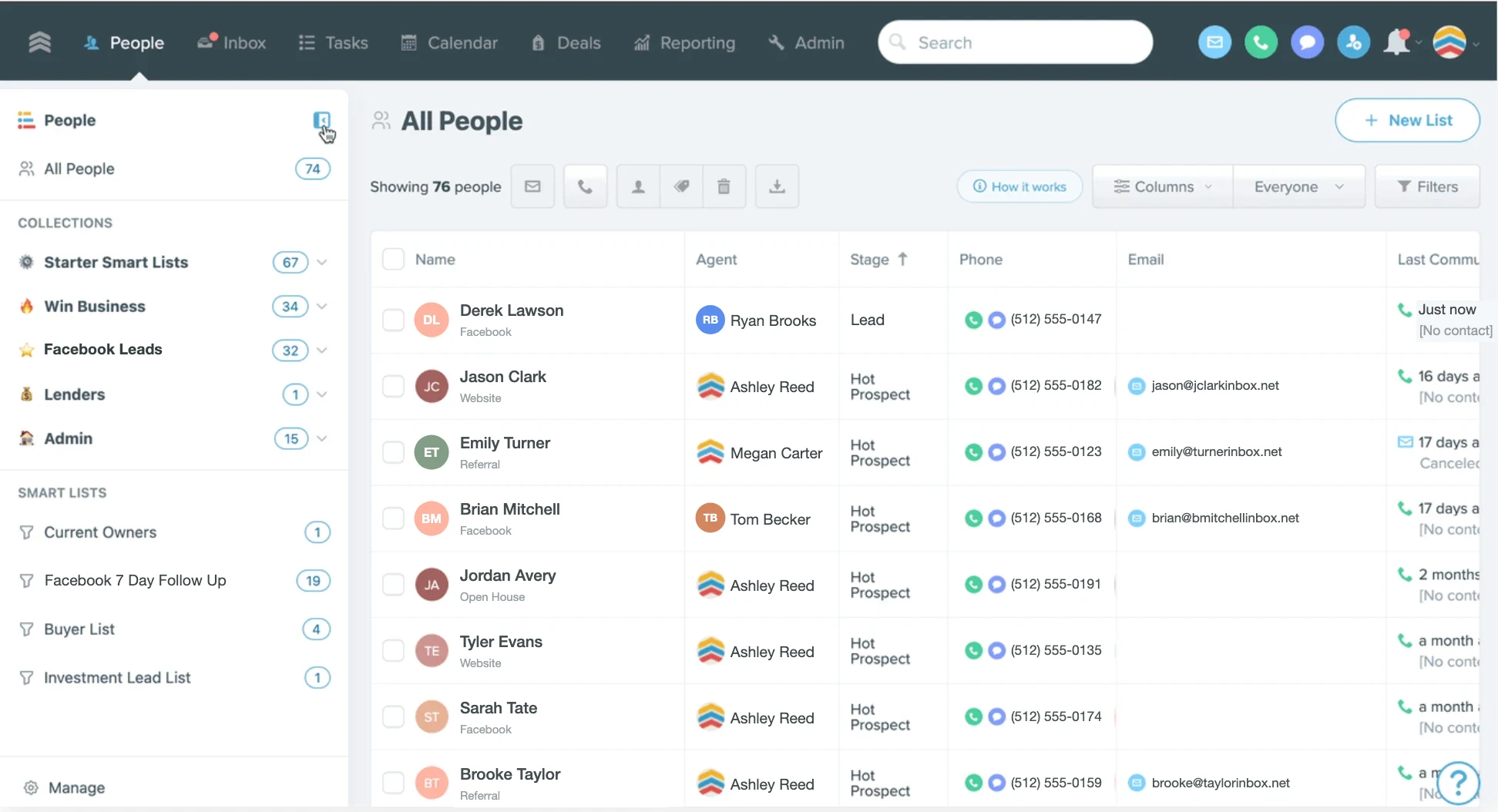
- A Facebook lead becomes: a new person with the source recorded, so your lead source reports and agents' smart lists keep working, and the answers in your own custom fields.
- Good to know: Because the source is kept, Facebook leads show up correctly in your source reports and can be routed and filtered like your other lead sources.
Follow Up Boss integration →Setup guide →
CINC: best for real estate brokerages
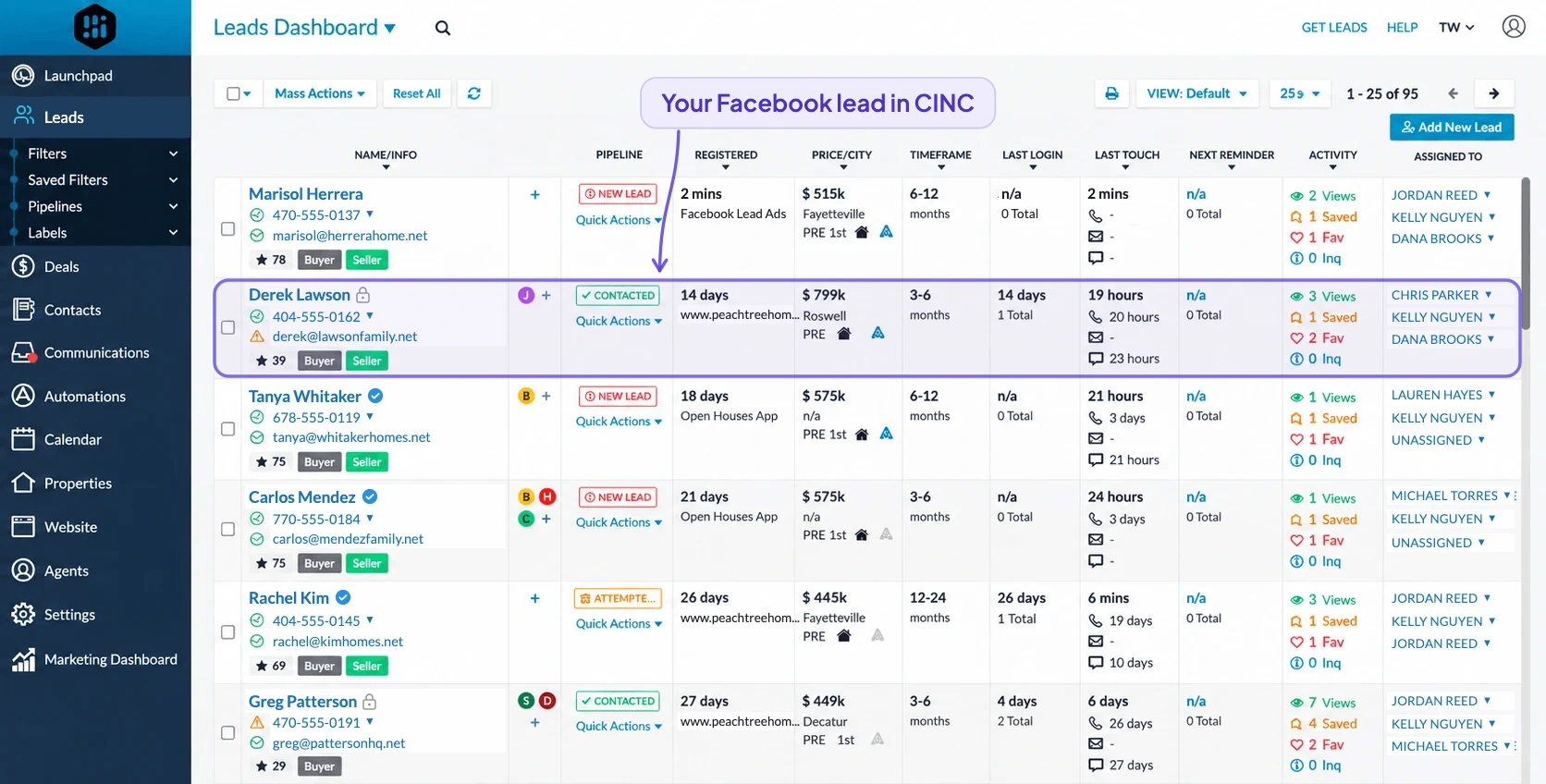
- A Facebook lead becomes: a lead in your CINC pipeline, updated rather than duplicated when the same person enquires again, with answers in CINC's contact fields.
- Good to know: Connecting needs a broker-level (admin) CINC account.
CINC integration →Setup guide →
Keep it. LeadSender sends Facebook leads to Salesforce as Lead records, to Zoho CRM as Leads in any data center, and to Lofty, BoldTrail (kvCORE) and Real Geeks. The best CRM is usually the one your team already lives in.
How to get Facebook leads into your CRM
Whichever CRM you choose, the connection works the same way in LeadSender, and takes about three minutes:
Connect Facebook
Start your 7-day free trial (no card needed) and sign in with the Facebook account that manages your Page.
Pick your Page, form and CRM
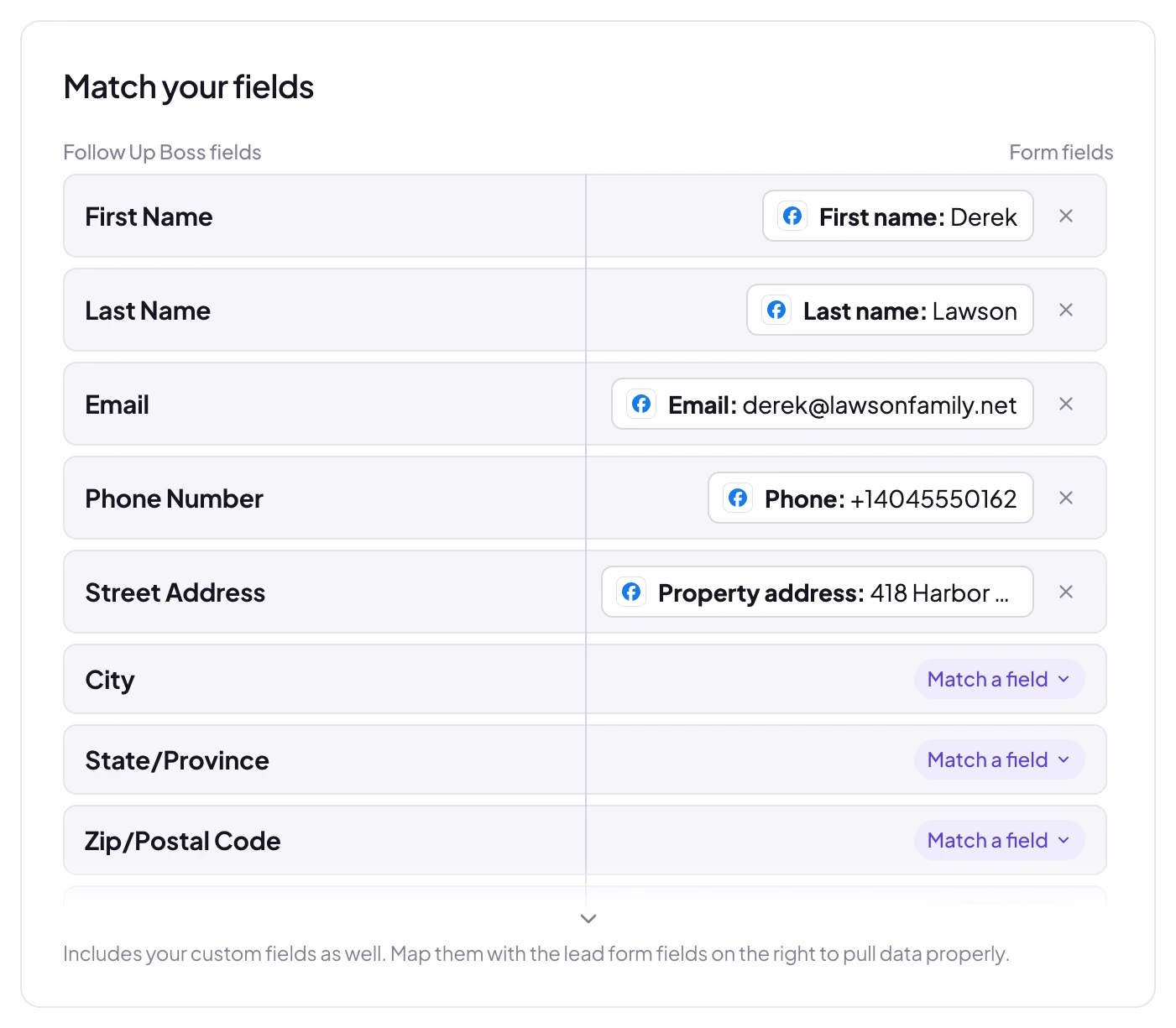
Choose the Instant Form, then connect your CRM. LeadSender reads your CRM's real fields, custom ones included.
Match fields, test and turn on
Send a test lead, check it in your CRM, then turn it on. Every new lead from Facebook or Instagram arrives within seconds.
Comparing other ways to connect, like your CRM's own Facebook connection or Zapier? See how Facebook lead ads integration works, with all five methods compared.
Get every Facebook lead into your CRM in seconds
Works with HubSpot, GoHighLevel, Pipedrive, Close, Salesforce, Follow Up Boss and every other CRM in this guide. Set up in about three minutes.
- Your real CRM fields, custom ones included, matched for you
- An owner, source or label on every lead, so it's assigned the moment it lands
- Every lead logged, with an alert and a one-click resend if one ever fails