Live integration

Facebook Leads to SMS

A text the moment a lead comes in, so you can call while they are still on the page.

Start 7-Day FREE TrialNo credit card required · Live in about 3 minutes

Setup

How to connect Facebook Lead Ads to SMS

Most people are live in about three minutes. No code, no Zapier, and your next Facebook lead can be on your phone today.

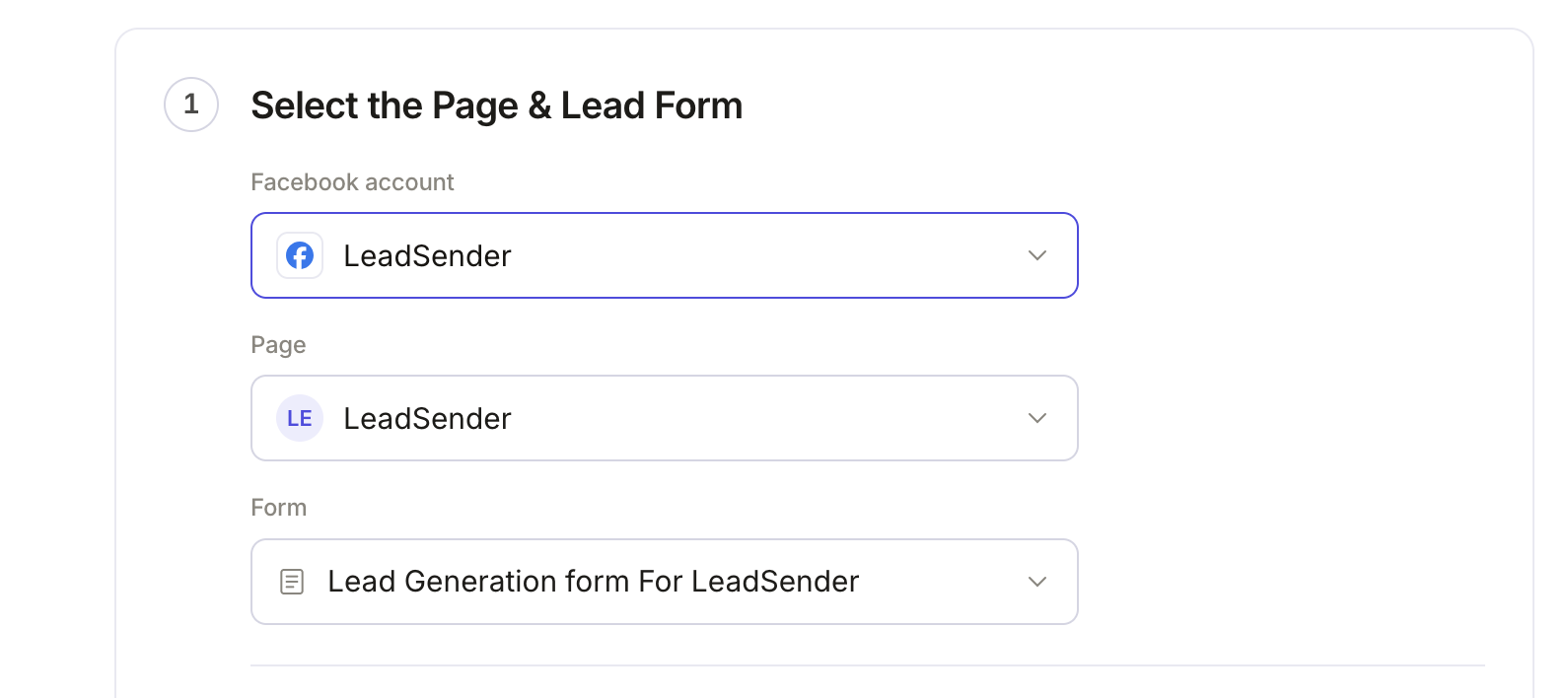
Step 1 of sending Facebook Lead Ads to SMS in LeadSender: the connected Facebook account, the selected Page and the selected lead form
1Step 1 of 3

Connect your Facebook Page and lead form

Sign in with Facebook, then pick the Page you advertise on and the lead form to send to SMS. Every new submission on that form is picked up the moment it happens.

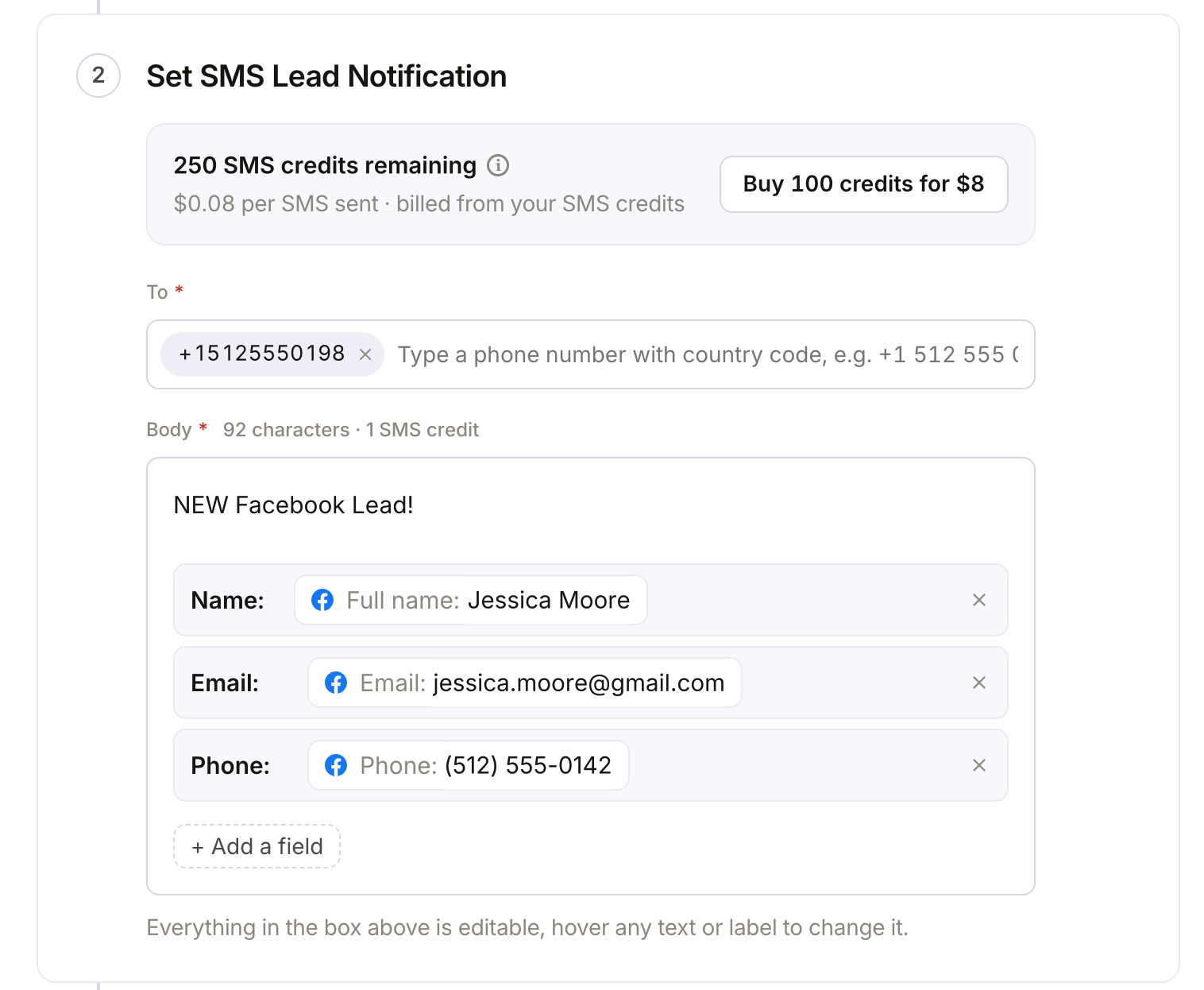
Setting up a Facebook lead SMS notification in LeadSender: the phone number to text, and the lead's name, email and phone in the message
2Step 2 of 3

Choose who gets the text and what it says

Add the mobile numbers to notify and pick which answers go in the message. There is no Twilio account or phone number to buy, and you see the character count and SMS credits before you save.

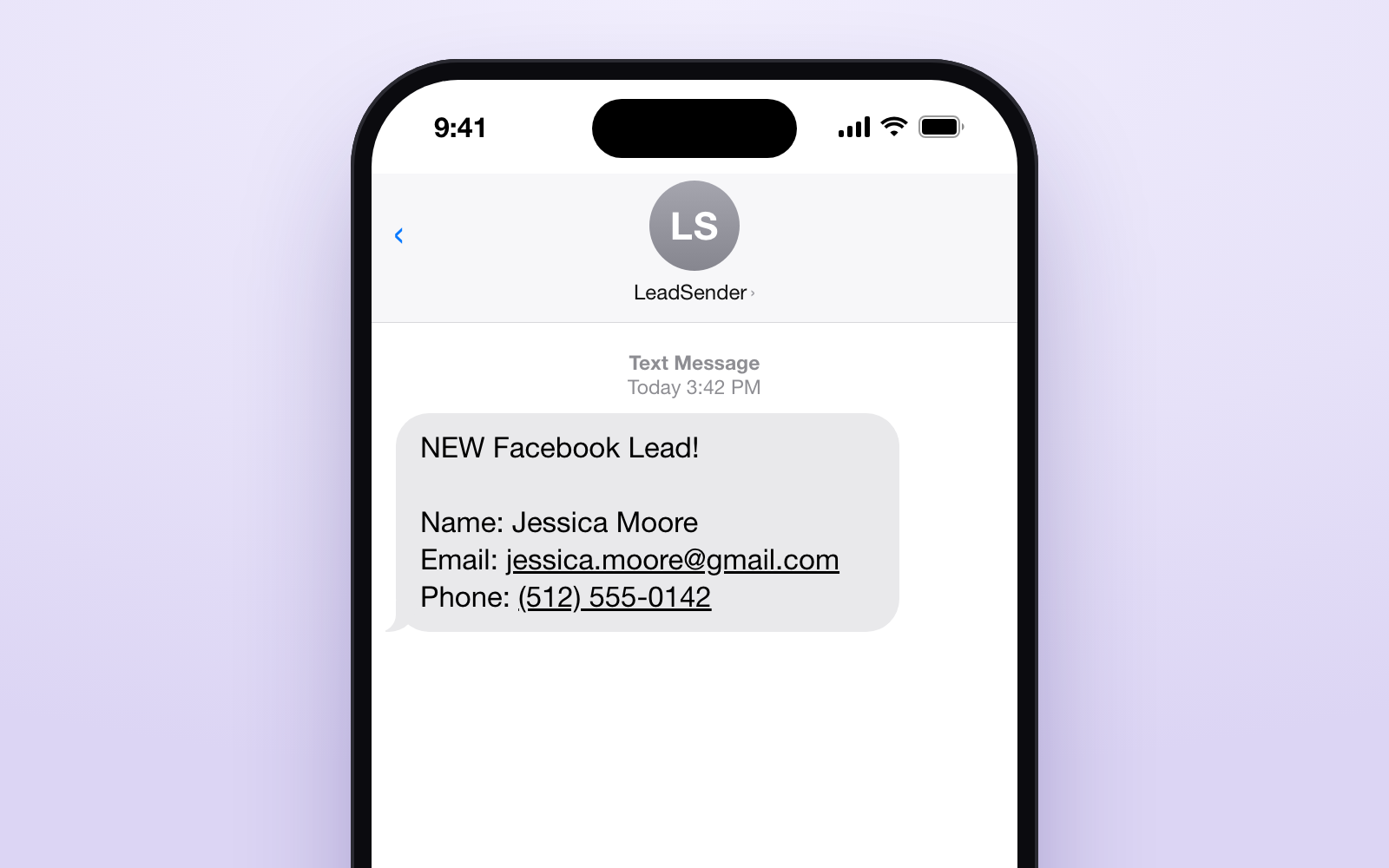
A Facebook lead text message on an iPhone: NEW Facebook Lead! with the lead's name, email and phone number
3Step 3 of 3

The lead lands on your phone

Seconds after someone submits your Facebook or Instagram lead form, a text arrives with their name, email and phone. Tap the number to call them back while they are still on their phone.

Start 7-Day FREE TrialNo credit card required · Live in about 3 minutes

Prefer to read it all first? How to get Facebook leads by text, step by step →

What arrives

What LeadSender sends to SMS

A text to the numbers you list, short enough to read on a lock screen: who submitted, their number, and whichever answers you decide are worth the characters.

Alongside the answers themselves, each lead carries the campaign and ad it came from, the Facebook Page name and the time it was submitted, so you know which ad is actually working before you even pick up the phone. Every lead is scored on the way out too, with real checks on the email and phone number, so an obvious dead end doesn't cost you a call or a text.

No SMS provider to set up. There is no Twilio account, no phone number to buy, and nothing to configure. Type in the mobile number that should get notified and turn it on.

SMS credits are billed separately from your plan, since a text costs money to send regardless of how many integrations you run. You only pay for the texts you actually send.

Keep the message short. SMS is billed and split in fixed-length segments, so a longer message can quietly become two or three texts instead of one. Include only the fields you actually act on, usually the name and phone number, rather than every answer on the form.


Who it suits

Who sends Facebook leads to SMS

Agents and contractors who are out of the office all day, and any team where the first call is the whole difference between winning and losing the lead.

This isn't a marketing automation platform bolted onto your lead flow. It does one thing: the alert your team is already waiting on, the moment a form is submitted, with no workflow builder and no Zapier step in between.

Use cases

Ways to use the Facebook Ads to SMS integration

  • A text the moment a lead arrives, for agents and owners who work away from a desk
  • Calling leads back within minutes to win the speed-to-lead race
  • Alerting whoever is on call for a location or a campaign

About the tools

Facebook Lead Ads, SMS and LeadSender

Facebook Lead Ads

Facebook Lead Ads, now Meta lead ads, let people send you their details through an instant form on Facebook or Instagram without leaving the app. The form pre-fills from their profile, which is why these ads convert well and why the leads go cold fast if nobody follows up.

SMS

SMS

A text reaches any phone with no app to install, and it is usually read within minutes. That makes SMS the fastest way to know a new lead is waiting when you are away from your desk.

LeadSender

LeadSender connects Facebook and Instagram lead ads to the tools you already use. It listens to Meta's leadgen webhook, maps each answer to a real field and delivers every lead in seconds, with a LeadScore quality check on the way. No Zapier, no CSV exports.

FAQ

Facebook Leads to SMS FAQs

How do I send Facebook leads to SMS?

Connect your Facebook Page in LeadSender, choose SMS as the destination, and map each question on your lead form to a field. Nothing to authorise. Add the mobile numbers that should be texted and choose what the message says. SMS credits are billed separately from your plan, so you only pay for texts you actually send. Once it is switched on, every new submission is delivered automatically.

How fast do leads reach SMS?

Seconds. LeadSender is subscribed to Meta's leadgen webhook, so Facebook tells us the moment a form is submitted and we deliver straight on to SMS. There is no polling window and no sync schedule to wait for.

Do I need Zapier to connect Facebook Lead Ads to SMS?

No. LeadSender talks to Meta and to SMS directly, so there is no Zapier plan to pay for on top and no extra hop for a lead to get stuck in.

Can I map my own custom fields in SMS?

Yes. When you connect SMS, LeadSender reads the live field list from your own account, standard fields and the custom ones you created, so you map each form answer to the field your team actually uses instead of to a fixed list.

Start sending Facebook leads to SMS today.

Start Your Free TrialNo credit card required · Cancel anytime