How do I send Facebook leads to WhatsApp?
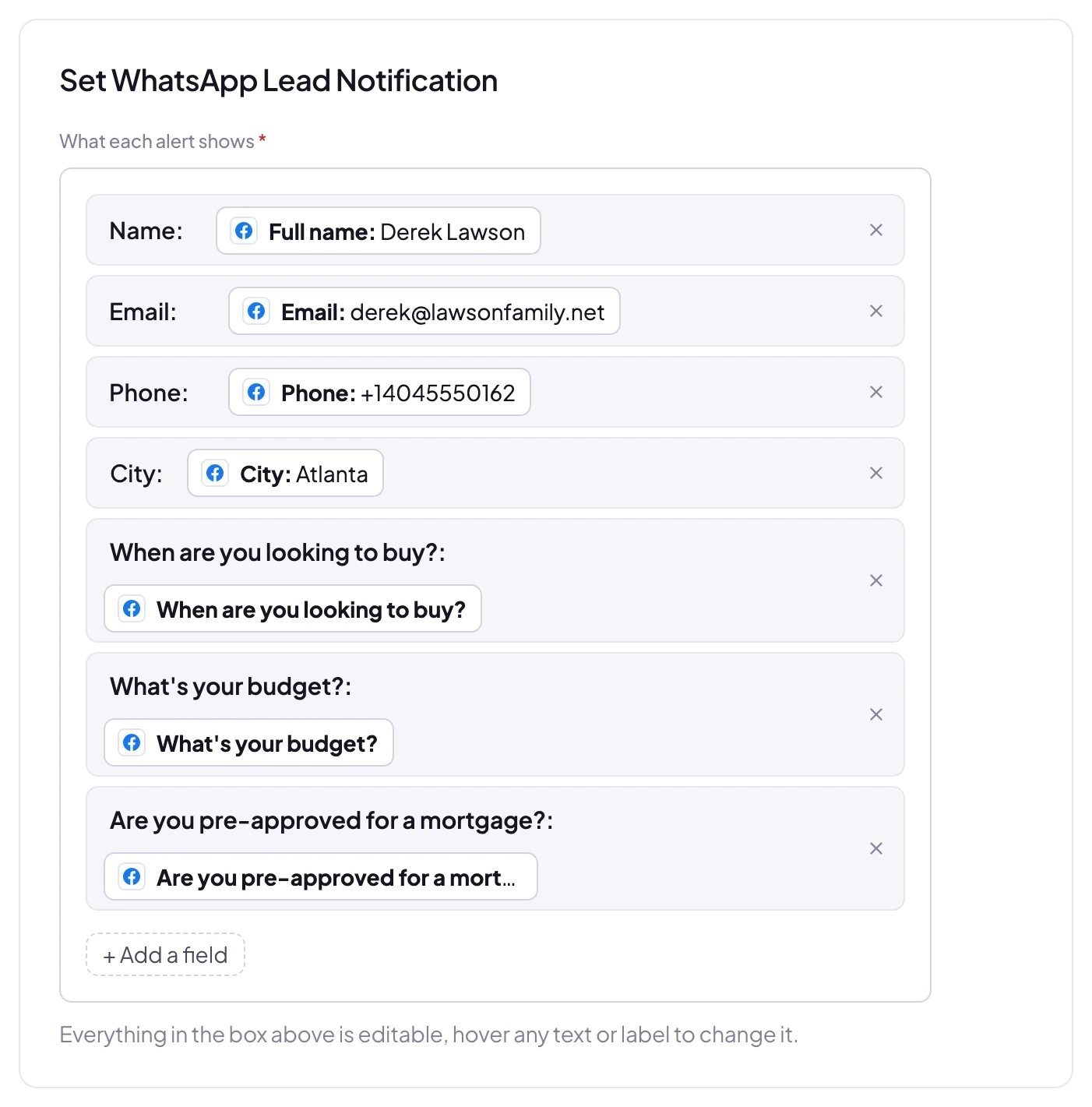
Connect your Facebook Page in LeadSender, choose WhatsApp as the destination, and map each question on your lead form to a field. Nothing to authorise and no WhatsApp Business account of your own. Alerts come from LeadSender's verified WhatsApp Business number; you add the numbers that should get them, with the country code, and buy WhatsApp credits as you need them. Once it is switched on, every new submission is delivered automatically.
How fast do leads reach WhatsApp?
Seconds. LeadSender is subscribed to Meta's leadgen webhook, so Facebook tells us the moment a form is submitted and we deliver straight on to WhatsApp. There is no polling window and no sync schedule to wait for.
Do I need Zapier to connect Facebook Lead Ads to WhatsApp?
No. LeadSender talks to Meta and to WhatsApp directly, so there is no Zapier plan to pay for on top and no extra hop for a lead to get stuck in.
Can I map my own custom fields in WhatsApp?
Yes. When you connect WhatsApp, LeadSender reads the live field list from your own account, standard fields and the custom ones you created, so you map each form answer to the field your team actually uses instead of to a fixed list.
How do I get Facebook lead ads notifications on WhatsApp?
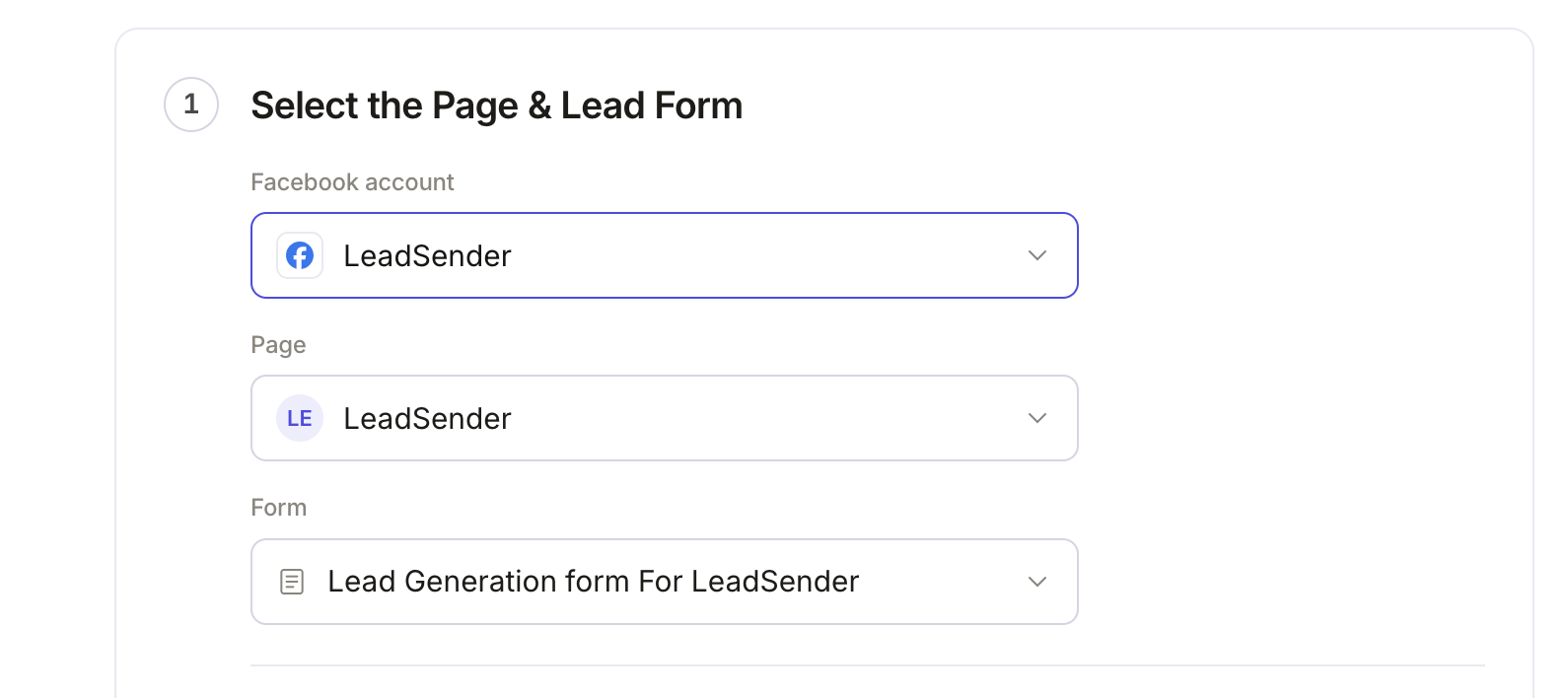
Connect your Facebook Page in LeadSender, choose Facebook Leads to WhatsApp, pick the Page and lead form, add the WhatsApp numbers that should be alerted (with the country code) and turn it on. Every new lead from that form then arrives as a WhatsApp message within seconds.
Do I need a WhatsApp Business API account?
No. Alerts are sent from LeadSender's own verified WhatsApp Business number through Meta's official WhatsApp Cloud API, so there is no Business API account, phone number or message template for you to set up.
What does the WhatsApp lead alert include?
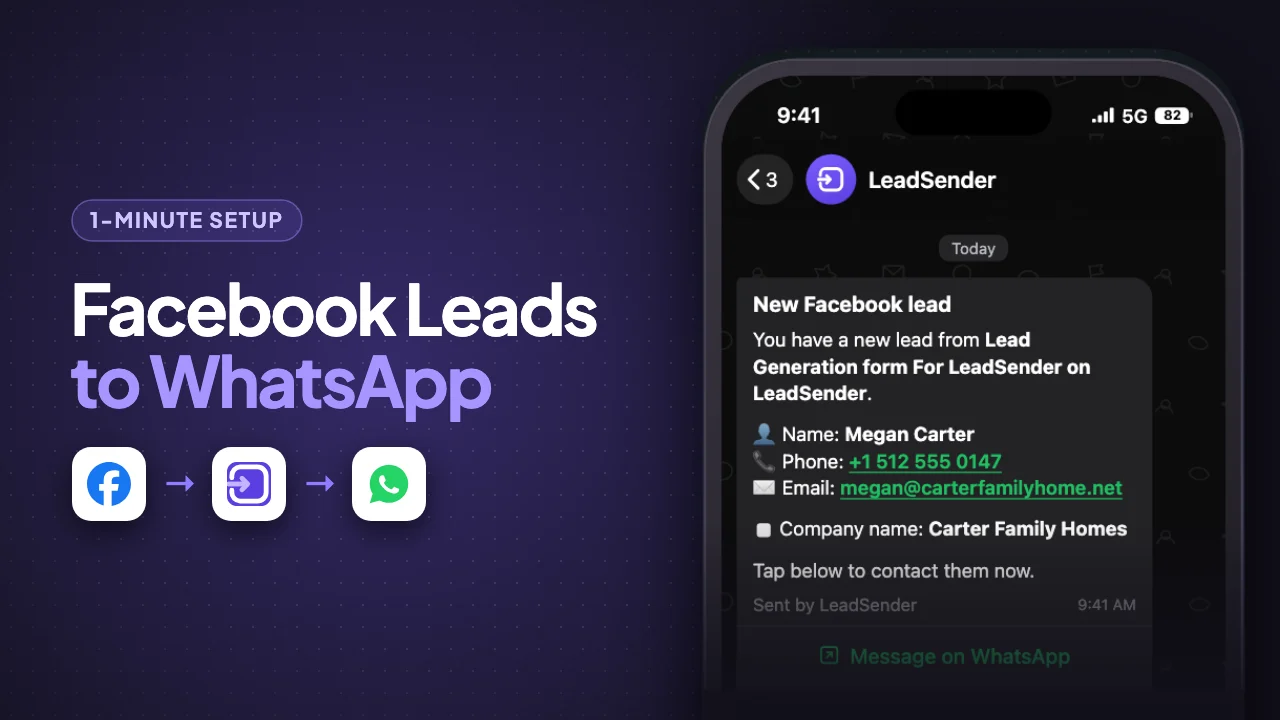
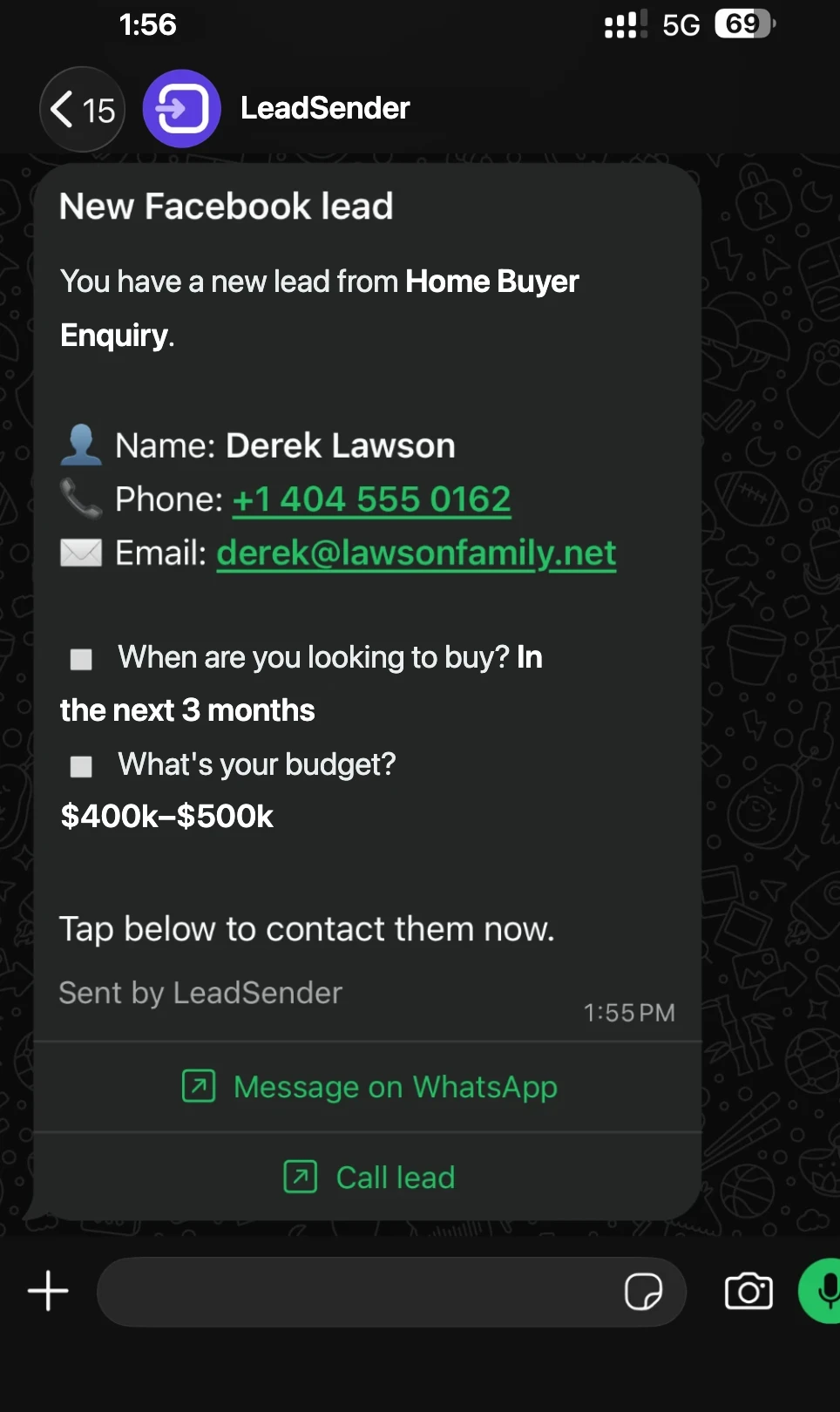
The lead's name, phone number and email, then each answer from your lead form on its own line with the answer in bold, and the form it came from. Two buttons let you open a WhatsApp chat with the lead or call them straight from the alert.
How much do WhatsApp lead alerts cost?
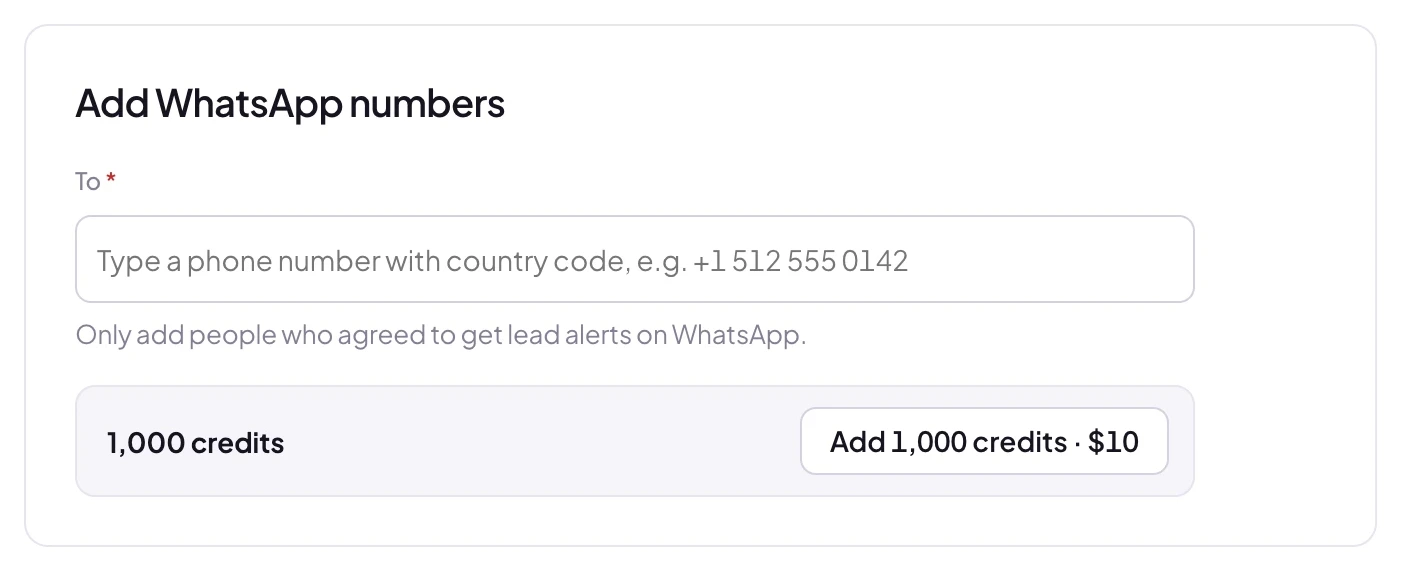
WhatsApp alerts use credits, bought separately from your plan: 1,000 credits cost $10 plus tax, and 1 credit is $0.01. The price depends on the country of the WhatsApp number receiving the alert (yours, not the lead's), because Meta charges a different rate in each country: 1 credit in the US, Canada and India, 4 in Singapore or the UAE, 6 in the UK and up to 14 in Germany. The WhatsApp guide lists every country, and LeadSender shows how many leads your balance covers.
Can I send WhatsApp alerts to my whole team?
Yes. Add as many WhatsApp numbers as you like to one integration and each person gets the alert at the same time. Only add numbers whose owners have agreed to get lead alerts on WhatsApp.
Does it work for Instagram lead ads too?
Yes. Instagram lead ads use the same Instant Forms on your Facebook Page, so the same integration sends Instagram leads to WhatsApp as well.
Can I send the same leads to WhatsApp and my CRM?
Yes. Create one integration that sends the form to WhatsApp and another that sends it to your CRM, Google Sheets or email. Each lead goes to both, and each delivery shows in Run history.