














In real estate, the agent who calls first usually wins the client. A Facebook lead sitting in Meta's Leads Center for an hour has often already spoken to someone else. If your team runs on Follow Up Boss, the fix is to have every Facebook lead sent to Follow Up Boss automatically, so your Lead Flow assigns it and your action plans start while the lead is still holding their phone.
This guide shows how to connect Facebook lead ads to Follow Up Boss step by step, in about three minutes, with no CSV exports and no Zapier. Then it covers how leads arrive, which fields you can fill, and how to set Follow Up Boss up so every lead gets a call within minutes. New to running lead ads for listings and valuations? Start with our guide to Facebook lead ads for real estate.
Facebook keeps instant-form leads in Leads Center and doesn't email them, so you need a connector to send them to Follow Up Boss. In LeadSender: connect Facebook, choose Facebook Leads to Follow Up Boss, pick your Page and form, paste your Follow Up Boss API key, match your fields and turn it on. Every new lead becomes a person in Follow Up Boss within seconds, routed by your Lead Flow.
How to connect Facebook lead ads to Follow Up Boss with LeadSender
Start a free trial and connect Facebook
Start your 7-day free trial of LeadSender (no card needed) and sign in with the Facebook account that manages your Page. That lets LeadSender hear about each new lead the moment it's submitted.
Choose the Follow Up Boss template
From Integrations, pick Facebook Leads to Follow Up Boss. Then select your Facebook Page and the lead form you want to send.
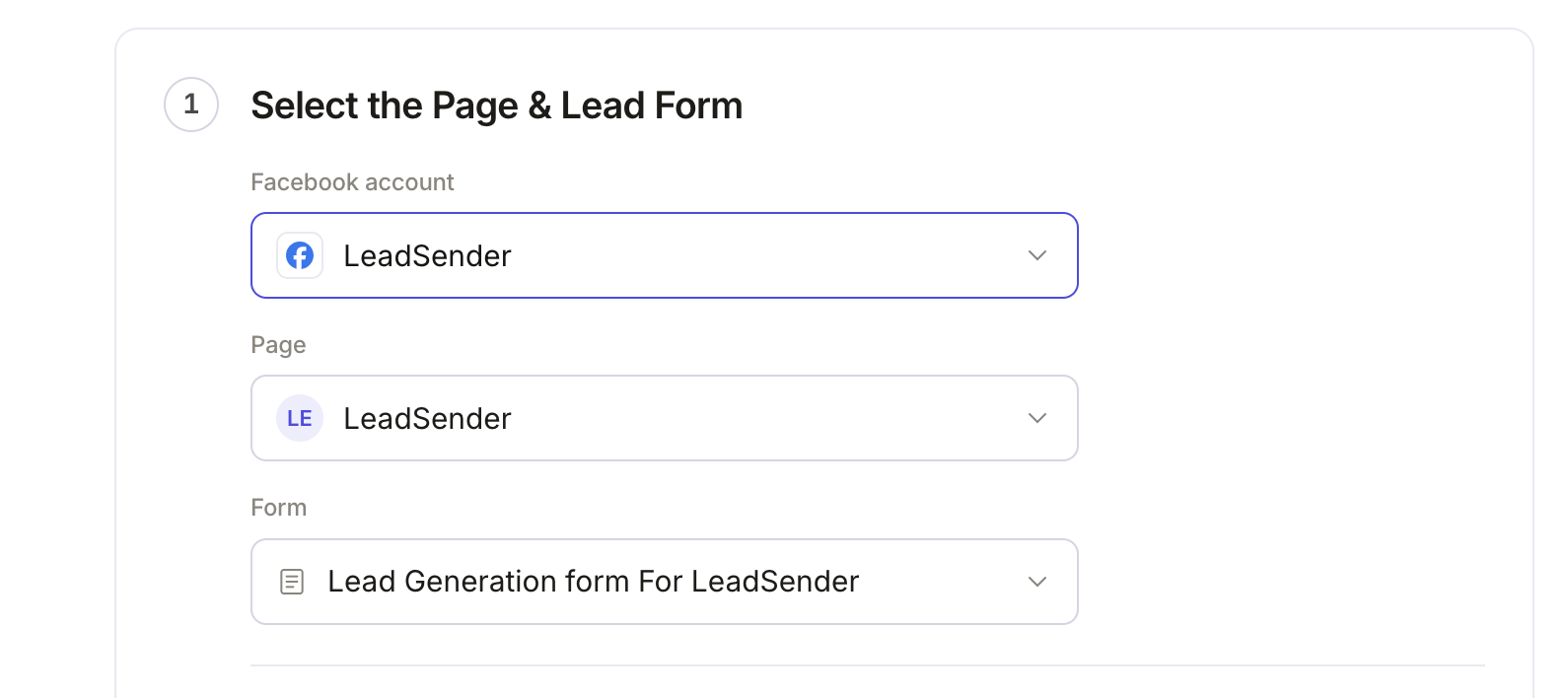 Select your Page
and lead form
Create a Follow Up Boss API key
In Follow Up Boss, open Admin, then API. If you don't have a key yet (most new accounts don't), click Create API Key, name it LeadSender and copy it. Don't see Admin or API? Ask your account owner to create the key for you.
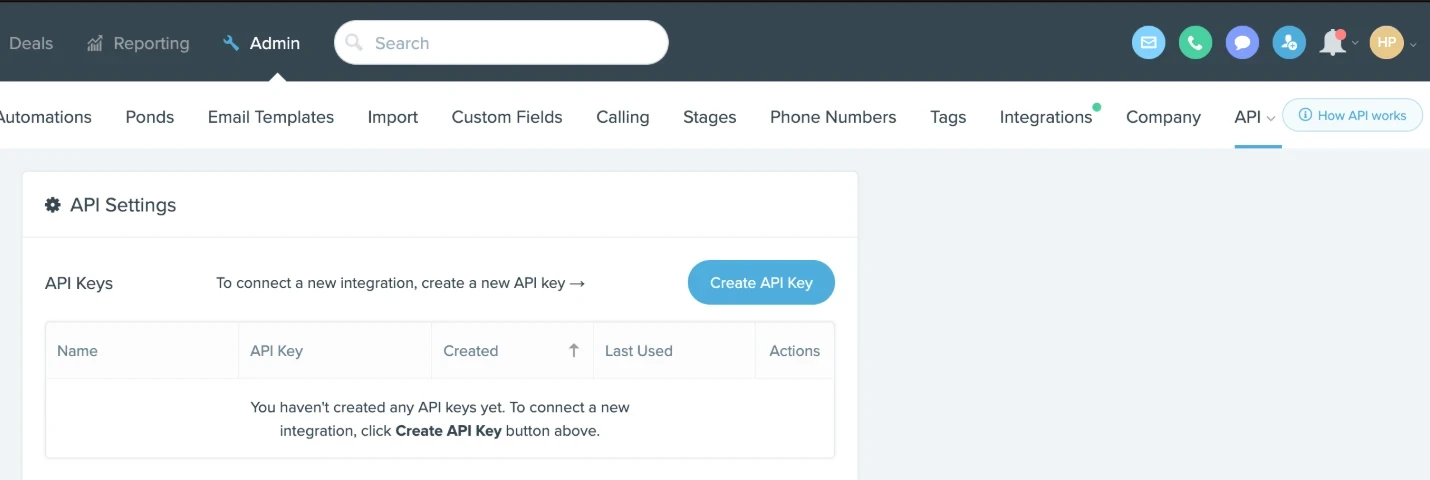 Click Create API KeyAdmin, then API
Connect Follow Up Boss
Back in LeadSender, click Connect next to Follow Up Boss, paste the key and click Connect. LeadSender reads your stages, ponds, agents and custom fields from that account. The key stays on our servers.
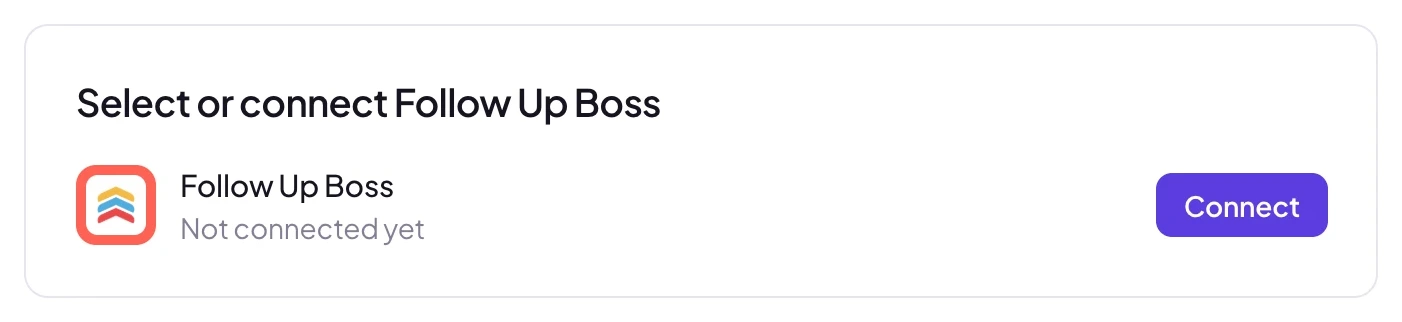 Click Connect
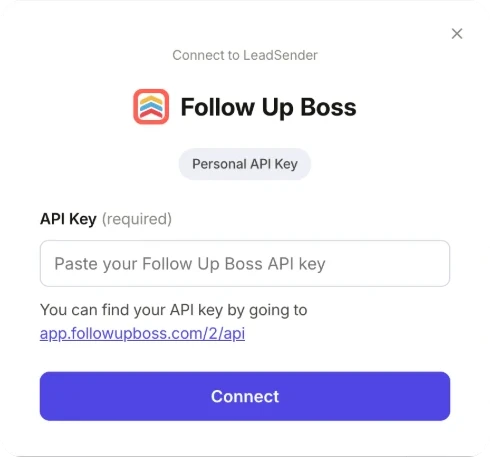 Paste it here
Match your fields, test and turn on
In Match your fields, name, email and phone are matched for you. Match address, stage, tags, price or any of your own custom fields to the form's answers. Then click Send a test lead. Want a fresh lead to test with? Create one with our free Meta Lead Ads Testing Tool.
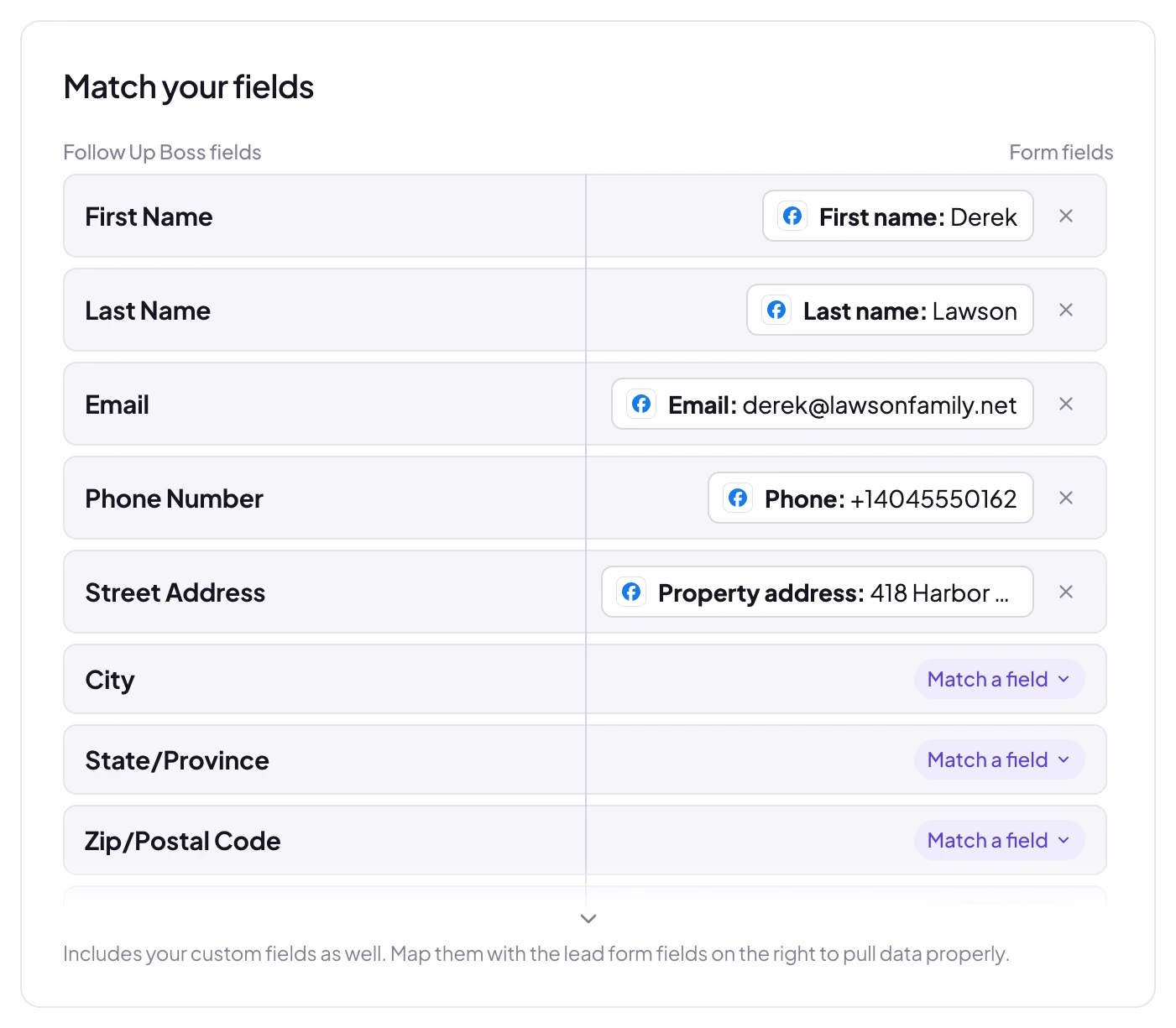 Matched for you
LeadSender sends your latest real lead to Follow Up Boss and shows exactly what went across:
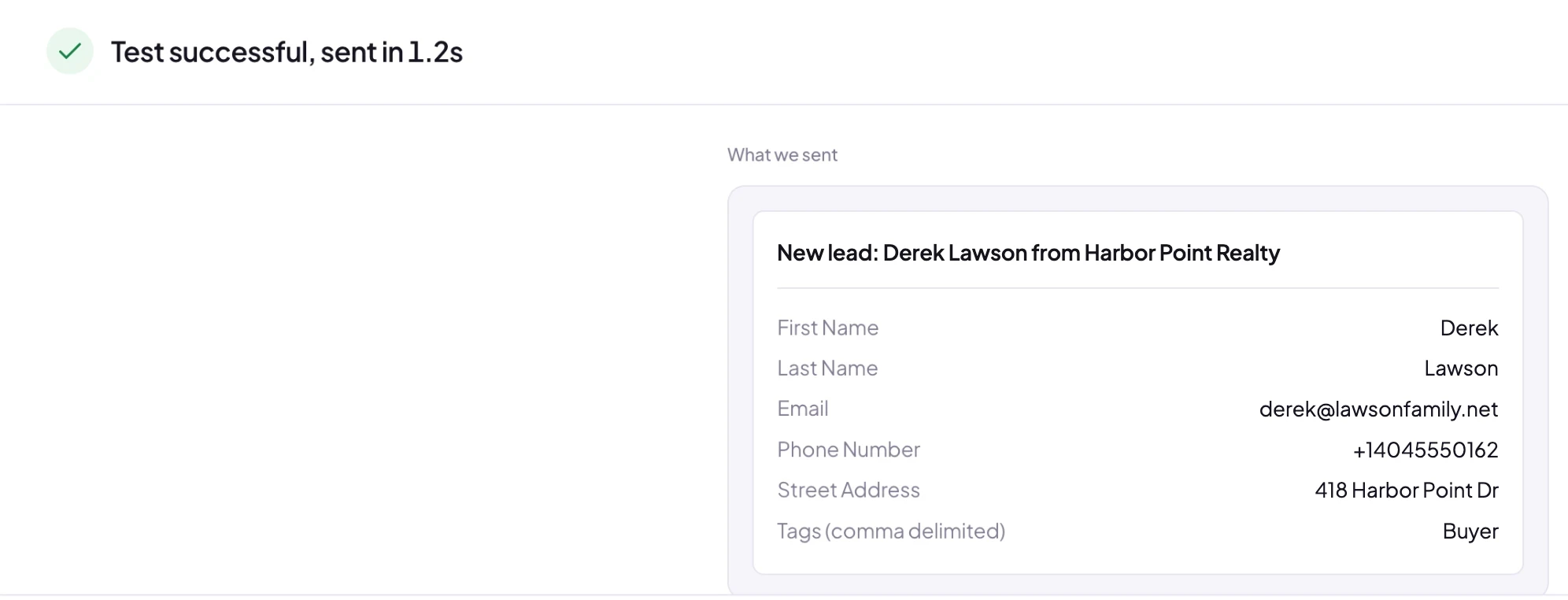 Exactly what reached Follow Up Boss
Open People in Follow Up Boss and the lead is already at the top, with your Facebook Page as the source, assigned to an agent by your Lead Flow. When it looks right, click Turn on.
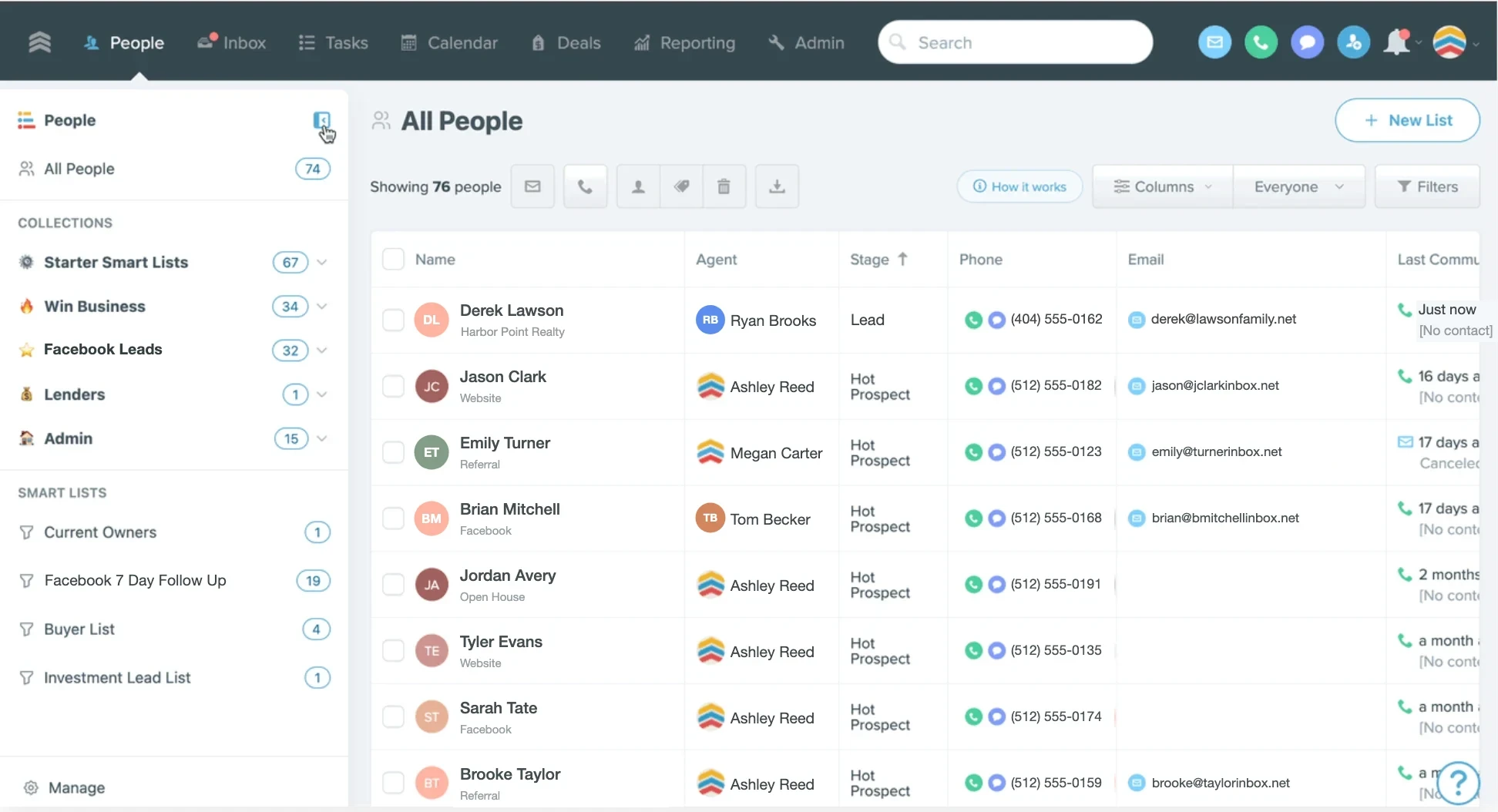 Your Facebook lead
How each lead arrives in Follow Up Boss
LeadSender sends every lead as a Follow Up Boss Registration event, the same way IDX websites and lead portals do. That matters, because events are what Follow Up Boss's automation listens for:
- A person is created, or updated if the same email or phone is already in Follow Up Boss. No duplicates.
- Your Lead Flow runs, so the lead is assigned to the right agent or pond by your own rules.
- Your action plans start, so the first text or email goes out automatically.
- The source is your Facebook Page name, so source reporting shows which Page and ads bring in business.
Which fields you can fill
- First name, last name, email and phone, matched for you.
- Address: street, city, state and ZIP.
- Stage, tags and price, so a buyer form and a seller form land differently.
- Assigned to and pond, if you route by form instead of by Lead Flow.
- Source, if you'd rather use a form answer than your Page name.
- Your own custom fields, like timeframe, pre-approval or budget.
Any answer you don't match isn't lost: it's added to the lead's event in Follow Up Boss, so your agent sees every answer the lead gave.
Running a buyer form and a seller form? Create one integration per form and tag them Buyer and Seller. Your Lead Flow and action plans can then treat each kind of lead the way it needs.
Set up Follow Up Boss for speed to lead
- In Admin, Lead Flow, add a rule for your Facebook Page source that assigns the lead to an agent or a pond.
- Attach an action plan to that rule that sends a text and an email straight away.
- Turn on Follow Up Boss's new lead notifications in the mobile app, so the assigned agent gets a push the second the lead arrives.
With LeadSender sending each lead in seconds, your agent can call while the lead is still on Facebook.
LeadSender vs Zapier vs the lead email address
| LeadSender | Zapier | FUB lead email | |
|---|---|---|---|
| Works with Facebook lead ads | ✓ Yes | ✓ Yes | ✗ Facebook doesn't email leads |
| Price | From $9.99/mo | From $29.99/mo (Facebook Lead Ads is a premium app) | Free |
| Speed | ✓ Seconds | Depends on plan | n/a |
| Starts Lead Flow and action plans | ✓ Sent as an event | ⚠ Depends on the Zap action | n/a |
| Setup | ✓ About 3 minutes, guided | ⚠ Build and test a Zap | n/a |
Short version: Follow Up Boss's lead email address is great for portals that email leads, but Facebook doesn't. Zapier works if you already pay for a premium Zapier plan. LeadSender is the simplest way to get every Facebook lead into Follow Up Boss the moment it comes in. More in LeadSender vs Zapier.
When a Facebook lead doesn't show up in Follow Up Boss
- The API key was deleted: create a new key under Admin, API, then use Change account in LeadSender to paste it.
- You can't see the API page: your user may not have admin access. Ask your account owner to create the key.
- The lead went to a pond or another agent: that's your Lead Flow working. Search All People for the lead's name.
- It updated an older record: the email or phone matched an existing person, so Follow Up Boss updated them instead of creating a new one.
- Nothing at all: check the integration is turned on, then send a test lead and read the result. Every attempt is listed in Run history with the reason.
Comparing options? See how Facebook lead ads integration works, with the 5 ways to send leads to Email, SMS or your CRM compared.