













Facebook and Instagram are where most of your future clients scroll every day. Facebook lead ads for real estate let them raise their hand in two taps, without leaving the app. This guide gives you the pieces to run them properly: ad copy and lead forms you can paste straight into Ads Manager, Meta's housing rules shown in real screenshots, a calculator that works back from your closings, and the follow-up scripts that turn a form fill into an appointment.
Run a Leads campaign under Meta's Housing special ad category, give people a specific offer (a home valuation for sellers, new listings or an open house for buyers), ask two or three qualifying questions, and send every lead to your CRM and your phone the moment it arrives, so an agent can call within minutes.
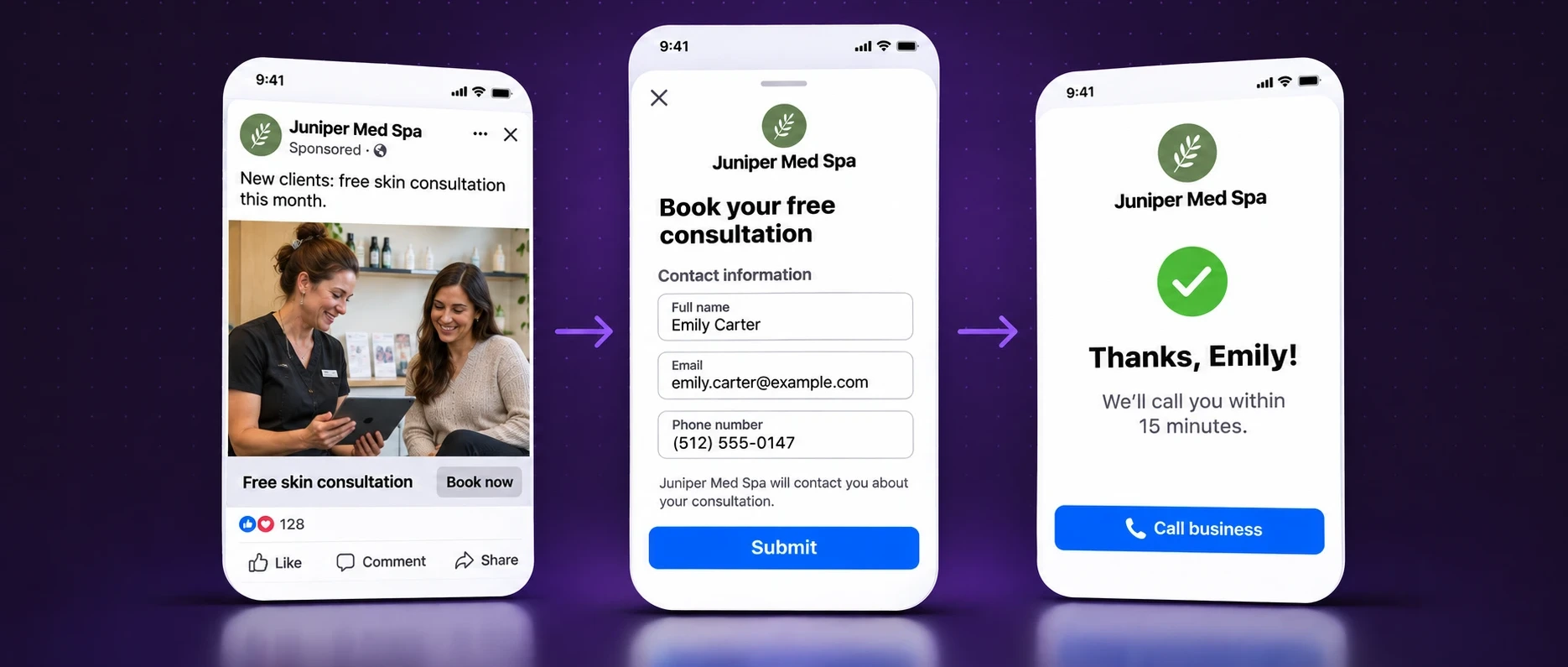
One lead, from ad to agent
This is the whole system in four screens. Every section below helps you get one of them right.
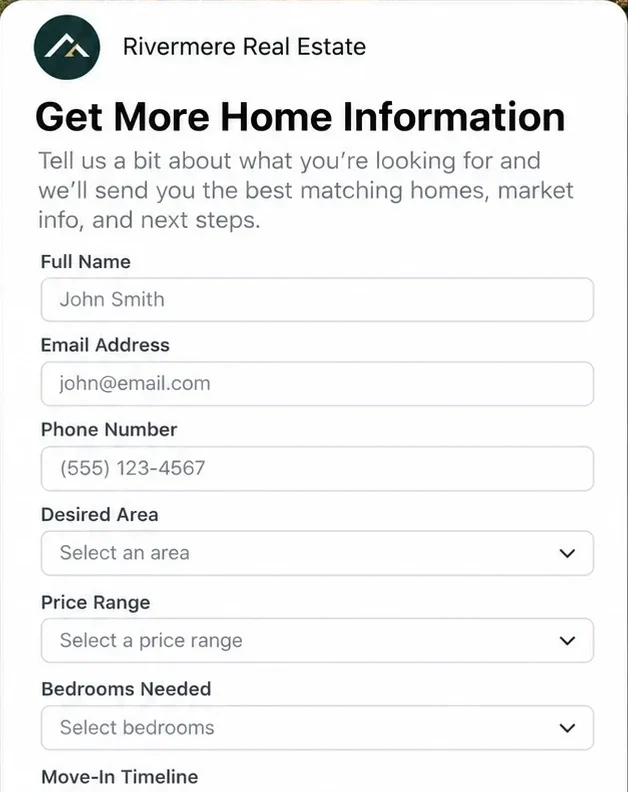
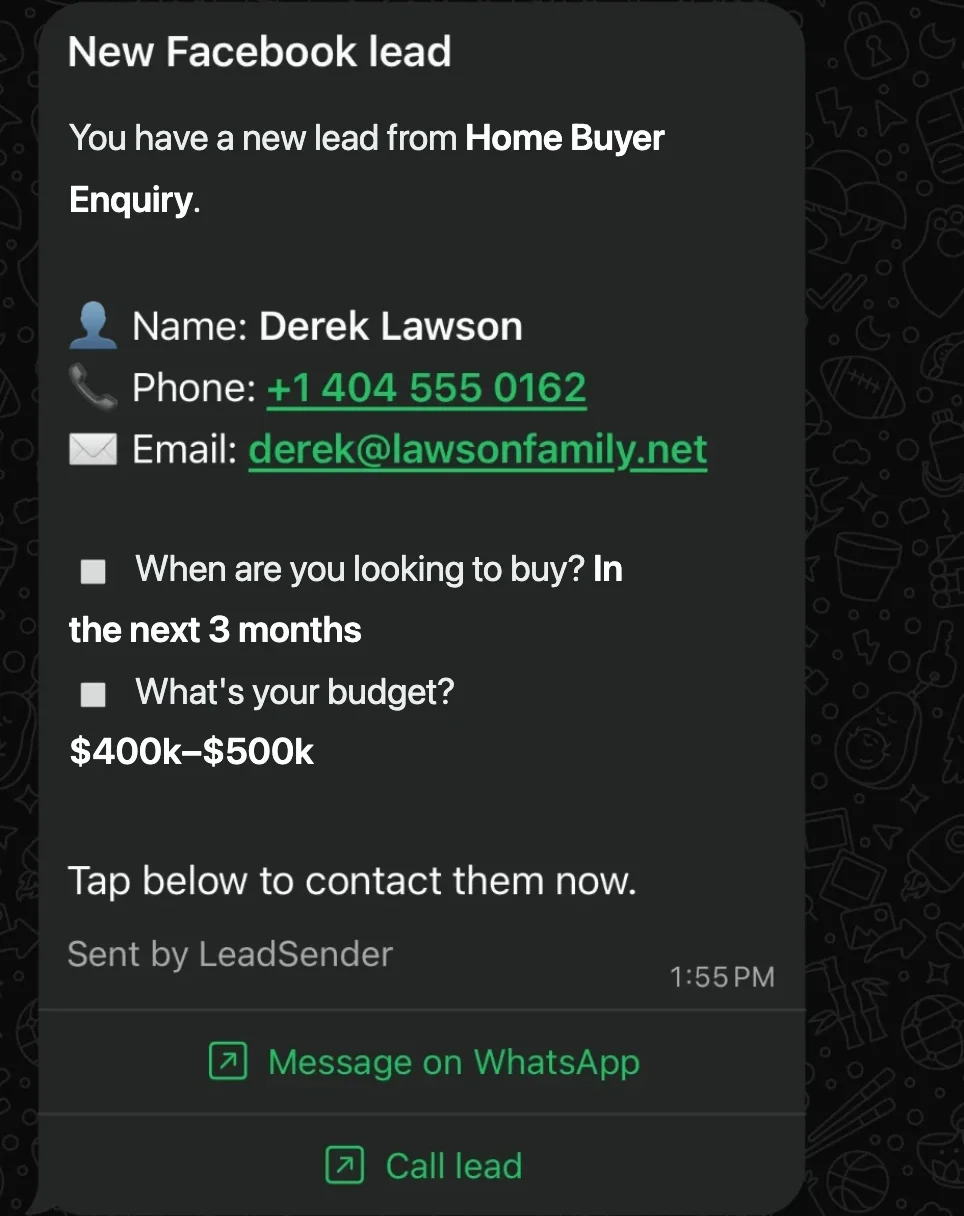
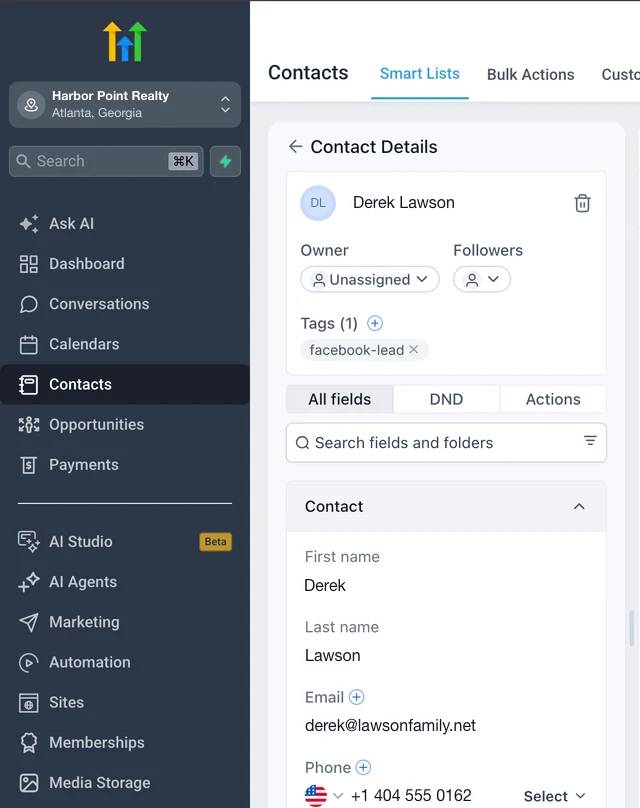
Meta's housing rules, shown in Ads Manager
Any ad for buying, selling or renting a home, including listings, valuations and open houses, must be declared under Housing. You set it at the campaign level, under Special Ad Categories:
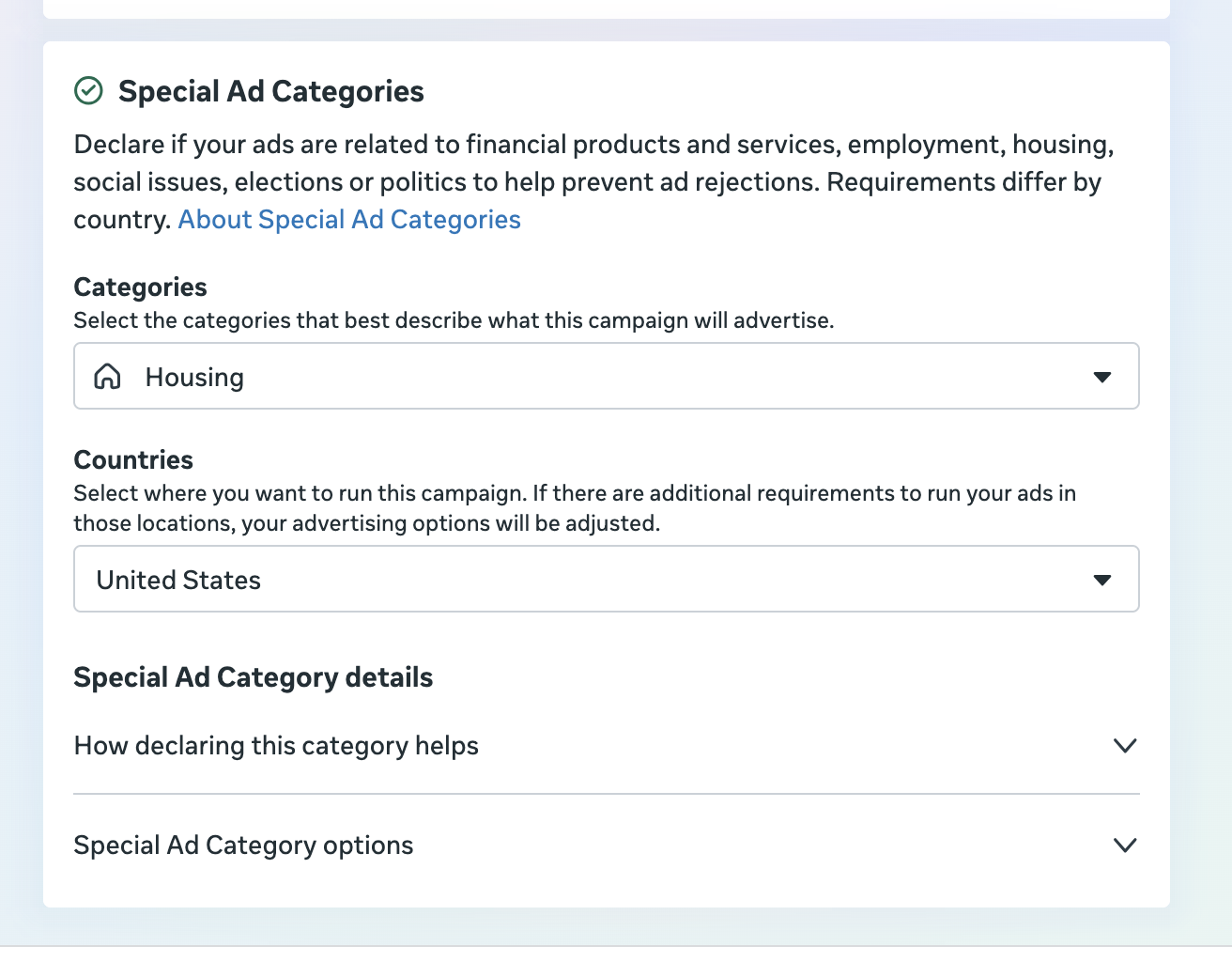
Once Housing is on, Meta locks several audience options for ads in the US, Canada and certain European countries:
| Targeting option | In the Housing category |
|---|---|
| Age | Fixed to 18 to 65+ |
| Gender | All genders, can't be changed |
| ZIP code or postcode | ✗ Unavailable |
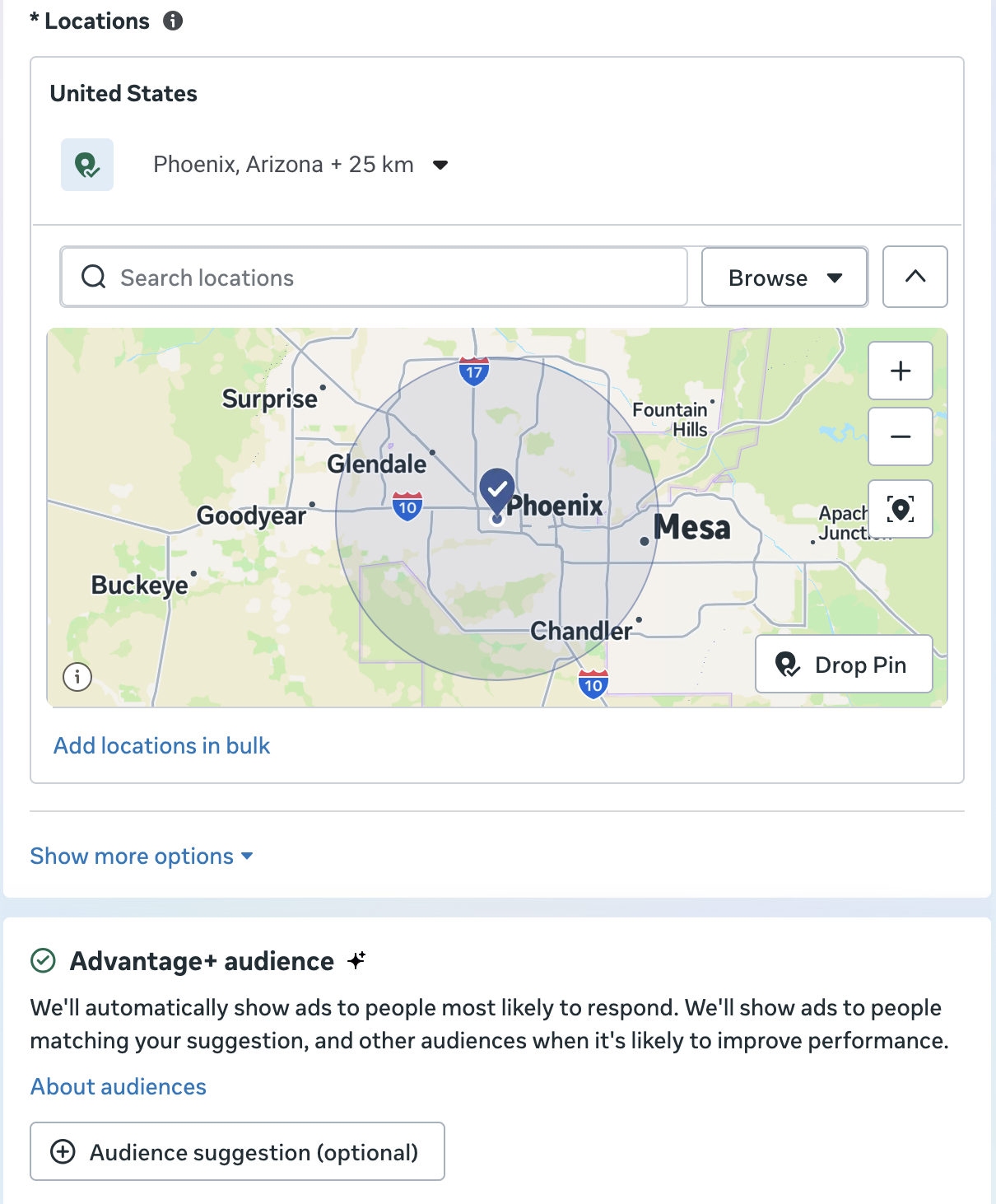
| City, address or pin | ⚠ Expanded to a 15-mile radius in the US |
| Detailed targeting | ⚠ Some demographics, behaviors and interests unavailable |
| Excluding people | ✗ Unavailable |
| Lookalike and saved audiences | ✗ Unavailable |
Here's what that looks like when you set the location: a city pin becomes a wide radius around it.
And once Housing is selected, the audience panel blocks ZIP codes and locks age and gender for you:
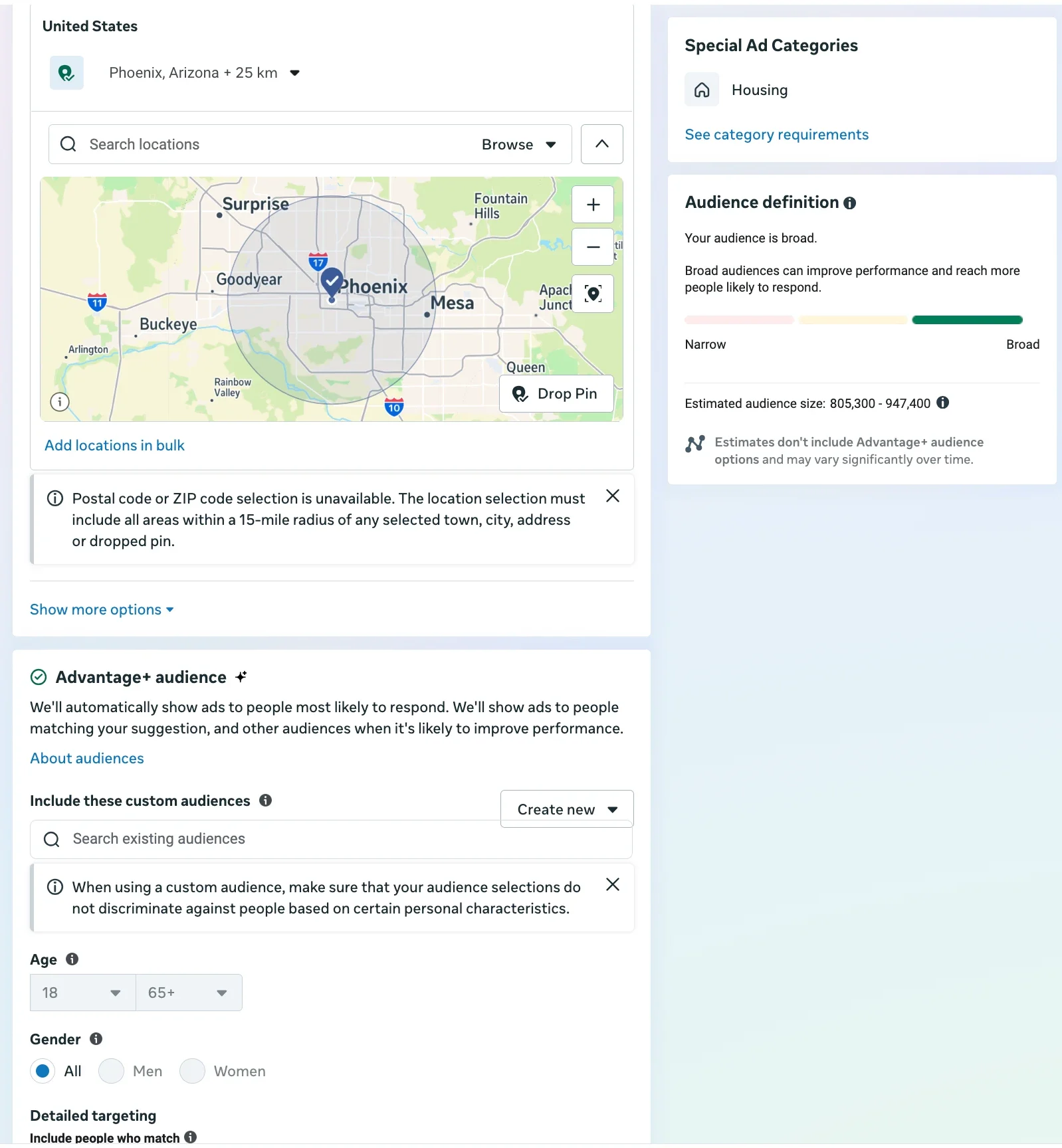 No ZIP, 15-mile radiusLocked to 18 to 65+All genders only
In practice, your offer and creative do the targeting. An ad about a free valuation in Harbor Point attracts Harbor Point homeowners, whatever the audience settings say.
Running a housing ad without declaring Housing gets ads rejected, and repeated rejections can restrict your ad account. If that has already happened, see how to get a disabled ad account back.
Fair housing: say this, not that
Meta's rules control who sees the ad. The US Fair Housing Act controls what it says: no preference based on race, color, religion, sex, disability, familial status or national origin. The safe rule is to describe the home and the area, never the buyer.
| Avoid | Write instead |
|---|---|
| Perfect for young families | 3 bedrooms, fenced yard, 5 minutes from Harbor Point Elementary |
| Ideal for singles or couples | 1-bedroom condo, walk to restaurants and the train |
| Great for retirees | Single-story home, low-maintenance yard |
| Exclusive community | Gated community with pool and clubhouse |
| Close to St. Mary's Church | Close to downtown Harbor Point |
This isn't legal advice; check your brokerage's advertising policy and your state's rules too.
Copy-paste real estate ad templates
These three offers cover most of what agents run. Swap in your area, numbers and photos, and keep the specifics: a specific offer always beats “Contact us to buy or sell”.
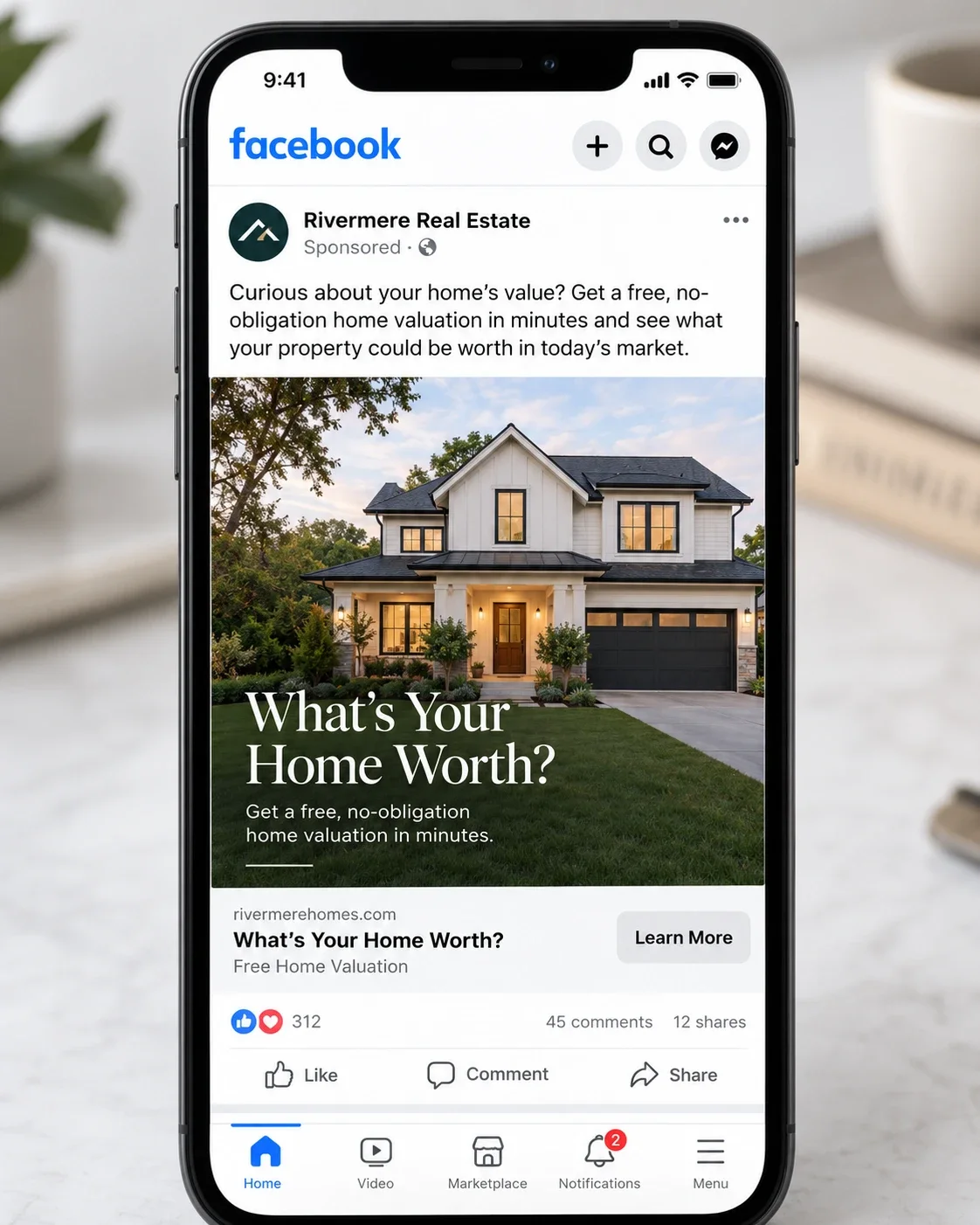
Sellers: free home valuation
Primary text:
What's your Harbor Point home worth in today's market?
Get a free, no-obligation home valuation from a local agent, based on recent sales near you. It takes 30 seconds.

Headline: Free Harbor Point Home Valuation
Description: Based on recent sales near you
Button: Get quote
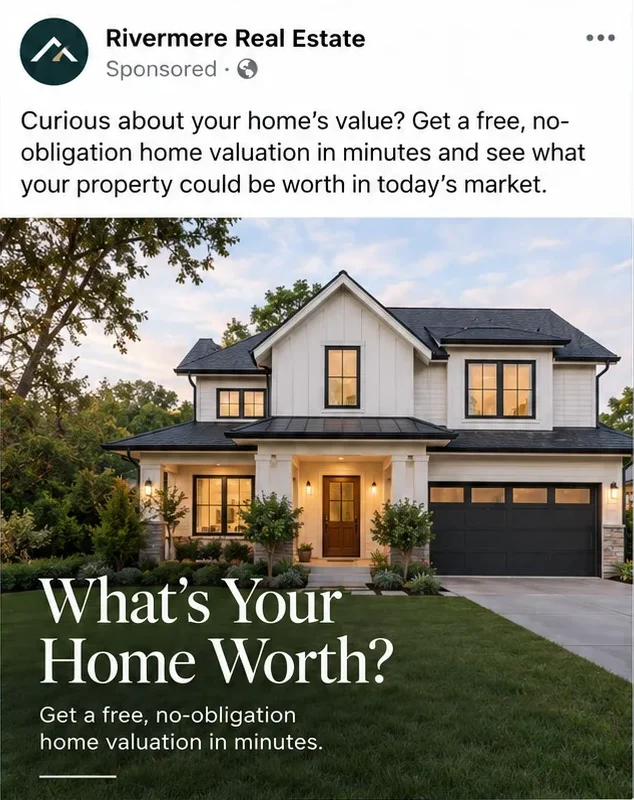
Here's how a valuation ad like this looks in the Facebook feed:
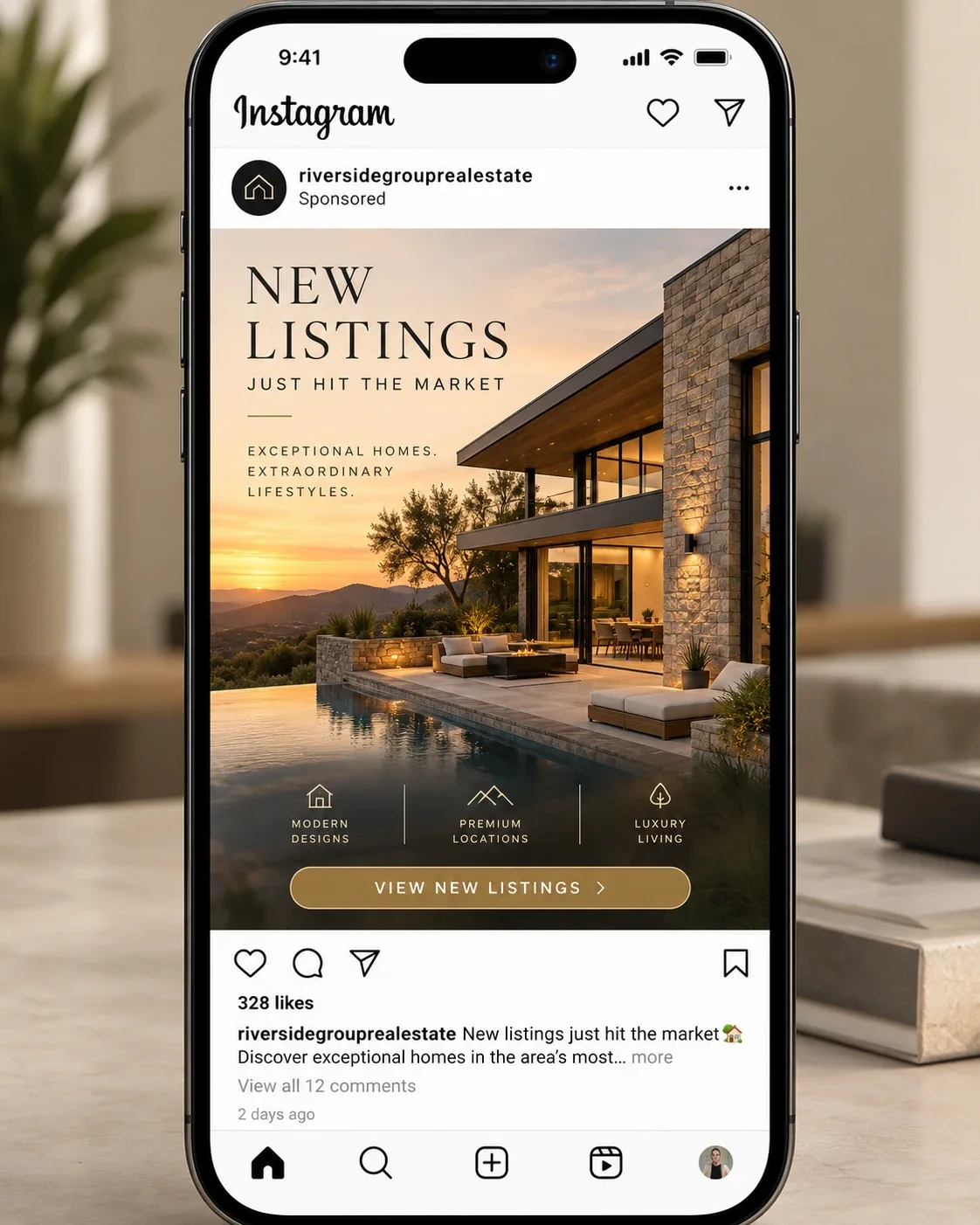
Buyers: new and coming-soon listings
Primary text:
New Harbor Point listings, the day they come on the market.
Tell us your price range and we'll send you every new home that fits, including coming-soon homes before they're advertised.

Headline: Get New Harbor Point Listings First
Description: Free, unsubscribe anytime
Button: Sign up
And a new listings ad in the Instagram feed:
Buyers: open house RSVP
Primary text:
Open house this Saturday, 11am to 2pm.
418 Harbor Point Dr: 3 bedrooms, 2 baths, fenced yard, 5 minutes from Harbor Point Elementary.
RSVP and we'll text you the details and a reminder.

Headline: Open House at 418 Harbor Point Dr
Description: Saturday, 11am to 2pm
Button: Sign up
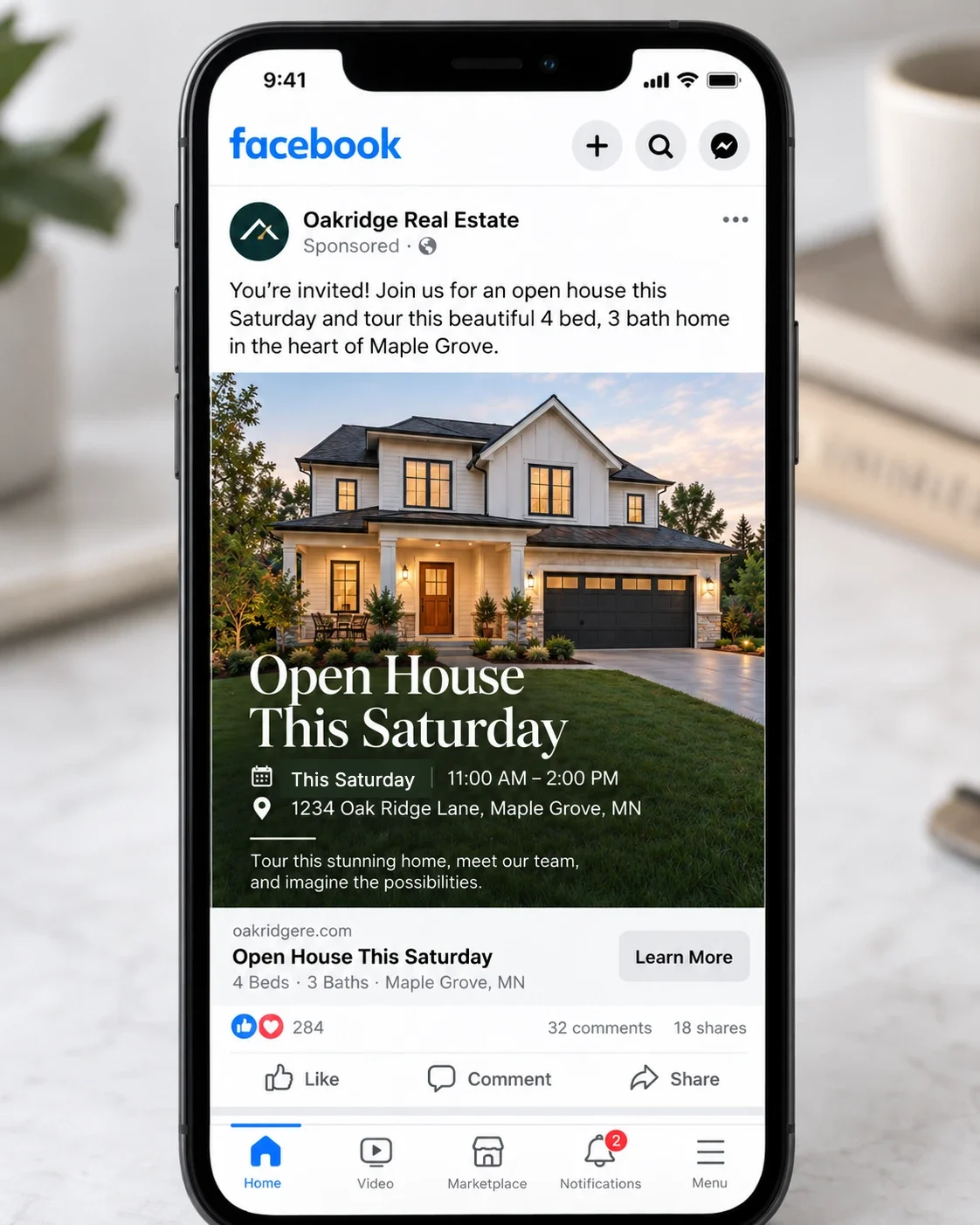
An open house ad gives the day, time and address right on the image:
Our free lead ad copy generator writes more versions of any offer. Run them through the fair housing table above before you publish, and check ad sizes for your photos and videos.
Buyer and seller lead forms that qualify
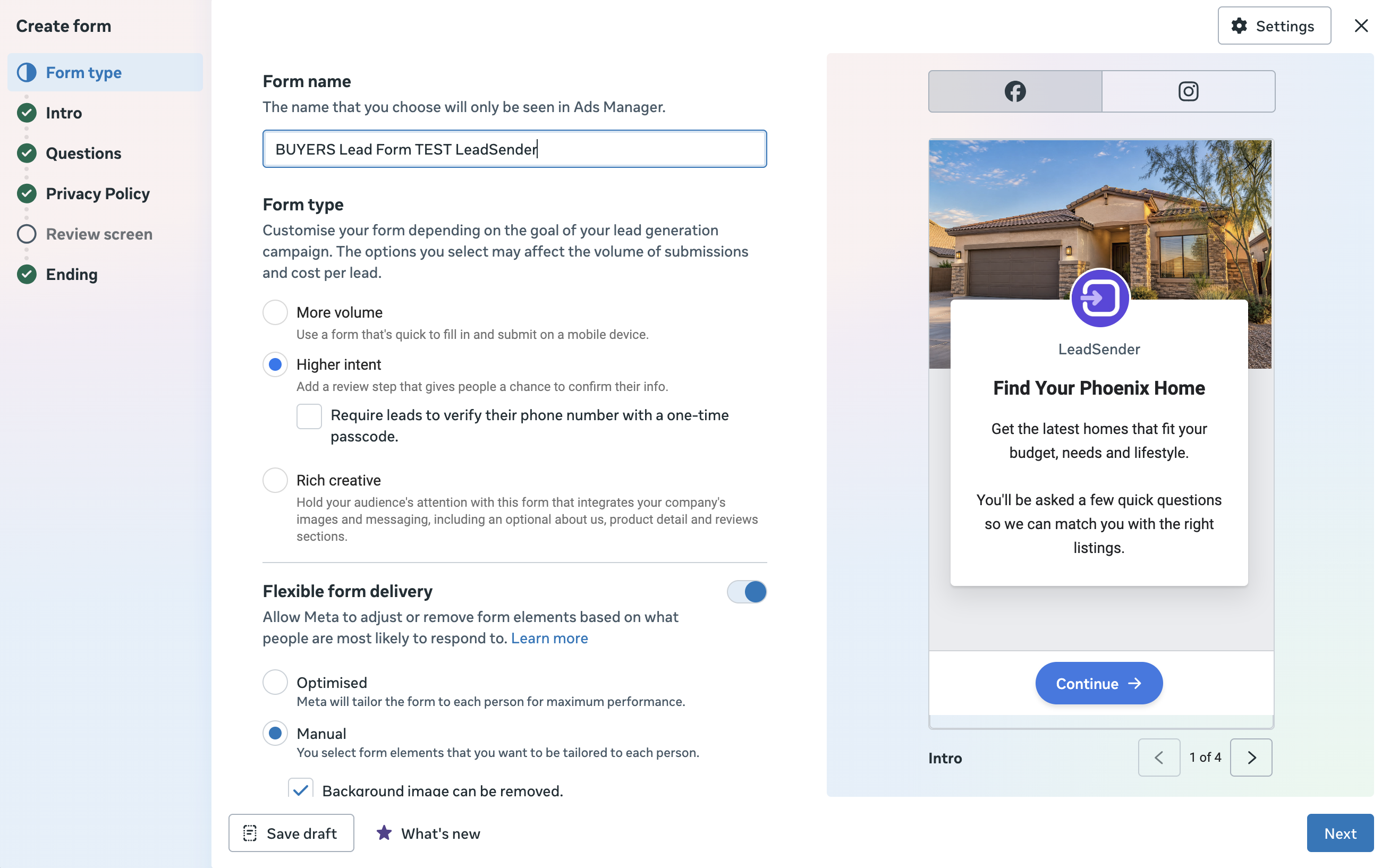
When you create the form, choose Higher intent. It adds a review step where people confirm their details, and can even require them to verify their phone number with a one-time code, which means fewer fake numbers for your agents to chase.
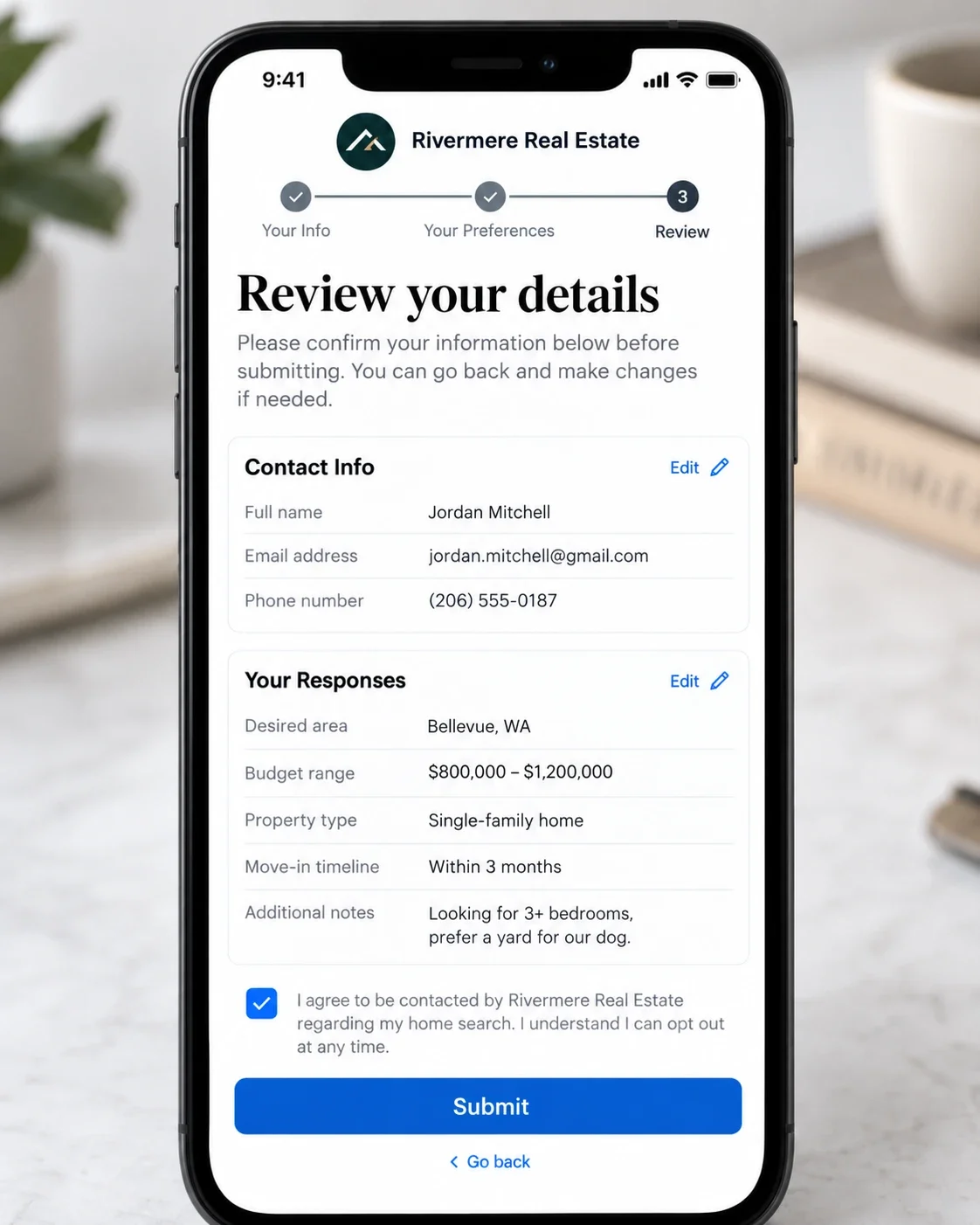
The idea of the review step: before submitting, the lead sees everything they entered and can fix a mistyped phone number.
Then paste in one of these question sets. Multiple-choice answers are faster to fill in and easy to route in your CRM.
Intro headline: Find your next Harbor Point home
Intro text: Answer 3 quick questions and a local agent will send homes that fit.

1. When are you looking to buy?
   ASAP / 1 to 3 months / 3 to 6 months / Just browsing
2. What's your price range?
   Under $300k / $300k to $500k / $500k to $750k / $750k+
3. Are you pre-approved for a mortgage?
   Yes / Not yet / Paying cash

Contact info: Full name, Email, Phone number (prefilled)
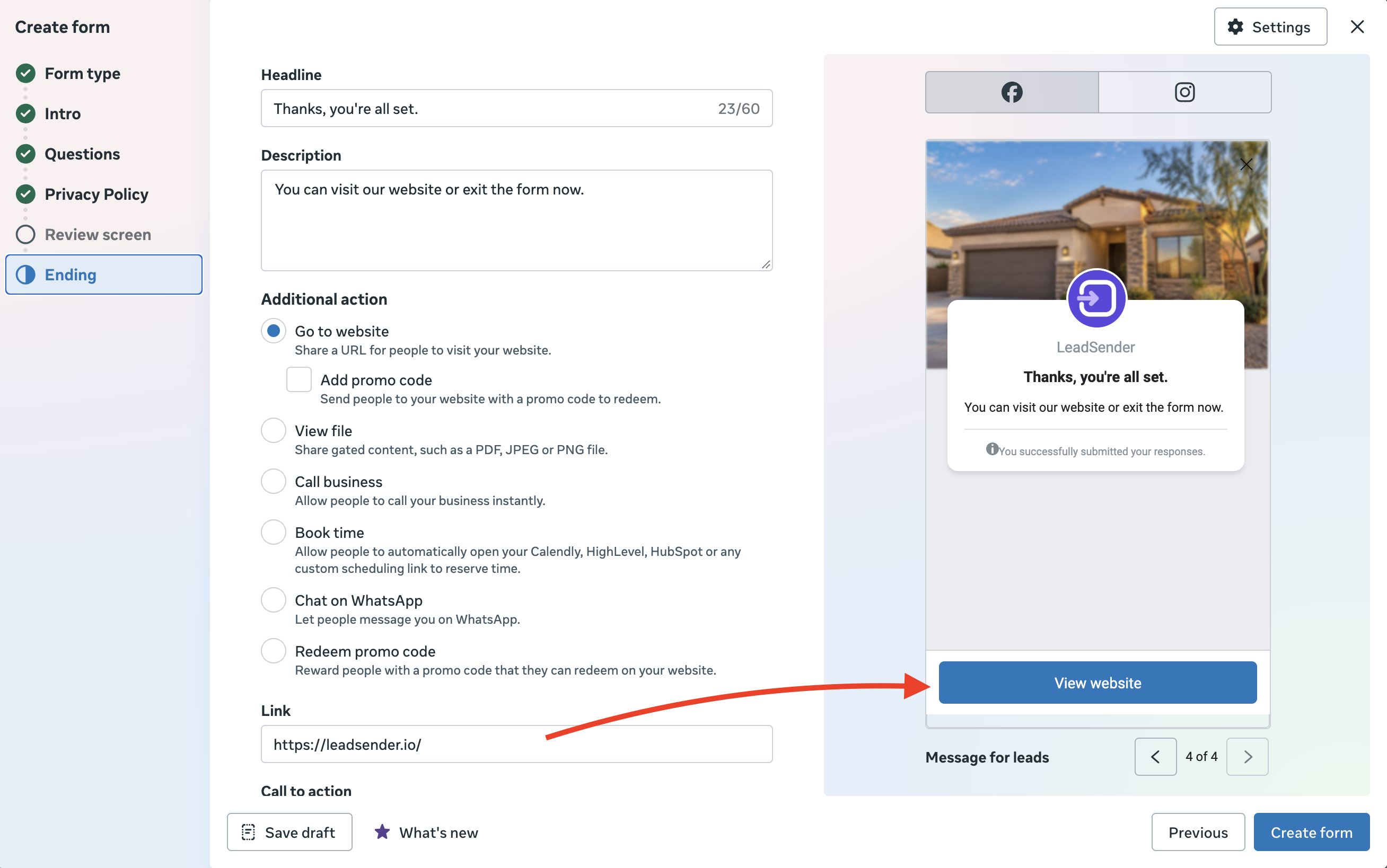
Ending: "Thanks! An agent will call you shortly." + Call business button
Intro headline: What's your home worth?
Intro text: Get a free valuation based on recent sales near you.

1. What's the property address?   (short answer)
2. When are you thinking of selling?
   Within 3 months / 3 to 6 months / 6 to 12 months / Just curious
3. Are you also buying your next home?
   Yes / No / Not sure yet

Contact info: Full name, Email, Phone number (prefilled)
Ending: "Thanks! Your valuation is on its way." + Book time button
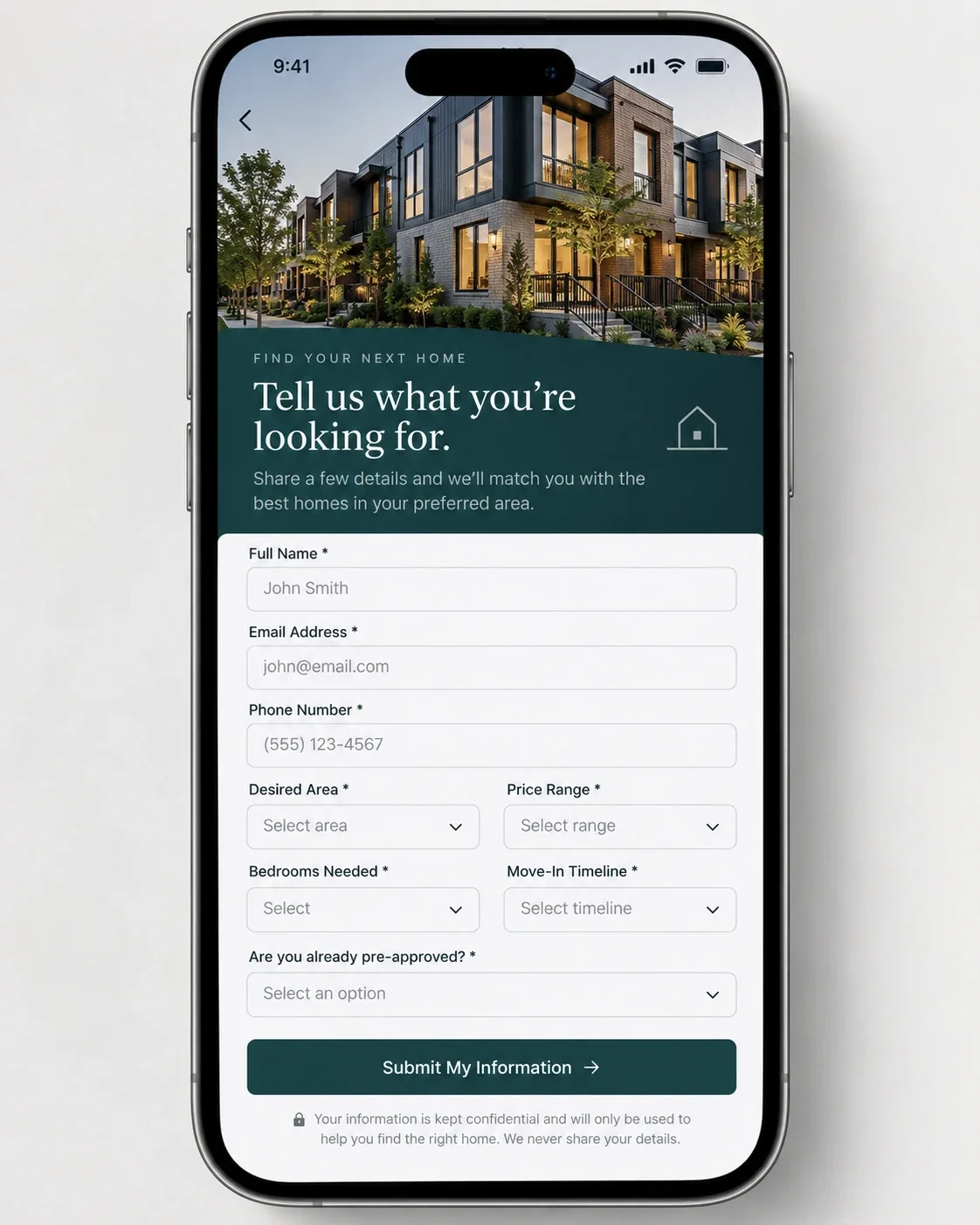
Here's how the buyer question set can look once it's on the form:
In Ads Manager, you add the questions on the form's Questions step:
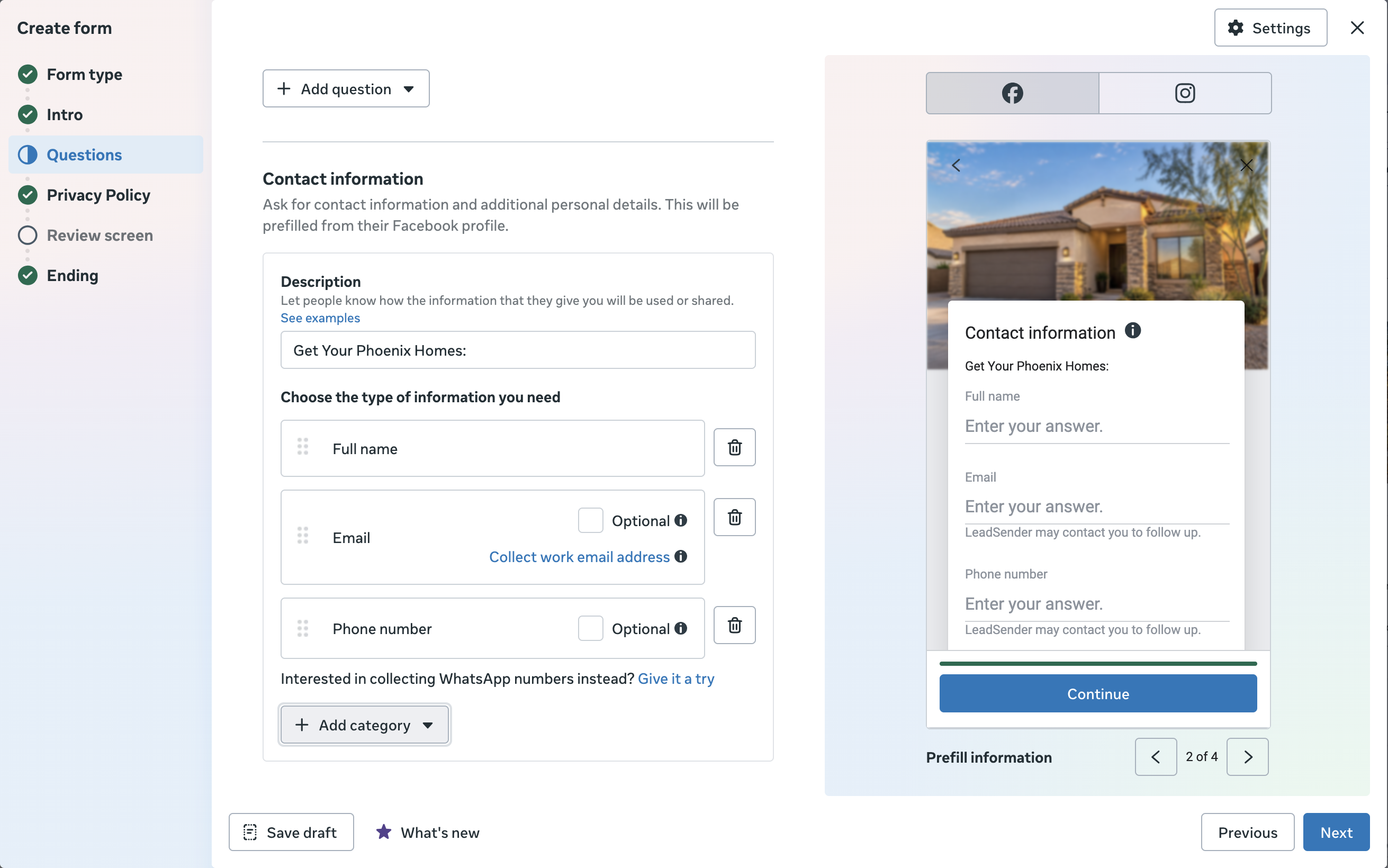
Finally, don't waste the Ending screen. Instead of a plain “Thanks”, add a Call business button for buyers or Book time for sellers, so the hottest leads can reach you before you even call them.
Before your ads go live, send a test submission with our free Lead Ads Testing Tool to check the whole path from form to CRM. For the full form walkthrough, see how to create Facebook lead ads.
How much to spend: work back from your closings
The 2026 median real estate cost per lead is $13.74 (WordStream and LocaliQ), one of the lowest of any industry. But cost per lead is the wrong place to start. Start with how many closings you want, and let the calculator work out the leads and budget that takes:
- Leads a month
- 100
- Appointments a month
- 10
- Daily budget
- $45.20
- Ad cost per closing
- $687
- Commission per $1 of ads
- $13.10
Planning math, not a forecast. The two conversion rates are examples: replace them with your own after a few weeks of leads. Calling leads within minutes is the easiest way to raise both.
The biggest lever isn't the budget, it's the two conversion rates, and both depend on how fast you call. For general budgeting and every industry's benchmark, see how much Facebook ads cost.
Speed to lead: where most leads are lost
When someone submits your form, the lead lands in Meta's Leads Center. Meta doesn't text you or put the lead in your CRM, so it waits there until someone checks or downloads the leads. By then they've often filled in another agent's form too.
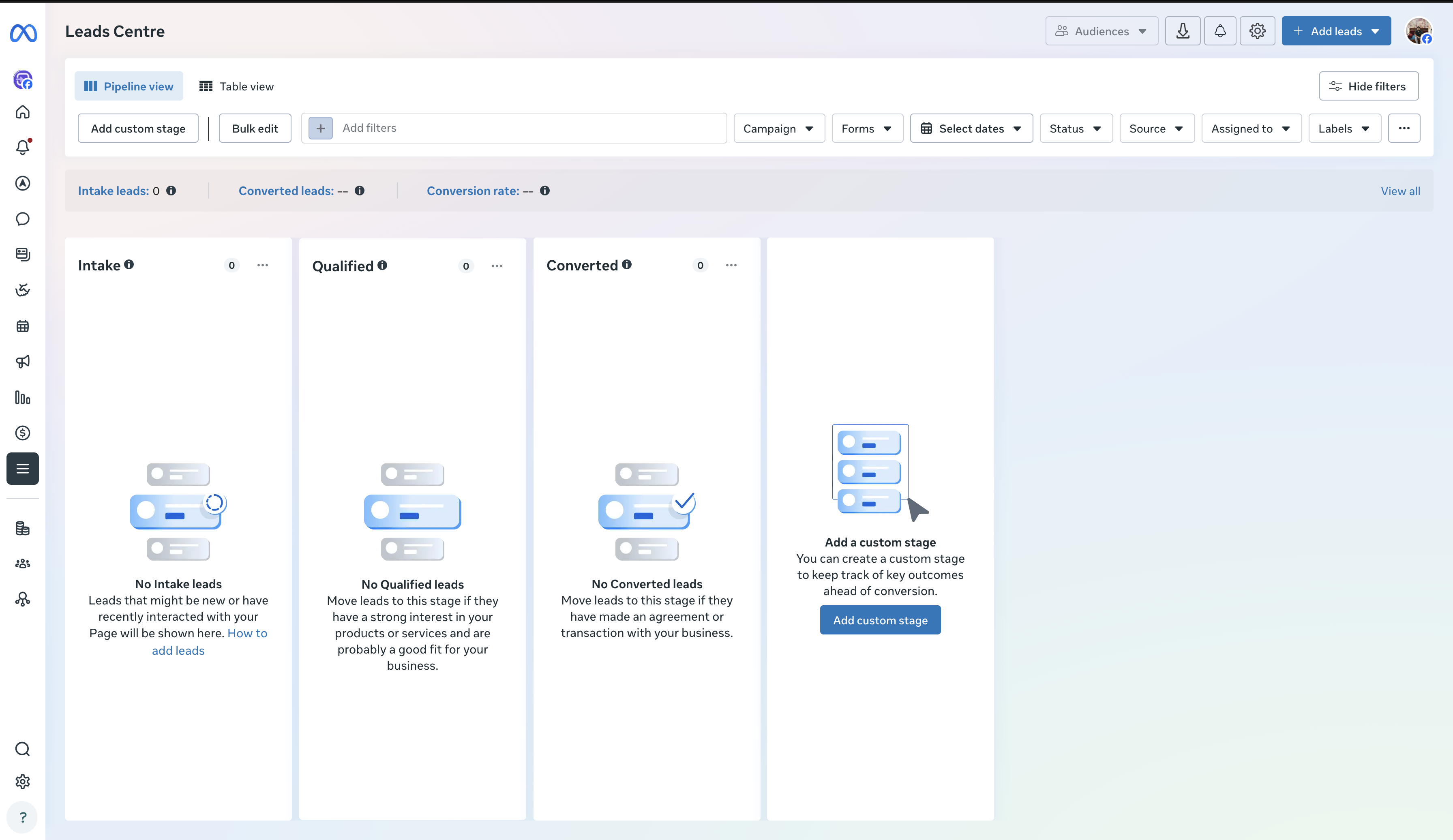
The fix is to send every lead the moment it's submitted to the places your agents already look: a text message, WhatsApp, Telegram, email or Slack, and the CRM at the same time.
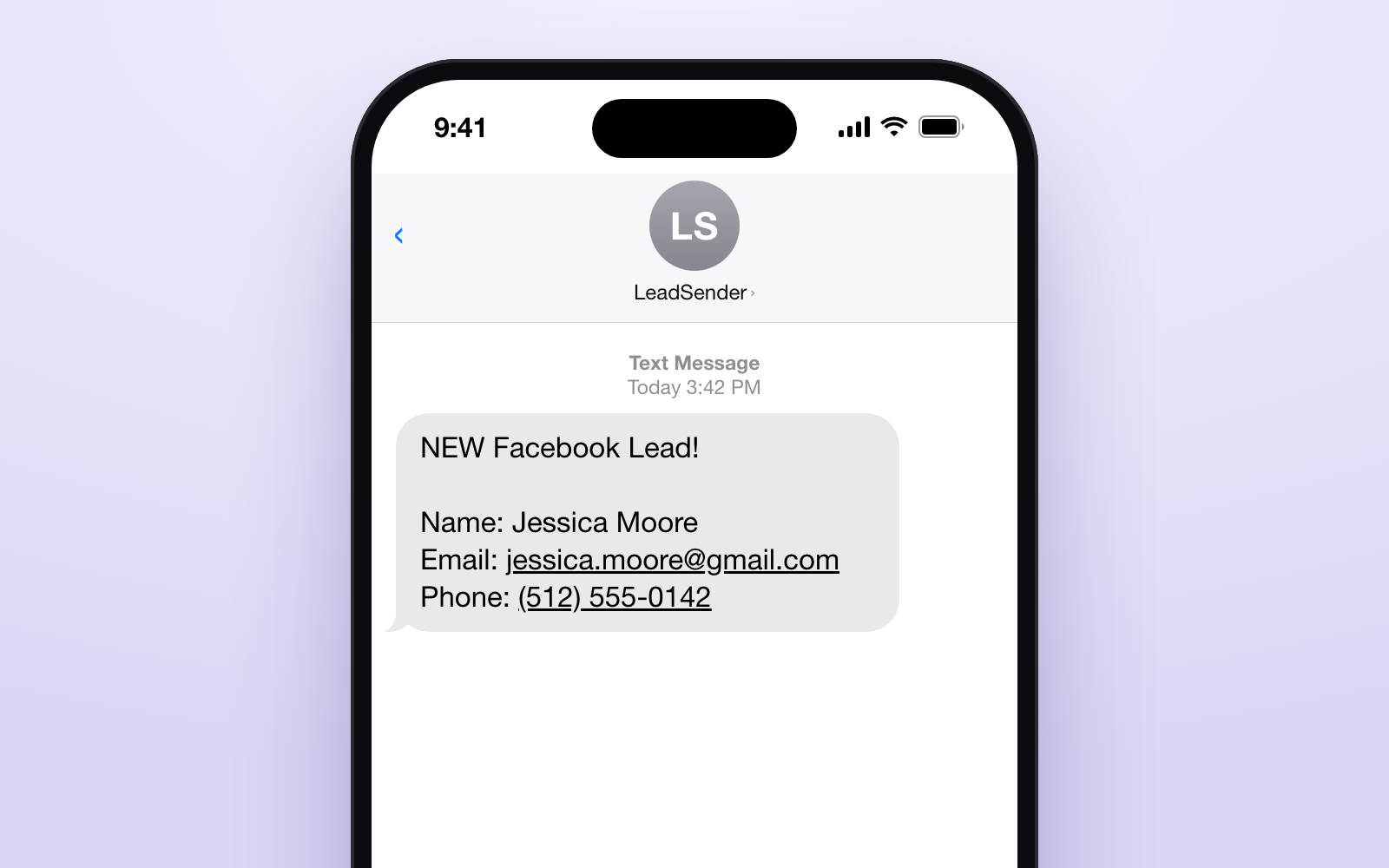
That's what LeadSender does: it listens for each new Facebook and Instagram lead and sends it to your CRM, phone and team within seconds, with no Zapier and no code.
Where to send your real estate leads
Send each lead to the CRM your team works in, and an instant alert to the agent's phone or inbox. These all work with Facebook lead ads through LeadSender:
| Send leads to | Best for | Setup |
|---|---|---|
| Follow Up Boss | Teams that route leads with Lead Flow and action plans | Guide |
| GoHighLevel | CRM, texting and automations in one | Guide |
| BoldTrail (kvCORE) | Brokerages on Inside Real Estate | Integration |
| Lofty | Teams on Lofty's CRM and IDX sites | Integration |
| CINC | Teams already buying leads through CINC | Integration |
| Real Geeks | Agents on Real Geeks websites and CRM | Integration |
| HubSpot | Brokerages with a general sales CRM | Guide |
| Google Sheets | Solo agents starting out | Guide |
| Text message (SMS) | Agents out showing homes who need to call back fast | Guide |
| Every answer in your inbox, for you or the whole team | Guide | |
| Agents who reply to leads on WhatsApp | Guide |
You can send one form to several places at once, for example Follow Up Boss for the record and a text to the agent for speed. Tag buyer and seller forms differently so each gets the right agent and automation.
Follow-up scripts
Call first. If they don't pick up, leave this voicemail and send the text straight after:
Hi {first name}, it's {your name} from Harbor Point Realty, calling about the {home valuation} you requested a few minutes ago. I'll text you too. You can reach me on {your number}. Talk soon.Hi {first name}, it's {your name} with Harbor Point Realty. You just asked about {the home valuation / new listings / the open house on Saturday}. Is now a good time for a quick call?The next day, deliver what you promised and offer a time to talk:
Subject: Your {Harbor Point home valuation}

Hi {first name},

Here's the {valuation / list of homes} you asked for: {link or details}.

The quickest way to get an exact number is a 10-minute call. Here's my calendar if you'd like to pick a time: {booking link}.

{your name}
Harbor Point Realty, {phone}
Keep going through the first week with two or three more touches across call, text and email. Leads who aren't ready yet belong in a monthly market report from Mailchimp or your CRM, so you're the agent they remember.