


















The lead who hears back first usually picks you. If Telegram is open on your phone and your laptop all day, that's where a new lead gets seen fastest. Getting Facebook leads in Telegram means you can read every answer and call the lead in one tap, while they're still thinking about your ad.
This guide shows how to send Facebook lead ads to Telegram step by step, in about three minutes, to your own chat or a team group, with no bot to build. Then it compares the Zapier route.
Facebook keeps instant-form leads in Leads Center, so you need a tool to send them to Telegram. In LeadSender: connect Facebook, choose Facebook Leads to Telegram, pick your Page and form, click Connect and tap Start Bot in Telegram, then send a test lead and turn it on. Every new lead then arrives in Telegram within seconds, with buttons to call or WhatsApp the lead. It costs nothing per message.
How to get Facebook leads in Telegram with LeadSender
This is the quickest way to connect Facebook lead ads to Telegram: alerts come from LeadSender's own Telegram bot, so there's no BotFather, bot token or chat ID for you to deal with.
Start a free trial and connect Facebook
Start your 7-day free trial of LeadSender (no card needed) and sign in with the Facebook account that manages your Page. That lets LeadSender hear about each new lead the moment it's submitted.
Choose the Telegram template
From Integrations, pick Facebook Leads to Telegram. Then select your Facebook Page and the lead form you want alerts for.
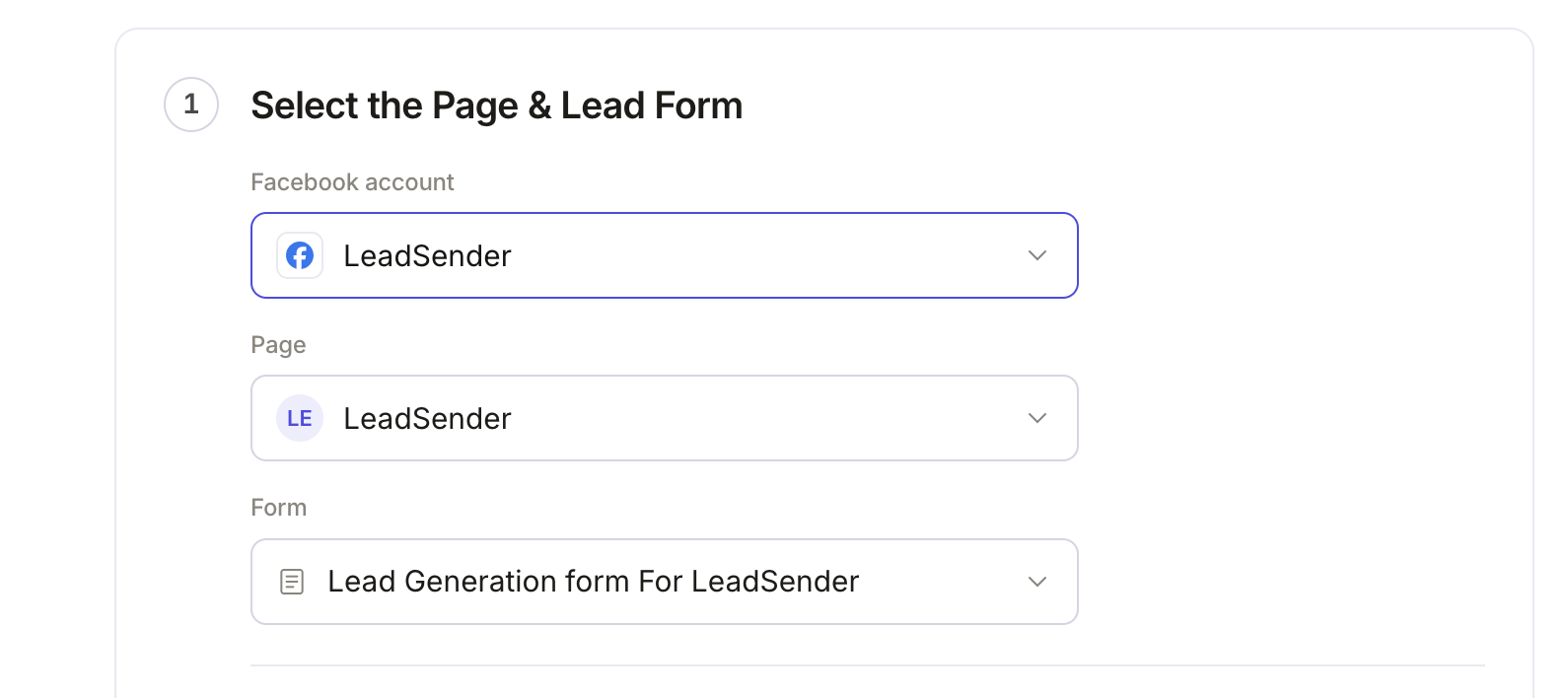 Select your Page
and lead form
Connect Telegram
In Connect Telegram, click Connect. Telegram opens on the LeadSender bot, in the app or in Telegram Web.
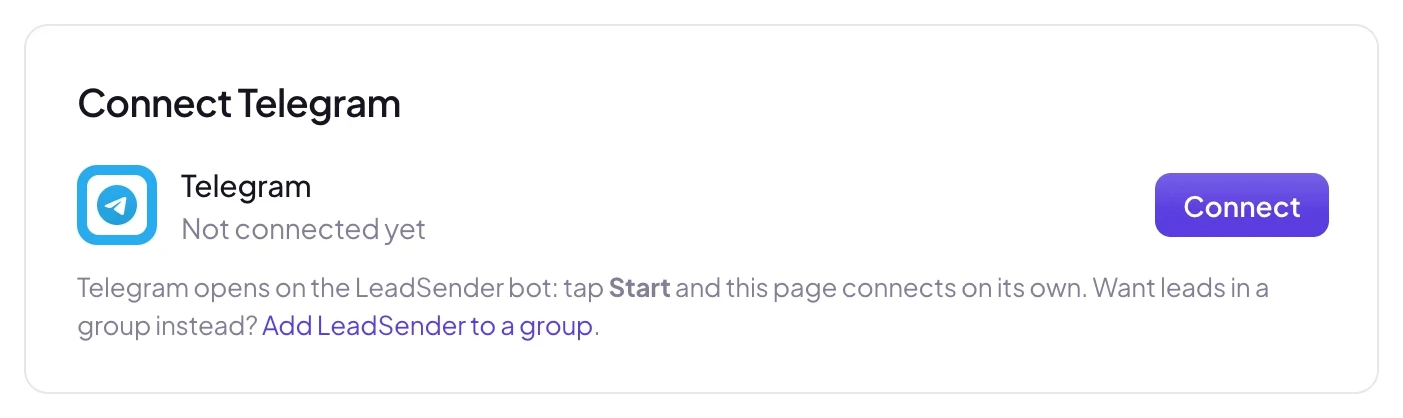 Click Connect
Tap Start Bot (or Start in the chat). That's the whole connection: the bot replies “Connected to LeadSender” and the builder picks up the chat on its own, by your Telegram name. You can close Telegram and carry on.
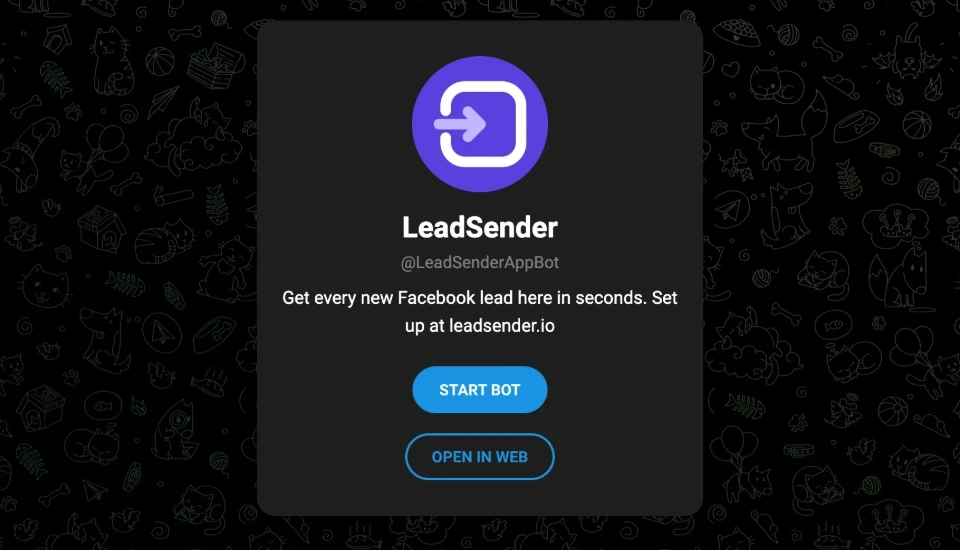 Tap Start Bot
Choose what each alert shows
In Set Telegram Lead Notification, the opening line comes first; click it to write your own. Name, email and phone are matched for you, and every question on your form is listed below. Remove any row with its ×, rename a label by hovering it, or add one with Add a field.
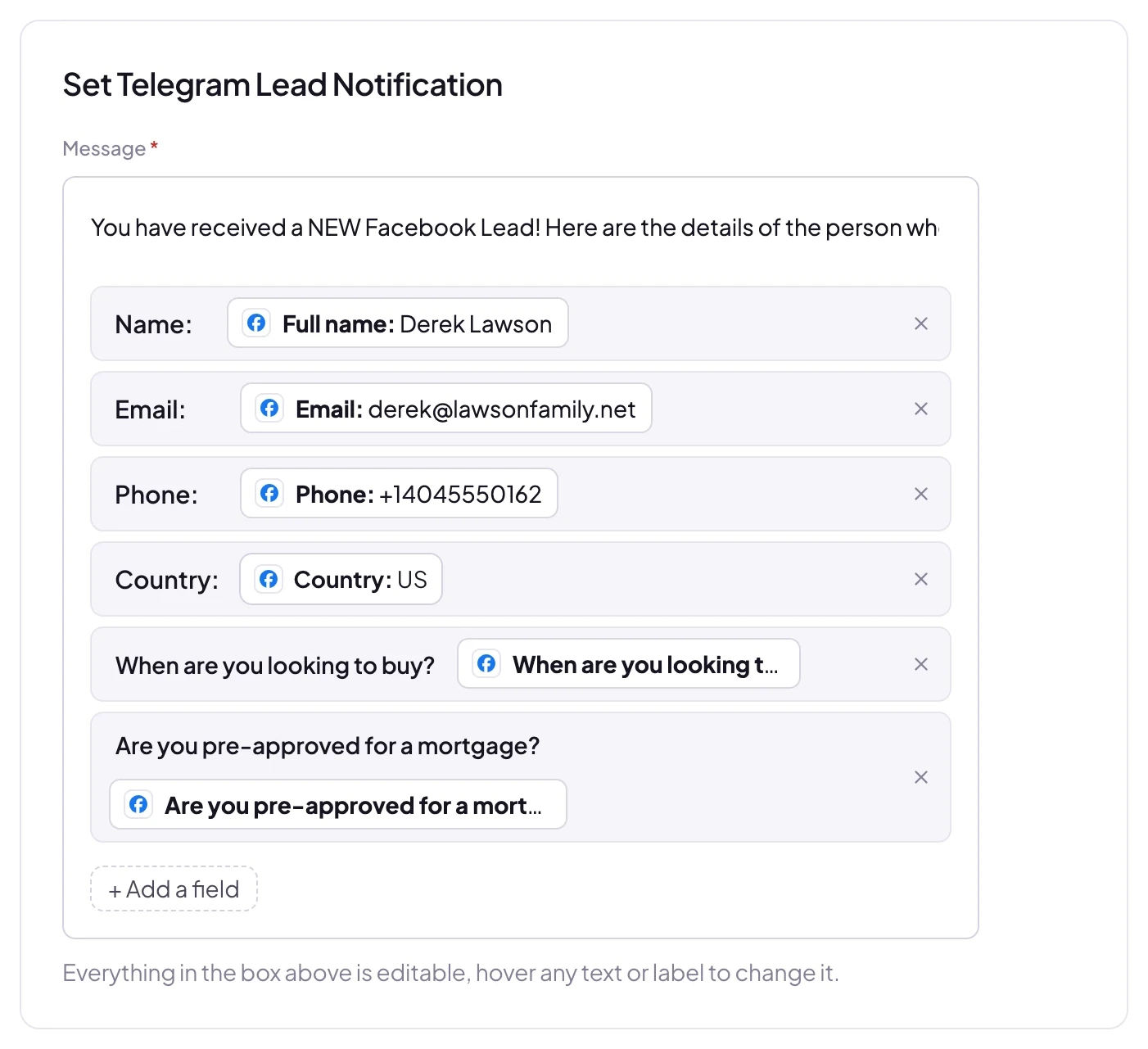 Add, remove or rename any field
Send a test lead and turn it on
Click Send a test lead. LeadSender sends your latest real lead to the connected chat and shows exactly what was sent. Want a brand new lead instead? Create one with our free Meta Lead Ads Testing Tool.
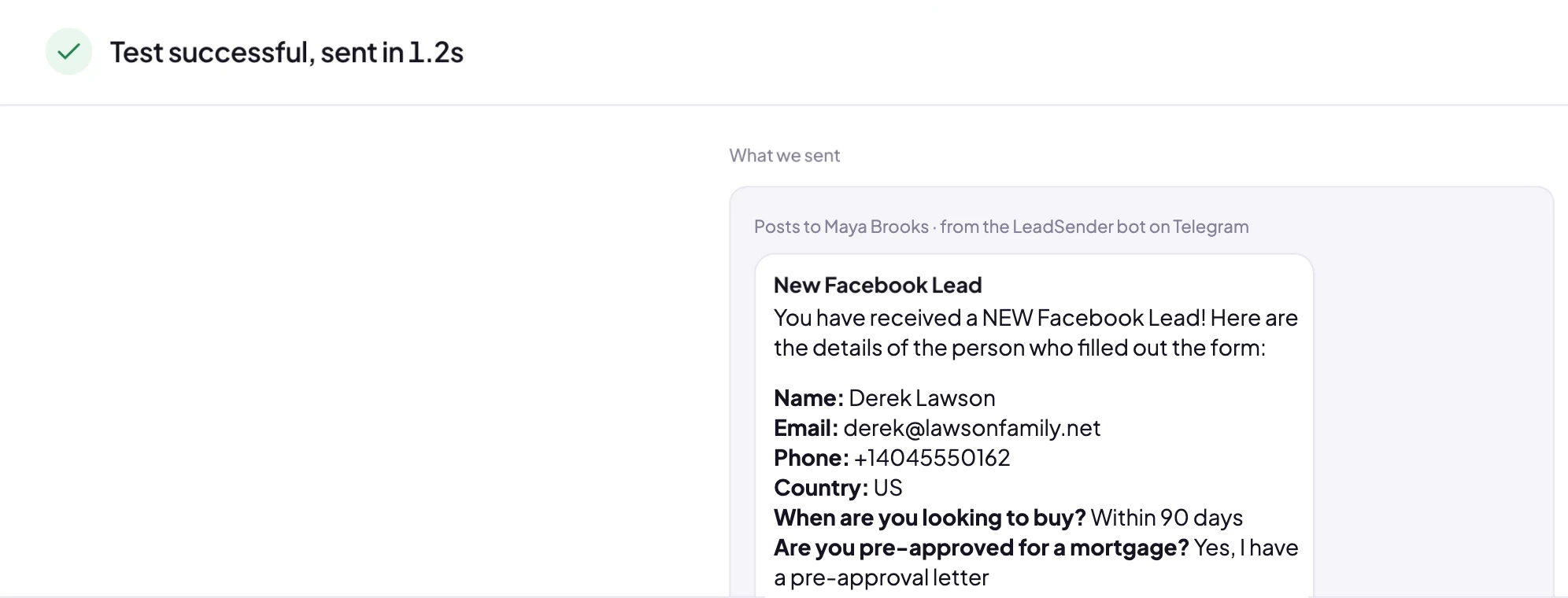 Exactly what was sent to Telegram
Open Telegram: the alert is already there. When it looks right, click Turn on. From then on every new lead from that form, on Facebook or Instagram, arrives in Telegram within seconds.
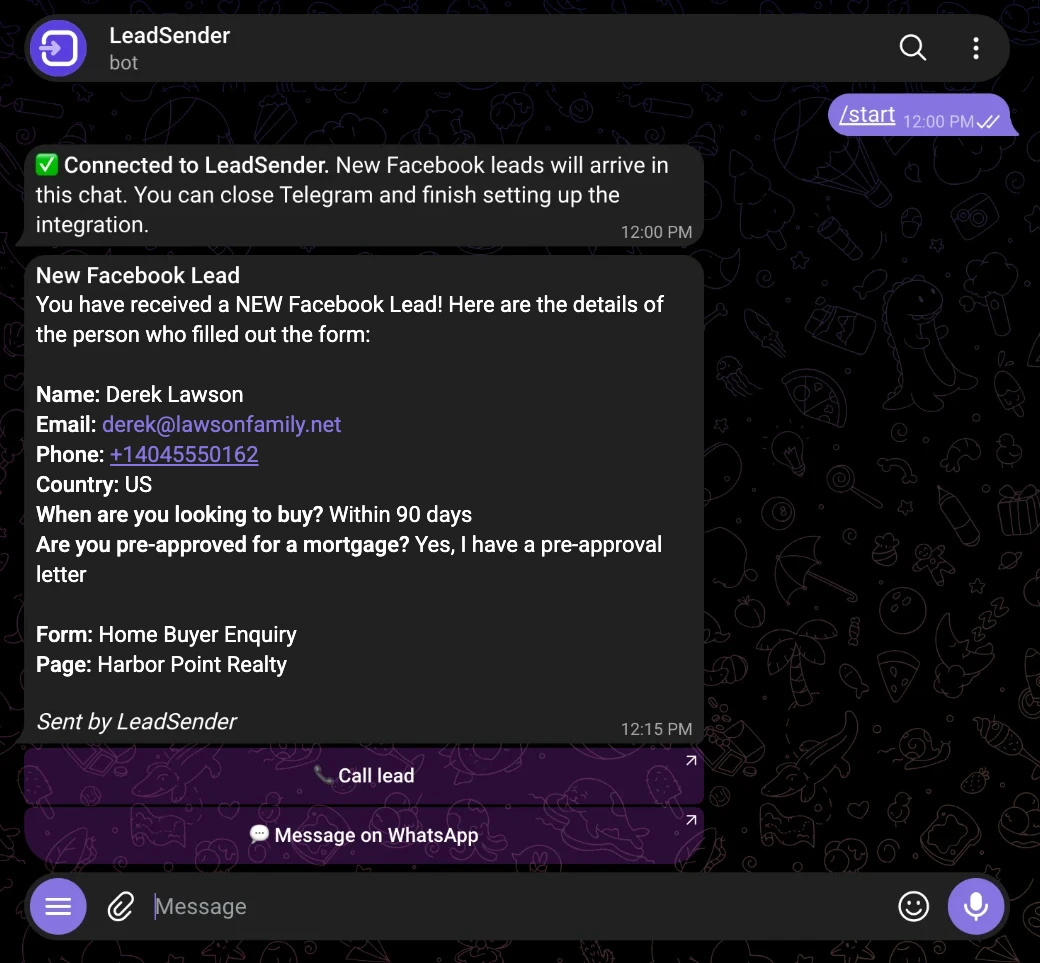 Call or WhatsApp
in one tap
Send Facebook leads to a Telegram group
To alert a whole team, click Add LeadSender to a group in the Connect step instead of Connect. Telegram asks which group to add the bot to; pick it and confirm. The group connects on its own, and every member sees each new lead the moment it arrives, so whoever is free calls first.
One LeadSender account can connect as many chats and groups as you like. Use Change chat in the Connect step to switch an integration between them, for example a group per client, per form or per office.
What each Telegram lead alert includes
Every alert is laid out the same way, so you can read it at a glance on a lock screen:
- New Facebook Lead and your opening line, which you can rewrite.
- Every field you kept, one per line, with the label in bold. The phone number and email are tappable.
- The form and Page the lead came from, so you know which ad they answered.
- Call lead, which opens your phone's dialer with their number.
- Message on WhatsApp, which opens a WhatsApp chat with the lead straight away.
Pin the LeadSender chat (or your leads group) to the top of Telegram and turn its notifications on, so a new lead never sits under your other chats. On desktop, Telegram shows the alert even while you work in another app.
LeadSender vs Zapier for Facebook leads to Telegram
Facebook doesn't send instant-form leads to Telegram for you, so the real choice is a dedicated tool or a general automation platform:
| LeadSender | Zapier | |
|---|---|---|
| Price | From $9.99/mo, Telegram alerts included | From $29.99/mo (Facebook Lead Ads is a premium app) |
| Telegram bot | ✓ Ready, just tap Start | ⚠ Create your own in BotFather, paste the token |
| Groups | ✓ Add LeadSender to a group | ⚠ Find and paste the group's chat ID |
| Speed | ✓ Seconds | Depends on plan |
| Setup | ✓ About 3 minutes, guided | ⚠ Build and test a Zap yourself |
| Call and WhatsApp buttons | ✓ Built in | ⚠ Plain text message |
Short version: Zapier can work if you're happy to build a bot and a Zap. If you want Telegram lead alerts today without any of that, use LeadSender. More in LeadSender vs Zapier.
Using Zapier
With Zapier you create a Zap with Facebook Lead Ads (New Lead) as the trigger and a Telegram action. That needs a bot you make yourself with BotFather, its token connected to Zapier, and the chat ID of the chat or group to post in, on top of a paid Zapier plan. Every lead uses tasks from your allowance.
When a Telegram alert doesn't arrive
- The bot was blocked or the chat deleted: open the LeadSender chat in Telegram, tap Restart, then resend the lead from Run history.
- The bot was removed from the group: click Add LeadSender to a group again and pick the group.
- The group doesn't let members post: in the group's settings, allow members (or the bot) to send messages.
- Connect didn't finish: make sure you tapped Start Bot within a few minutes of clicking Connect, then click Connect again.
- Nothing at all: check the integration is turned on, then send a test lead and read the result. Every attempt is listed in Run history with the reason.
Comparing options? See how Facebook lead ads integration works, with the 5 ways to send leads to Email, SMS or your CRM compared.