
















Freshsales gives every rep a phone, an inbox and a list of contacts to work. That only helps with Facebook leads if they reach Freshsales while the person still remembers your ad. Download a CSV from Meta at the end of the day and your reps are calling people who filled the form hours ago.
This guide shows how to connect Facebook lead ads to Freshsales step by step, in about three minutes, with no CSV exports and no Zapier. Every lead lands as a contact assigned to the sales owner you pick, with every form answer as a note, so the right rep can call within minutes.
Facebook keeps instant-form leads in Leads Center, so you need a connector to send them to Freshsales. In LeadSender: connect Facebook, choose Facebook Leads to Freshsales, pick your Page and form, paste your API key and bundle alias, pick a sales owner, then turn it on. Every new lead becomes a Freshsales contact within seconds.
How to connect Facebook lead ads to Freshsales with LeadSender
Start a free trial and connect Facebook
Start your 7-day free trial of LeadSender (no card needed) and sign in with the Facebook account that manages your Page. That lets LeadSender hear about each new lead the moment it's submitted.
Choose the Freshsales template
From Integrations, pick Facebook Leads to Freshsales. Then select your Facebook Page and the lead form you want to send.
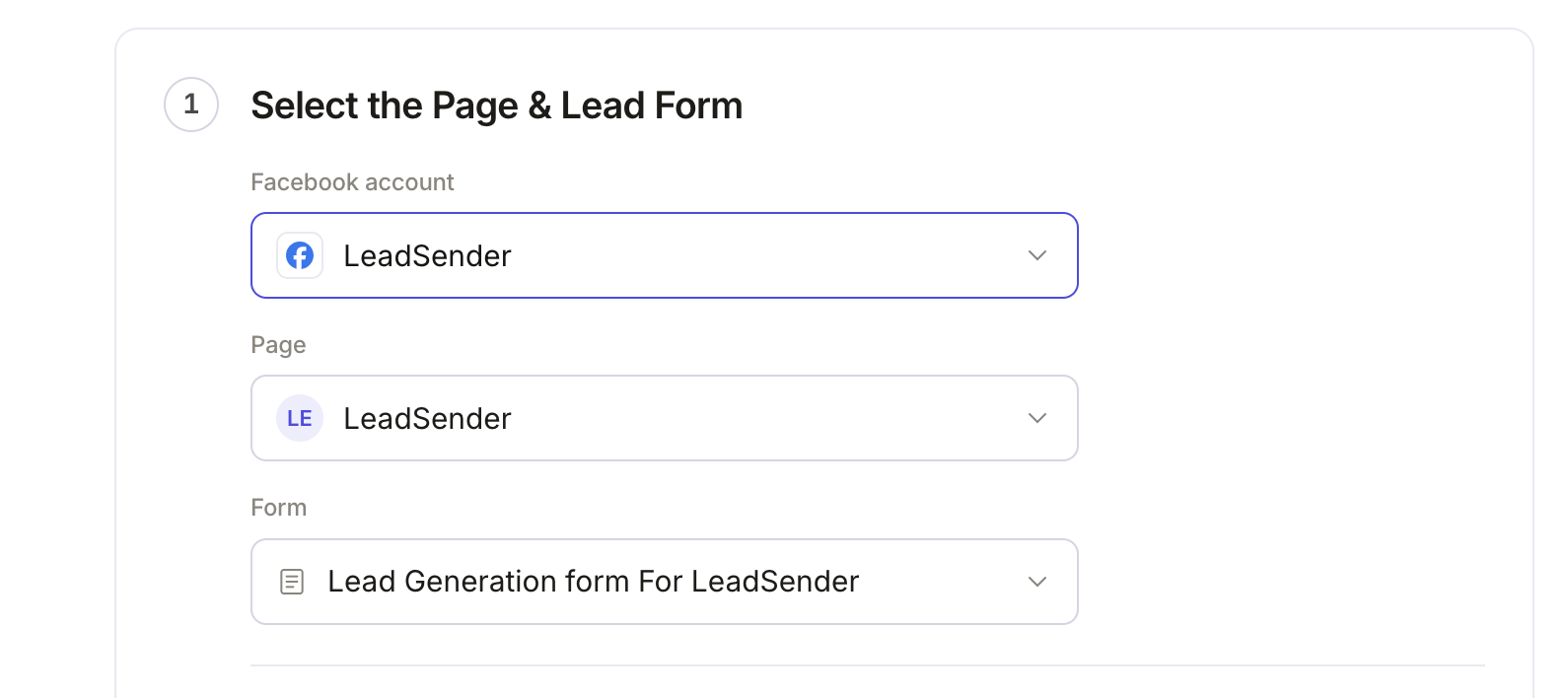 Select your Page
and lead form
Copy your API key and bundle alias
In Freshsales, click your profile picture, then Personal settings and the API tab. Under CRM API details, copy Your API Key and Your bundle alias.
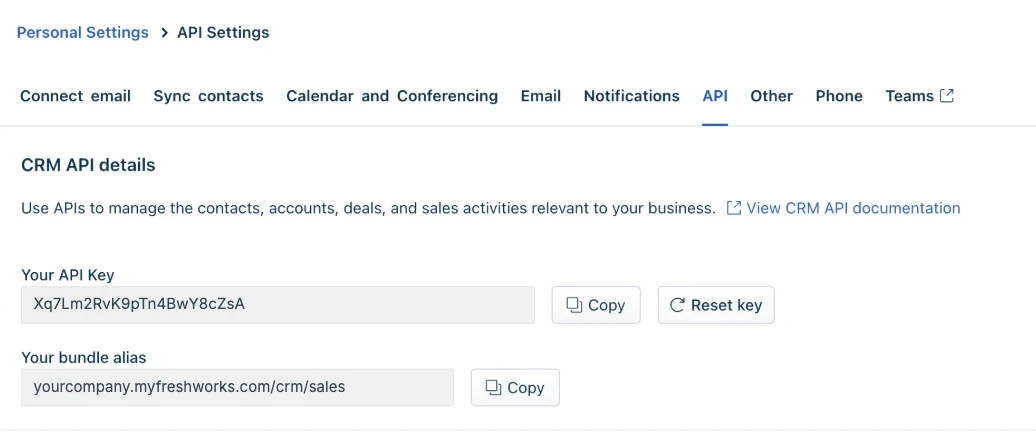 Copy both
Connect Freshsales
Back in LeadSender, click Connect next to Freshsales. Paste the API key first and the bundle alias below it, exactly as Freshsales shows them. LeadSender checks them with Freshsales straight away, and the key stays on LeadSender's servers.
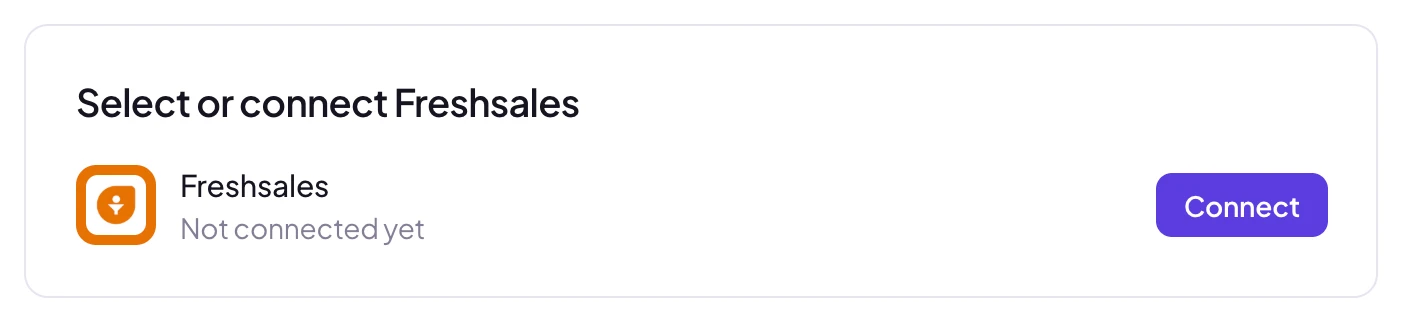 Click Connect
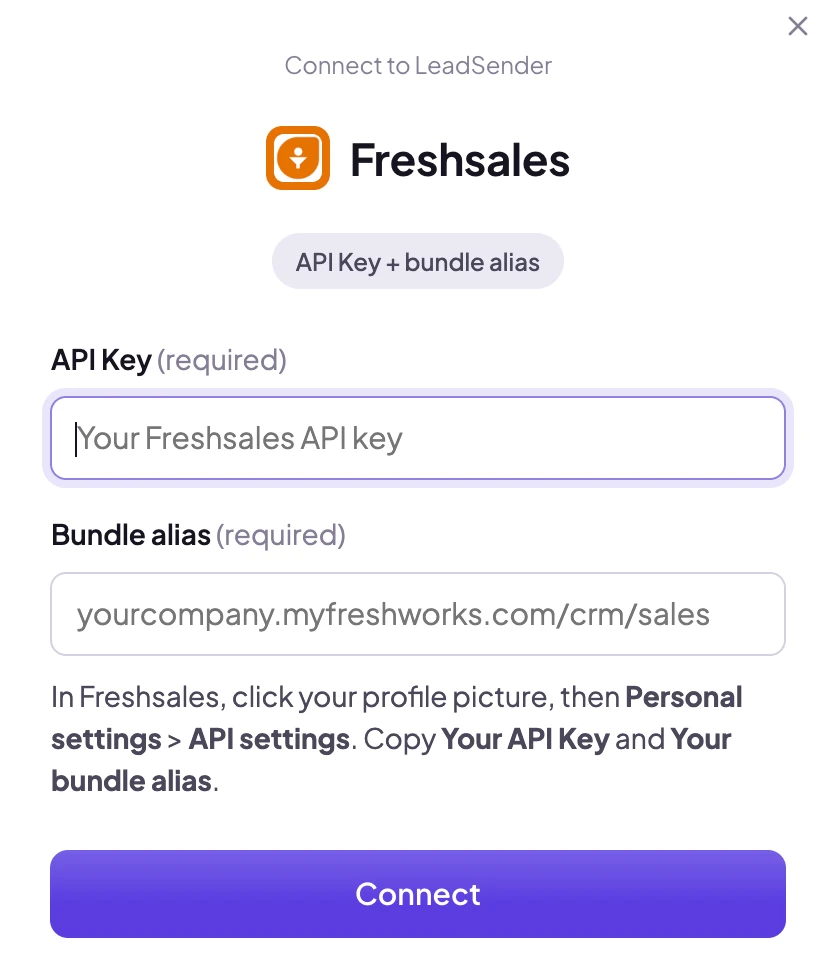 Paste your API keyThen your bundle alias
Pick a lead source and sales owner
Under Lead source, choose how Freshsales should record where these leads came from, from your account's own lead sources. Under Sales owner, choose the rep who gets them. Leave it on the default and Freshsales makes the person whose API key you used the owner.
Match your fields, test and turn on
In Match your fields, name, email and phone are matched for you. Match any other field to a form answer, your Freshsales custom fields included. Then click Send a test lead. Need a fresh lead to test with? Create one with our free Meta Lead Ads Testing Tool.
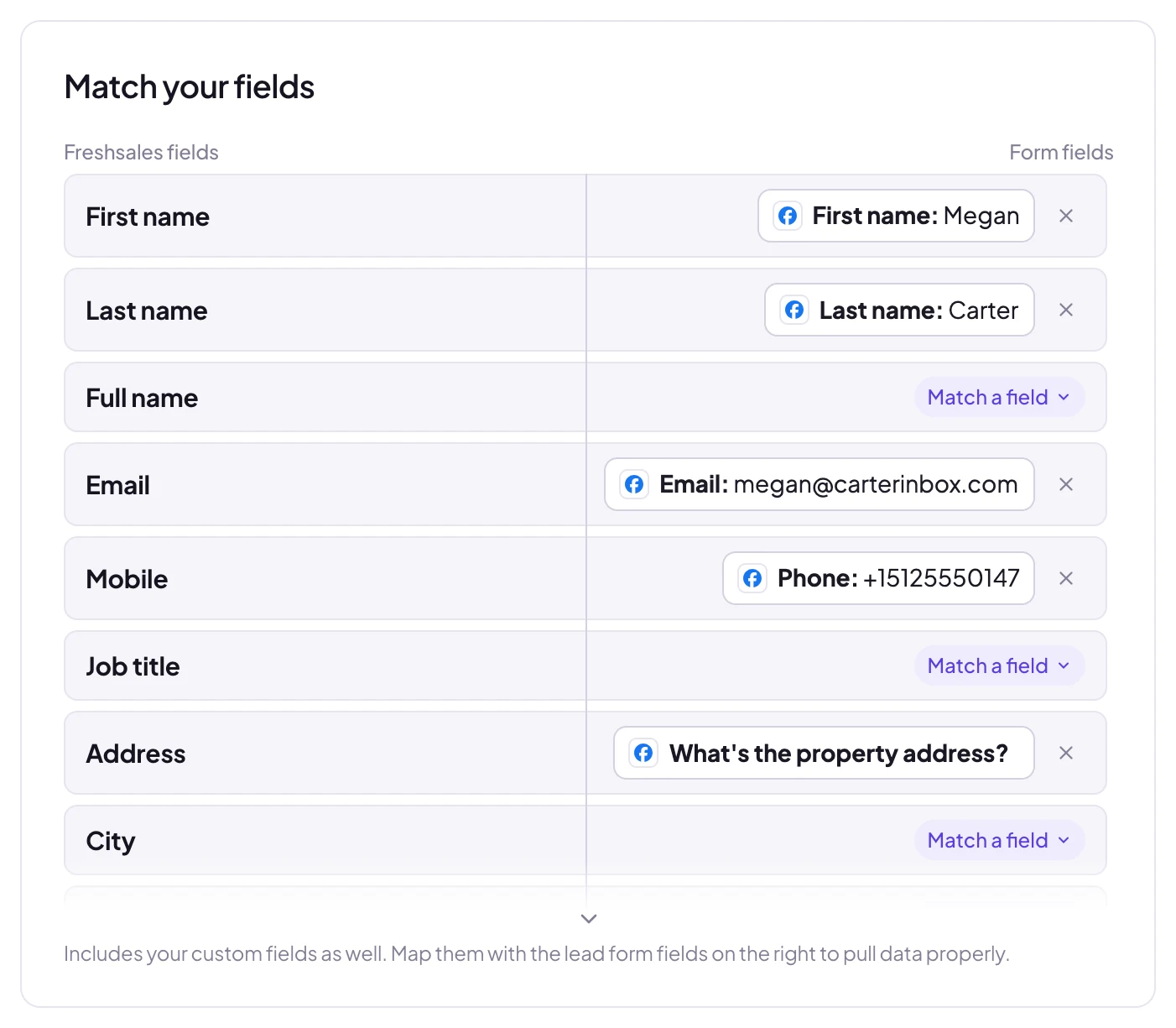 Matched for you
The test shows exactly what reached Freshsales:
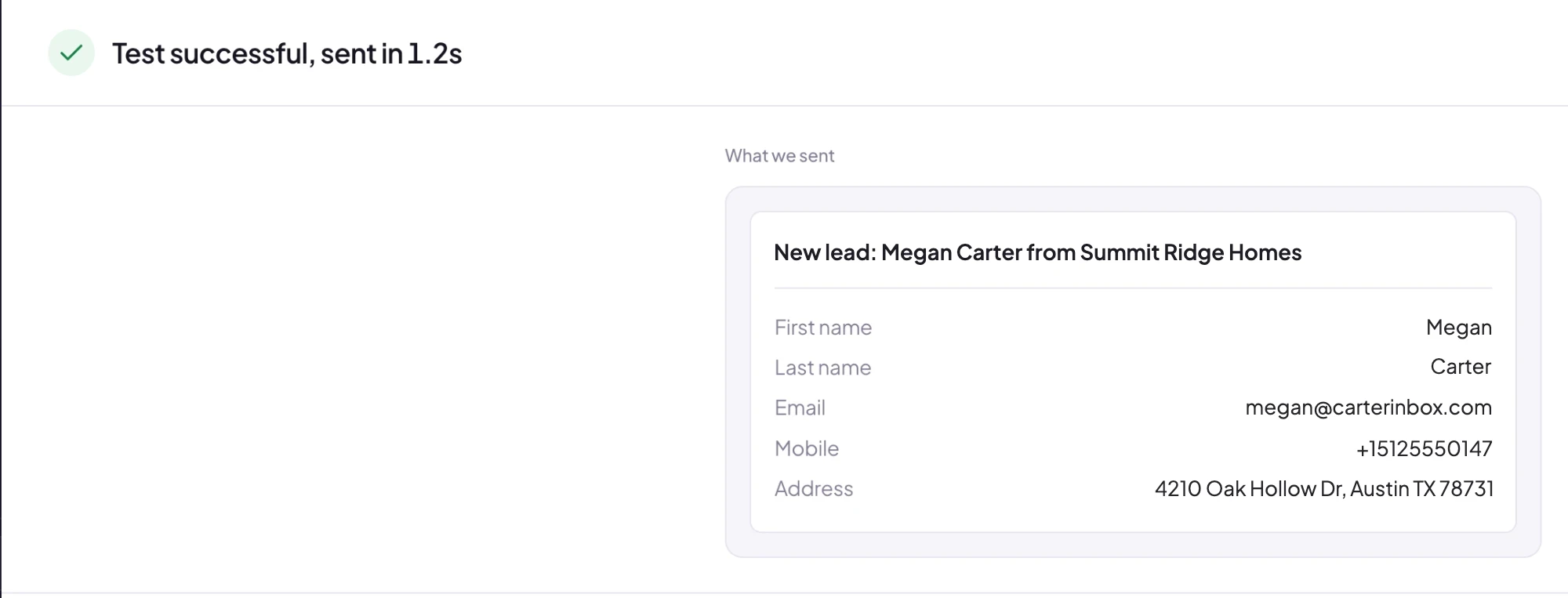 What Freshsales received
Open Contacts in Freshsales and the test lead is already there, with the sales owner you picked. When it looks right, click Turn on. From then on every new lead from that form, on Facebook or Instagram, is added to Freshsales within seconds.
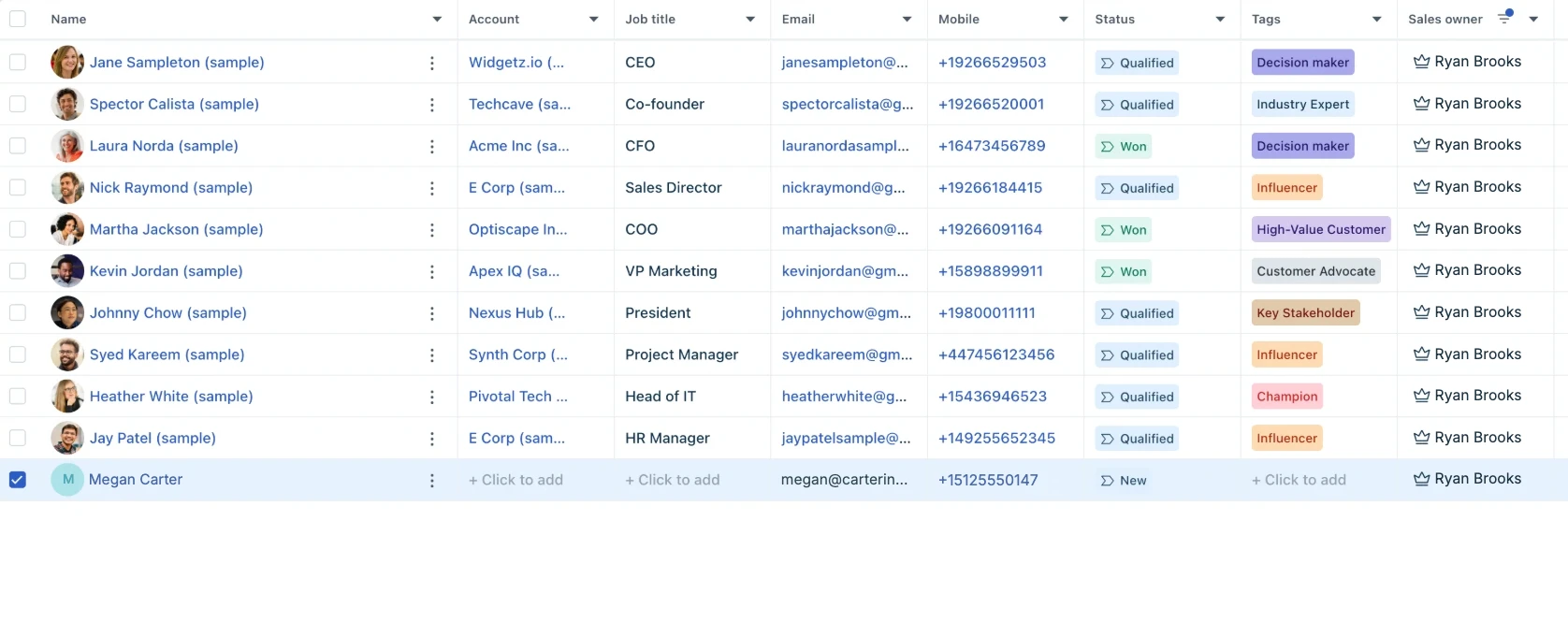 Added in seconds, owner set
Which fields reach Freshsales
LeadSender reads your account's real fields, so you only ever see fields that exist in your Freshsales.
| Freshsales field | What happens |
|---|---|
| First, last or full name | Becomes the contact's name. A full name is split for you |
| Added to the contact, and used to find a repeat lead | |
| Mobile | The contact's mobile number |
| Job title and address | Address, city, state, zipcode and country, each matched to a form answer |
| Your custom fields | Contact custom fields, matched to any form answer |
Custom fields that need a date, a checkbox, several choices or a link to another record aren't offered: a free-text Facebook answer can't fill them reliably. Added a field in Freshsales after setting up? Click Refresh fields.
Owners, lead sources and repeat leads
- Sales owner: every new contact goes to the owner you picked, or to the person whose API key you used if you didn't pick one.
- Lead source: the source you picked is set on every contact, so Freshsales reports show what your Facebook ads bring in.
- Notes: every answer from the form is added to the contact as a note, including answers you didn't match to a field, so nothing the lead said is lost.
- Repeat leads: LeadSender matches the contact by email, so a second enquiry updates the same contact and adds a new note instead of creating a duplicate.
Running ads for different teams or areas? Set up one integration per lead form, each with its own sales owner, and every lead lands with the right rep without a routing rule.
LeadSender vs Zapier vs CSV imports
| LeadSender | Zapier | CSV import | |
|---|---|---|---|
| Price | From $9.99/mo | From $29.99/mo (Facebook Lead Ads is a premium app) | Free |
| Speed | ✓ Seconds | Depends on plan | ✗ Whenever you remember |
| Setup | ✓ About 3 minutes, guided | ⚠ Build and test a Zap | ⚠ Every time, by hand |
| Repeat leads | ✓ Updates the existing contact | ⚠ Extra search step in the Zap | ⚠ Merge by hand |
| All answers on the contact | ✓ As a note, automatically | ⚠ Built step by step | ⚠ Only mapped columns |
| Failed leads | ✓ Reason and resend in Run history | Zap history | None |
Short version: CSV imports are fine for a one-off list, but every hour of delay costs you conversations. Zapier works if you already pay for a premium Zapier plan. LeadSender is the simplest way to get every Facebook lead into Freshsales the moment it comes in. More in LeadSender vs Zapier.
When a Facebook lead doesn't show up in Freshsales
- “Freshsales rejected this API key”: the key was reset or copied incompletely. Copy it again from Personal settings, API settings and reconnect.
- “That bundle alias isn't a Freshsales account”: paste the bundle alias exactly as Freshsales shows it, like yourcompany.myfreshworks.com/crm/sales.
- “Has no name, email or phone matched”: Freshsales needs at least one of them to file the contact. Match your form's name, email or phone.
- A custom field rejected the value: for example, text in a number field. Run history shows Freshsales' exact reason; unmatch that field or change the question.
- Nothing at all: check the integration is turned on, then send a test lead and read the result. Every attempt is listed in Run history.
Comparing options? See how Facebook lead ads integration works, with the 5 ways to send leads to Email, SMS or your CRM compared.