

















In real estate, the agent who calls first usually wins the client. A Facebook lead waiting in Meta's Leads Center isn't in your CINC pipeline, so nobody's assigned and nobody calls. Sending Facebook leads to CINC puts every new lead in your Leads Dashboard the moment they submit, right next to your website leads.
This guide shows how to send Facebook lead ads to CINC step by step, in about three minutes, with no CSV exports and no Zapier. Then it covers how each lead arrives, which fields you can fill, and how to make sure every lead gets a fast call. New to running lead ads for listings and valuations? Start with our guide to Facebook lead ads for real estate.
Connect the two with a lead delivery tool. In LeadSender: connect Facebook, choose Facebook Leads to CINC, pick your Page and form, click Connect and allow access on CINC's sign-in page, match your fields, send a test lead and turn it on. Every new lead then lands in your CINC Leads Dashboard within seconds, with Facebook Lead Ads as the source.
How to send Facebook leads to CINC with LeadSender
This is the quickest way to connect Facebook lead ads to CINC: no Zap to maintain, a new lead in seconds, and an email if a lead ever fails to arrive. You'll need a broker-level CINC login, because CINC only lets broker accounts create leads through its API.
Start a free trial and connect Facebook
Start your 7-day free trial of LeadSender (no card needed) and sign in with the Facebook account that manages your Page. That lets LeadSender hear about each new lead the moment it's submitted.
Choose the CINC template
From Integrations, pick Facebook Leads to CINC. Then select your Facebook Page and the lead form to send.
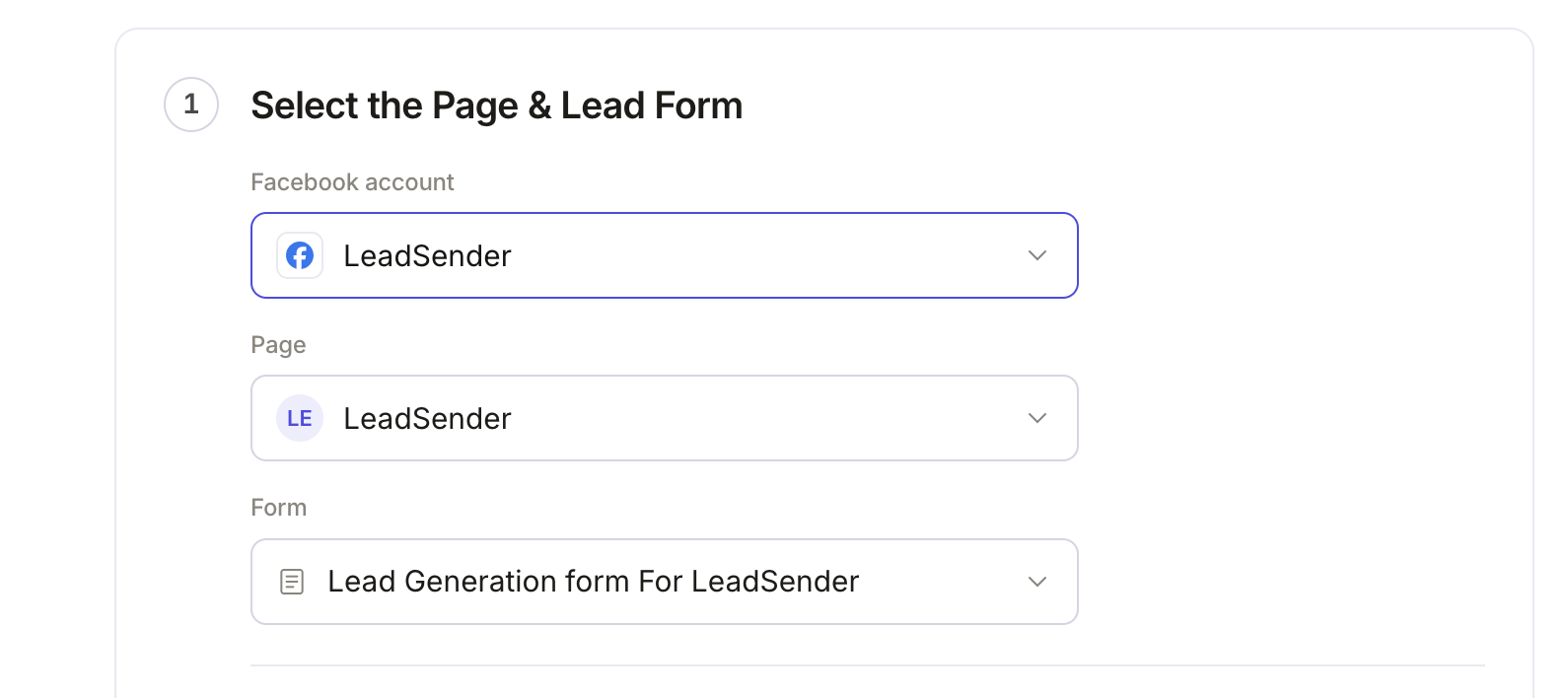 Select your Page
and lead form
Connect CINC
In the builder's Select or connect CINC step, click Connect. CINC's own sign-in page opens. Enter your CINC site (like yourteamhomes.com), your username and password, then click Allow. LeadSender never sees your CINC password.
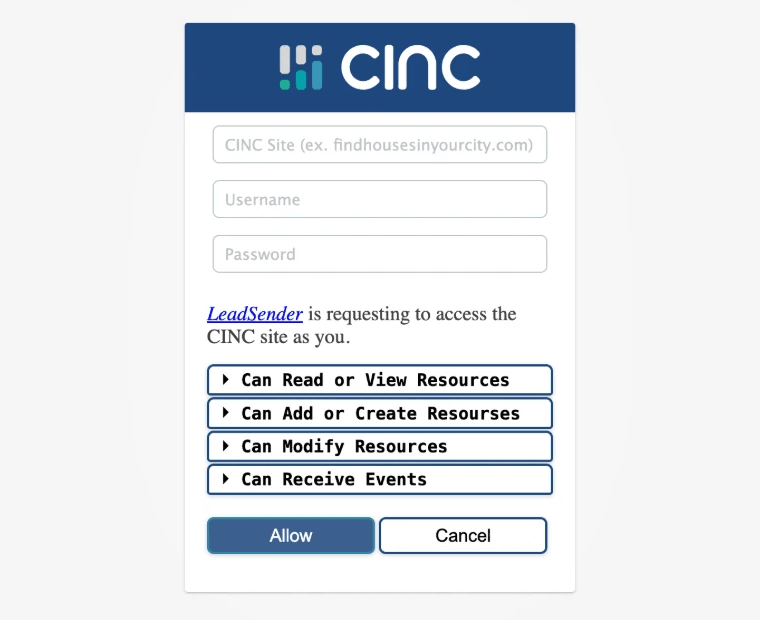 Sign in, then click Allow
Match your fields
In Match your fields, CINC's lead fields are on the left and your form's answers on the right. First and last name, email and phone are matched for you. Pick the answer for Street, City, State and Zip if your form asks for an address, and for Source if you want something other than Facebook Lead Ads.
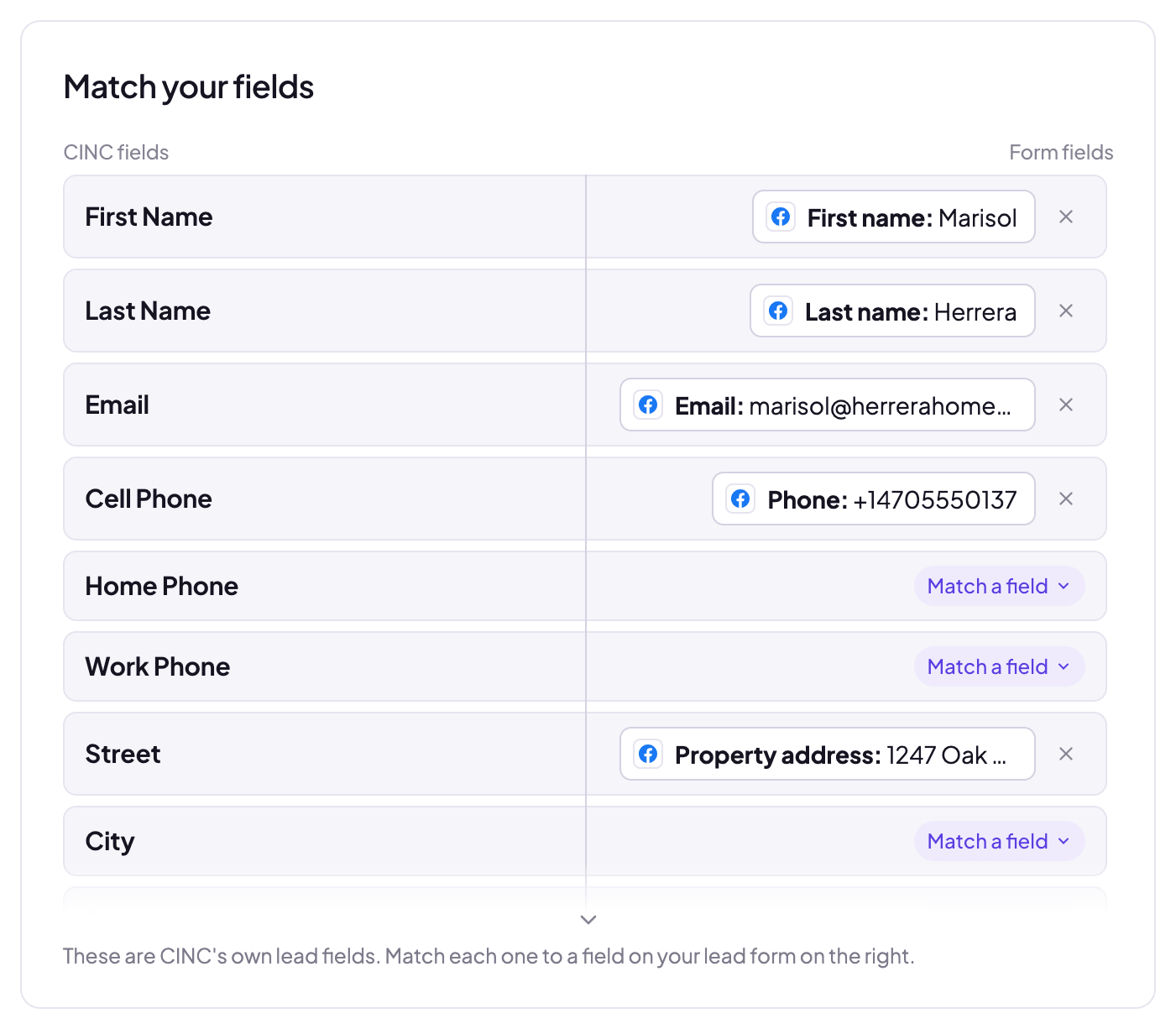 Address answers
fill CINC's fields
Send a test lead and turn it on
Click Send a test lead. LeadSender sends your latest real lead to CINC, so you can check it in your Leads Dashboard. Want a brand new lead instead? Create one with our free Meta Lead Ads Testing Tool. When it looks right, click Turn on.
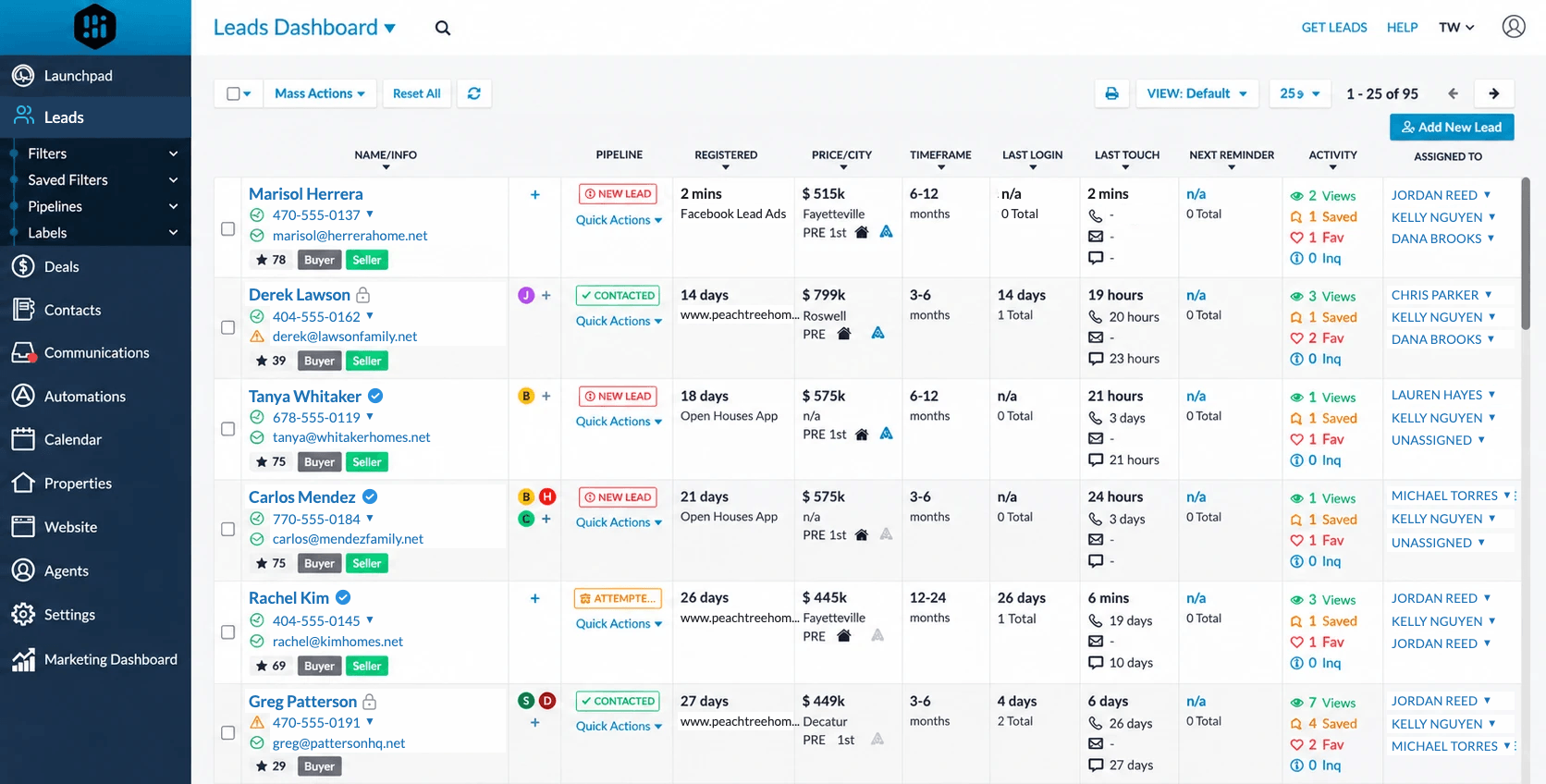 New Facebook lead,
source set
How each lead arrives in CINC
- As a lead in your Leads Dashboard, registered the moment it's submitted, next to your website leads.
- With Facebook Lead Ads as the source, so your CINC reports show what your ads bring in, unless you map a form answer to Source.
- Without duplicates. CINC matches the lead by its contact details, so someone who fills in your form again updates their existing lead.
- Through CINC's own API, the way CINC's partners add leads, so it's handled like any other new lead in your account.
Which CINC fields you can fill
| CINC field | Typical form answer |
|---|---|
| First Name, Last Name | First and last name (a single full-name answer goes in First Name) |
| Cell, Home, Work Phone | Phone number |
| Street, City, State, Zip, County | The address of the home they want valued or to sell |
| Source | Facebook Lead Ads by default, or an answer you pick |
Call every Facebook lead first
Getting the lead into CINC is half the job. The other half is someone calling within minutes:
- Run one integration per form, so buyer and seller leads are easy to tell apart, for example by mapping a different Source on each.
- Add an instant alert on the same form, by text or WhatsApp, so the agent on duty hears about the lead the second it lands in CINC.
- Ask the questions that qualify on your form, like timeframe and price range, so the first call starts with context.
Every lead is scored by LeadScore, which checks the email and phone number, so obvious junk submissions are flagged before they waste an agent's time.
LeadSender vs Zapier vs downloading leads
| LeadSender | Zapier | Downloading leads | |
|---|---|---|---|
| Price | From $9.99/mo, 7-day free trial | From $29.99/mo (Facebook Lead Ads is a premium app) | Free, but it costs your time |
| Speed | ✓ Seconds | Depends on plan | ✗ Whenever someone gets to it |
| Connects to CINC | ✓ Directly, through CINC's sign-in | ⚠ Needs an extra way to create the lead | ⚠ Typed or imported by hand |
| No duplicates | ✓ Repeat leads update | ⚠ Depends on your setup | ✗ Easy to add twice |
| Failed deliveries | ✓ Email alert, reason shown, one-click resend | Zap history | None |
Short version: downloading leads costs nothing but means slower calls. Zapier needs a paid plan and a way to create the lead in CINC. If you want each lead in CINC within seconds without maintaining anything, use LeadSender. More in LeadSender vs Zapier.
When a lead doesn't show up in CINC
- “CINC refused to create the lead”: CINC only lets broker-level accounts create leads through its API. Click Change account and connect with a broker login.
- “CINC access expired or was revoked”: click Change account, then Connect, and allow access again. Your integrations keep working once it's reconnected.
- “Map a field to First Name or Email”: CINC needs at least one of them to identify the lead, so match your form's name or email answer.
- Nothing at all: check the integration is turned on, then send a test lead and read the result. Every attempt is listed in Run history with the reason.
Comparing options? See how Facebook lead ads integration works, with the 5 ways to send leads to Email, SMS or your CRM compared.