













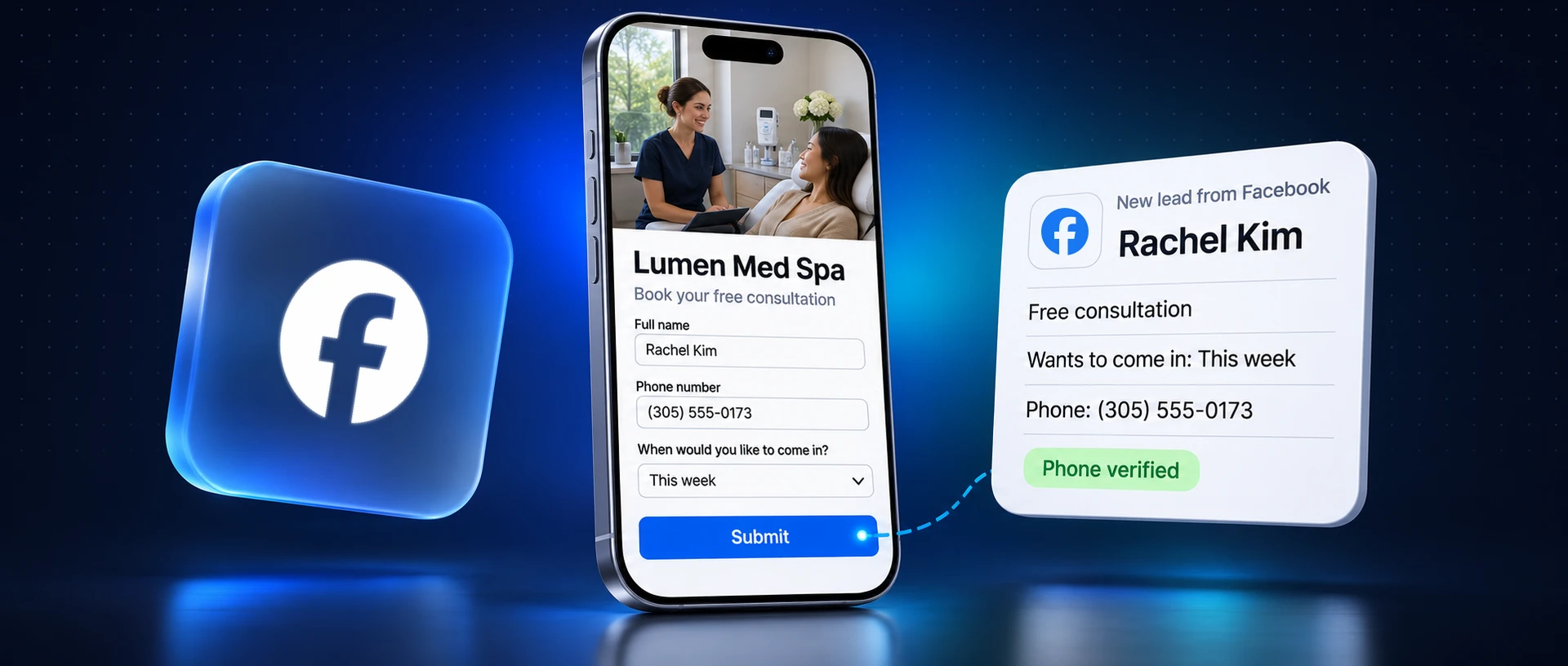
You run a lead ad, the leads roll in, and then the calls start. A number that doesn't ring. An email at gmial.com. A woman who says she never filled in a form. By Friday you're wondering if Facebook leads are worth anything at all.
They are. But Facebook's default form is built to collect as many leads as possible, and it does exactly that. This guide shows you how to spot junk in seconds, why it happens, and the nine settings and habits that stop you paying for it. Every setting is checked against Meta's own help pages, and every screen is a real Ads Manager screenshot.
Facebook lead ads bring junk when the form is too easy to submit, the ad attracts the wrong people, and the campaign is told to maximize the number of leads. To fix it, switch the instant form to Higher intent, turn on phone verification, add one or two multiple choice qualifying questions, and write ad copy that filters. Then tell Meta which leads were good, with Leads Center stages or the Maximize number of qualified leads goal, and call every lead within minutes.
Free check: is this lead real?
Paste a lead's details, or try a sample. This runs LeadScore, the same checks LeadSender runs on every lead it delivers: the email's format, typo domains, throwaway inboxes, whether the domain can receive mail at all, keyboard mashing, and phone numbers that can't exist.
Runs in your browser. The email's domain is looked up in public DNS to see if it can receive mail. Nothing is saved.
A lead that scores Likely junk can't be reached as given. Worth checking is usually a real person with a slip, like a typo in their email: text them instead of emailing, or confirm the address when you call. What a checker can't tell you is whether a real person wants what you sell. That's what the fixes below are for.
Why Facebook lead quality drops: where junk leads come from
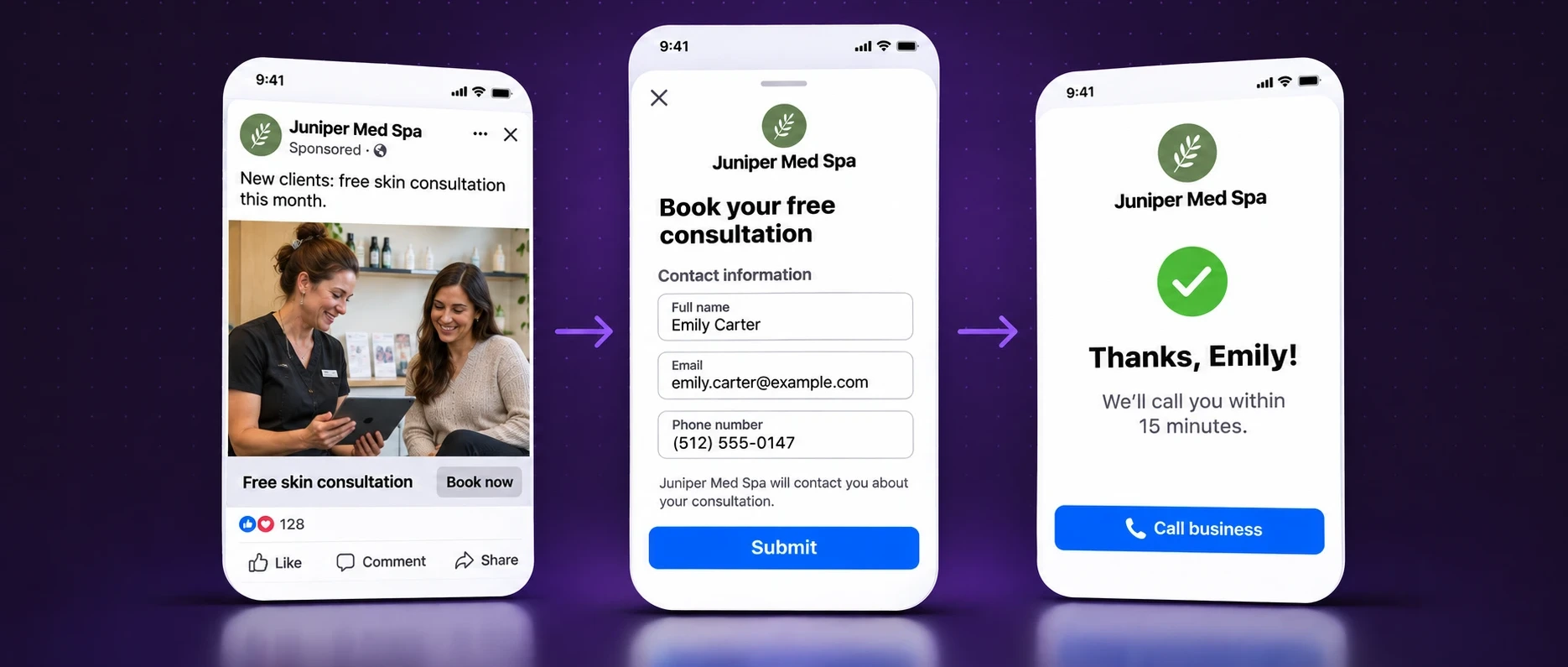
Lead ads work because they're easy: the form opens inside Facebook or Instagram and fills in the person's name, email and phone from their profile. The same ease brings in people who didn't quite mean to submit. Junk usually comes from three causes working together:
- The form is too easy. The default form type, More volume, is built to be quick to submit on a phone. Two taps, done.
- The ad doesn't filter. A vague offer (“Get a free quote!”) appeals to everyone, including people who can't buy.
- The campaign wants volume. With the performance goal set to Maximize number of leads, Meta finds the people most likely to submit, not the people most likely to buy.
Here's what each kind of junk looks like when it lands, so you can tell them apart:
nina.patel@hotmial.comA real person who changed a prefilled field and slipped. Worth a call; the email will bounce.
asdf qwer · 1234567890Someone who wanted to see what's behind the form, or a bot. Not a lead.
Real name · real numberDetails are right, but they don't remember submitting. A review step stops most of these.
Outside your area · no budgetReal and interested, but can't buy. Qualifying questions and honest ad copy catch these.
carlos@ruizbuilds-homes.netThe domain has no mail server, so nothing you send arrives. Call or text instead.
<test lead: dummy data>Made with Meta's testing tool. Not junk, and never a real person. Ignore it when judging quality.
1. Switch the instant form to Higher intent
This is the biggest single change. In the form editor, under Form type, pick Higher intent. According to Meta's help page on form types, it adds two things the default form doesn't have:
- A review step. Before submitting, people see their details and confirm them. Accidental taps stop here, and typos get a second look.
- A follow-up note. A line under the contact fields says your business may contact them, so nobody is surprised when you call.
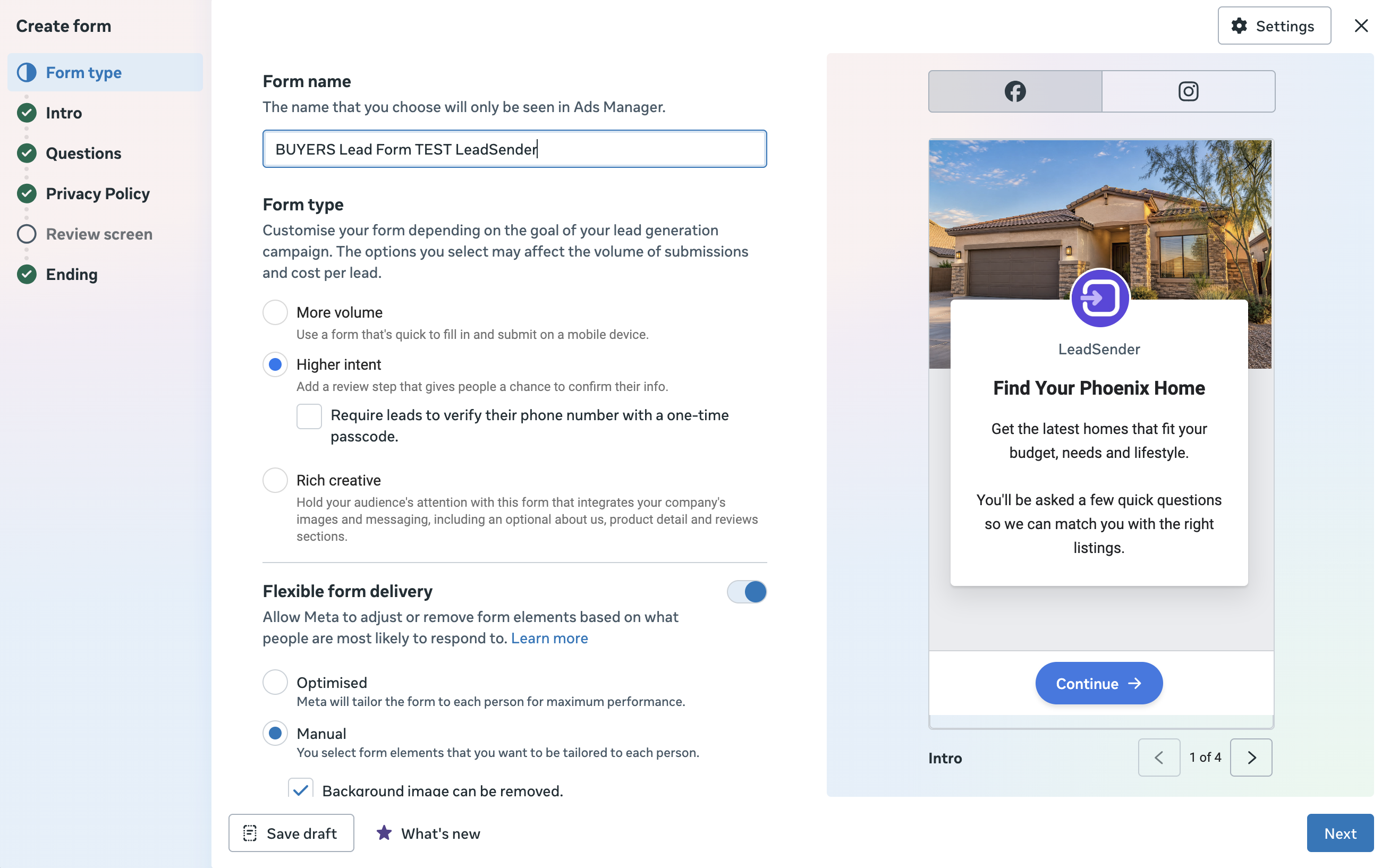 Higher intent adds a review step,
and the one-time passcode option
Meta says plainly that Higher intent filters out people who are only marginally interested, so expect fewer leads. That's the trade you want. Two limits to know: it shows in Facebook Feed and Instagram feed on mobile only, and the follow-up note appears right in the form, like this:
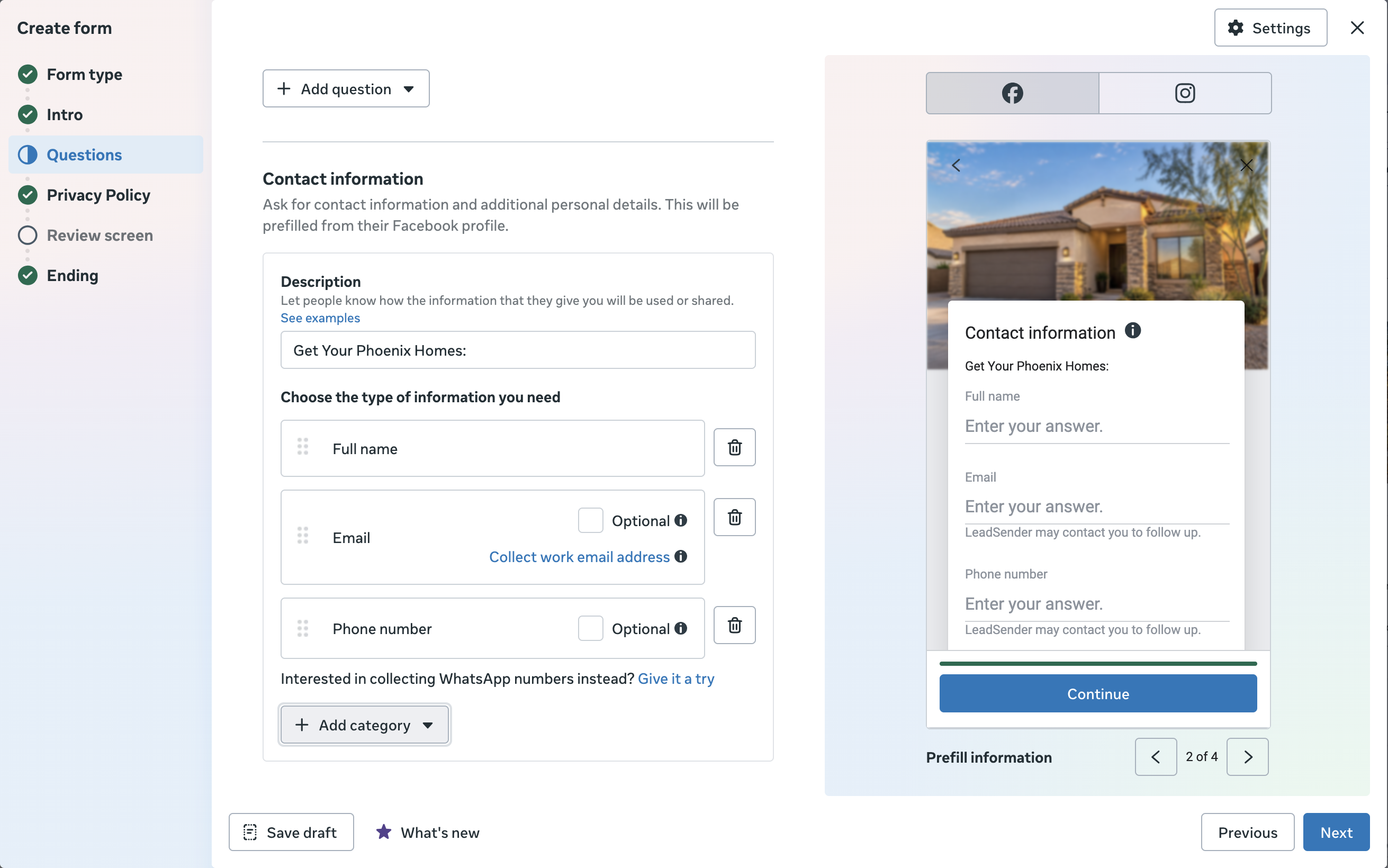 “LeadSender may contact you to follow up”
If you sell something visual, Rich creative is the third option: it adds your brand colors, images and more text to the form. Meta says it can potentially increase lead quality too, because people learn more before they submit.
2. Make people verify their phone number
A wrong phone number is the most expensive kind of junk, because you only find out when you call. Meta's phone verification fixes it at the source: before the form submits, the person gets a one-time code by WhatsApp or SMS (Meta picks which) and has to enter it. Meta says this filters out fake leads such as spam bots and bad actors.
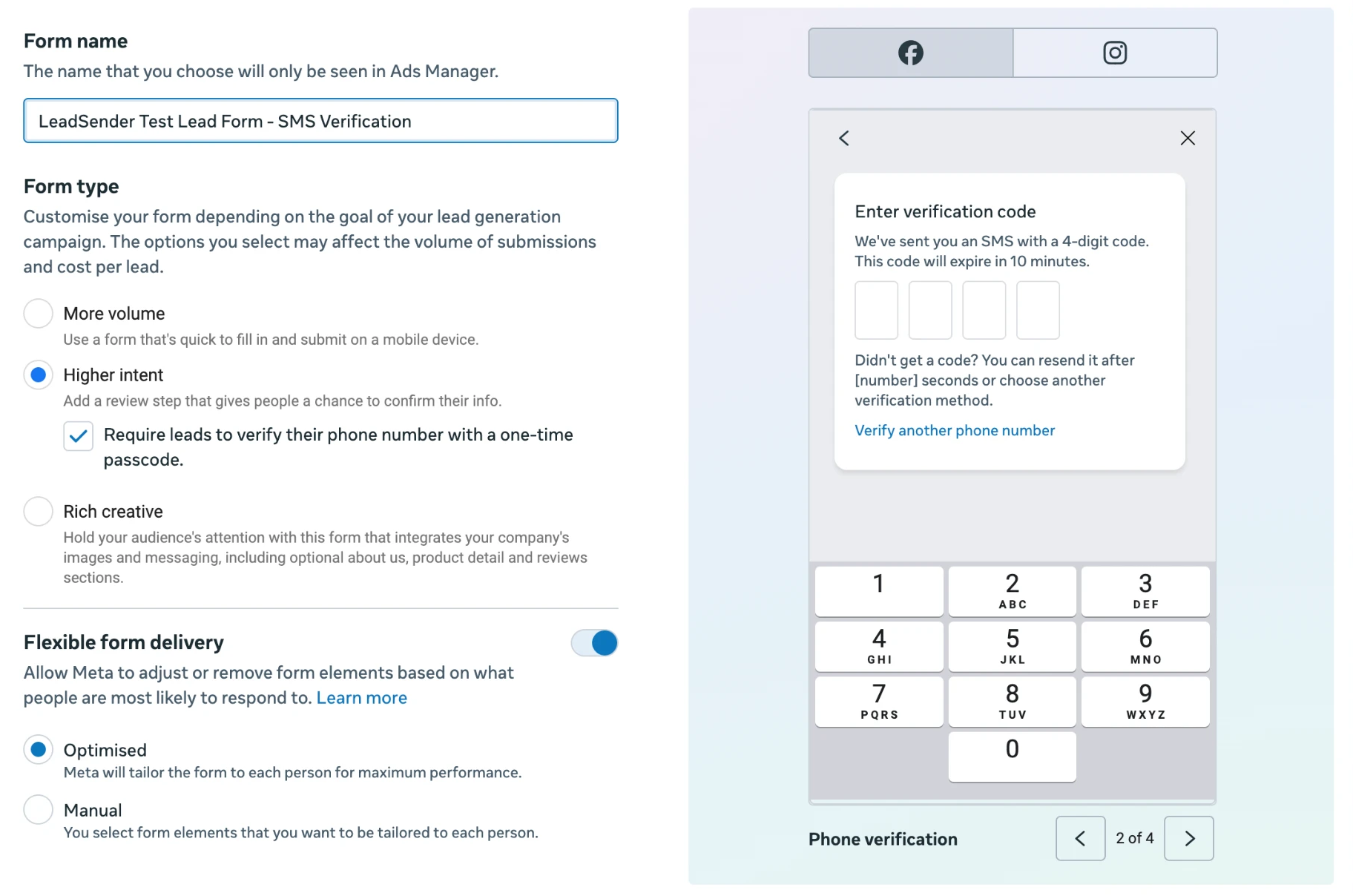
Tick Require leads to verify their phone number with a one-time passcode under Higher intent in the form type section. The preview on the right shows the code screen your leads will see. What Meta's page says you should know first:
- Phone must be required. The phone number has to be a required contact field. A work phone number doesn't count.
- Landlines can't verify. Someone who types a landline can't receive the code, so they never become a lead.
- Once per 180 days. A number that was verified isn't asked again for 180 days.
- Mobile only, on Facebook and Instagram.
- Not everywhere. It isn't available to businesses based in Iraq, Morocco, Nigeria, Pakistan, Sri Lanka or Uzbekistan.
- Fewer, pricier leads. Meta warns it may change your lead volume and cost per lead.
Downloaded leads get a phone_number_verified column (TRUE or FALSE). Meta's page notes this column may not appear when leads come through a CRM integration. If you need it, check a downloaded file from Ads Manager rather than assuming your CRM has it.
3. Check Flexible form delivery
Newer forms show a Flexible form delivery switch under the form type (bottom of the screenshot above). As the setting itself says, it lets Meta adjust or remove form elements based on what each person is most likely to respond to. With Optimised, Meta tailors the form to each person. With Manual, you tick which elements may change, such as the background image.
If your qualifying questions or your intro text are what keep the wrong people out, choose Manual and only allow elements that don't matter for quality. Then preview the form on a phone before you publish.
4. Ask one or two qualifying questions
A question the wrong person can't answer well sorts your leads before you call. Meta's custom questions come in five types: multiple choice, short answer, conditional answer, store locator and appointment request, up to 15 questions in all. Meta's own lead quality best practices say more multiple choice questions typically bring more quality leads, while short answer questions should be kept to a minimum, because typing on a phone kills completion.
So: one or two multiple choice questions, about the things that decide whether you can help. Copy a set for your business:
When are you hoping to move?
- In the next 3 months
- 3 to 6 months
- 6 to 12 months
- Just browsing

Have you been pre-approved for a mortgage?
- Yes
- Not yet, but I'd like to be
- I'm paying cash
What do you need help with?
- A repair
- A full replacement
- An inspection or estimate

Do you own the home?
- Yes
- No, I rent
Which treatment are you interested in?
- Botox or fillers
- Laser hair removal
- Skin treatments
- Not sure yet

When would you like to come in?
- This week
- This month
- Just looking for prices
How many people are on your team?
- Just me
- 2 to 10
- 11 to 50
- More than 50

When are you looking to start?
- Right away
- In the next 3 months
- Just researching
Two tips. Keep a soft answer like “Just browsing”: people who pick it are honest, and you can call them last instead of losing them. And people can edit any prefilled answer, Meta notes, except date of birth, so the name and email you get are the ones they chose to give you (source).
5. Let the ad do the filtering
The cheapest junk lead is the one that never submits. An ad that names the price, the area and who it's for makes the wrong people scroll past. It costs you some clicks and saves you a lot of calls:
Need a new roof? Get a FREE quote today! Tap below to get started.
Roof replacements in Travis County, from $9,800 installed. For homeowners only. Tell us your roof's age and we'll call with a price within a day.
Look your best this season! Claim your exclusive offer now.
Botox in Scottsdale at $12 a unit, by a registered nurse. Book a 15-minute consult this week. Ages 21 and up.
Say the same thing in the form's intro, which Meta says is there to explain why people should submit and what they'll get, and on the ending screen, where you can tell people when you'll call. A lead who expects your call answers it.
6. Optimize for qualified leads, not just leads
Everything so far filters people out. This one changes who Meta shows your ad to. By default, the ad set's performance goal is Maximize number of leads, so Meta looks for the people most likely to submit. Open the Performance goal menu and pick the second choice:
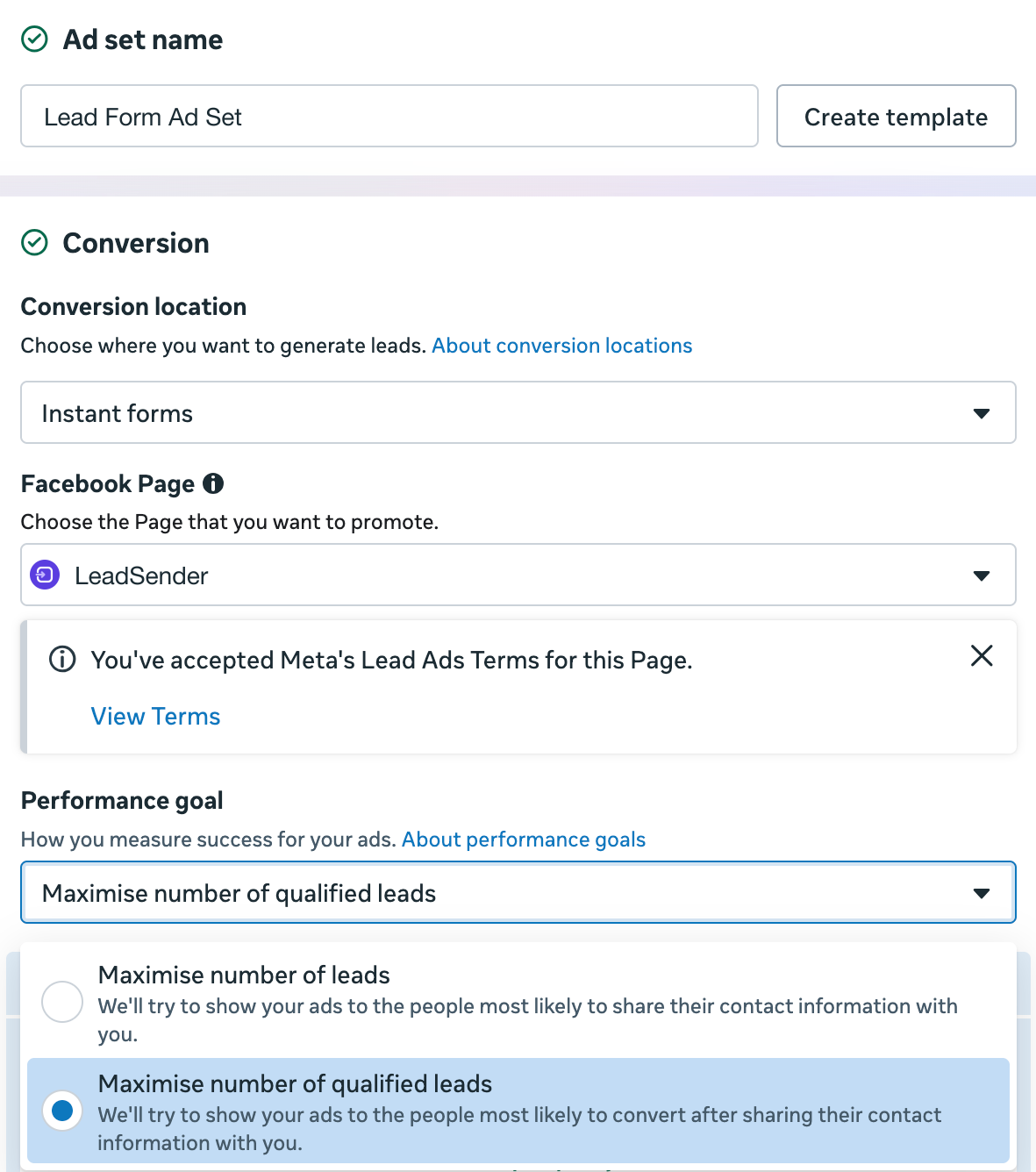
That's Maximize number of qualified leads, the goal Meta used to call conversion leads. Your CRM sends each lead's stage back to Meta, and Meta learns which kind of person becomes a customer. Meta reports a 21% lower cost per quality lead on instant forms when advertisers combine it with the Conversions API for CRM, compared with Maximize number of leads (source).
Since April 2026, new campaigns can't use the qualified leads goal without a Conversions API integration, and Meta has been applying the same rule to existing campaigns since August 2026. Most guides still call it “conversion leads” and don't mention this.
What Meta's developer guide asks for before it works:
| Requirement | What it means for you |
|---|---|
| At least 200 leads a month | Smaller accounts don't give Meta enough to learn from. Below that, fixes 1 to 5 matter more. |
| A stage within 28 days | Optimize for a stage, like Qualified or Appointment booked, that usually happens within 28 days of the lead. |
| 1% to 40% reach that stage | Pick a stage that some leads reach but not all. Not “form submitted”, which every lead reaches. |
| Daily uploads with the lead ID | Your CRM sends updates at least once a day, matched to Meta's lead ID, so keep that ID on each contact. |
| 2 to 4 weeks of learning | Results improve after the learning phase, so judge it after a month, not a week. |
To set it up, connect your CRM as a data source in Events Manager or Ads Manager and keep each lead's status current as it moves through your pipeline (Meta's tips). Then choose the qualified leads goal in a new ad set.
7. Mark every lead in Leads Center
No CRM, or under 200 leads a month? Meta's free Leads Center in Business Suite already has a pipeline. Every lead starts in Intake, and you move it to Qualified, Converted, Lost or Not qualified. You can rename or add stages, set an owner and reminders, and add notes.
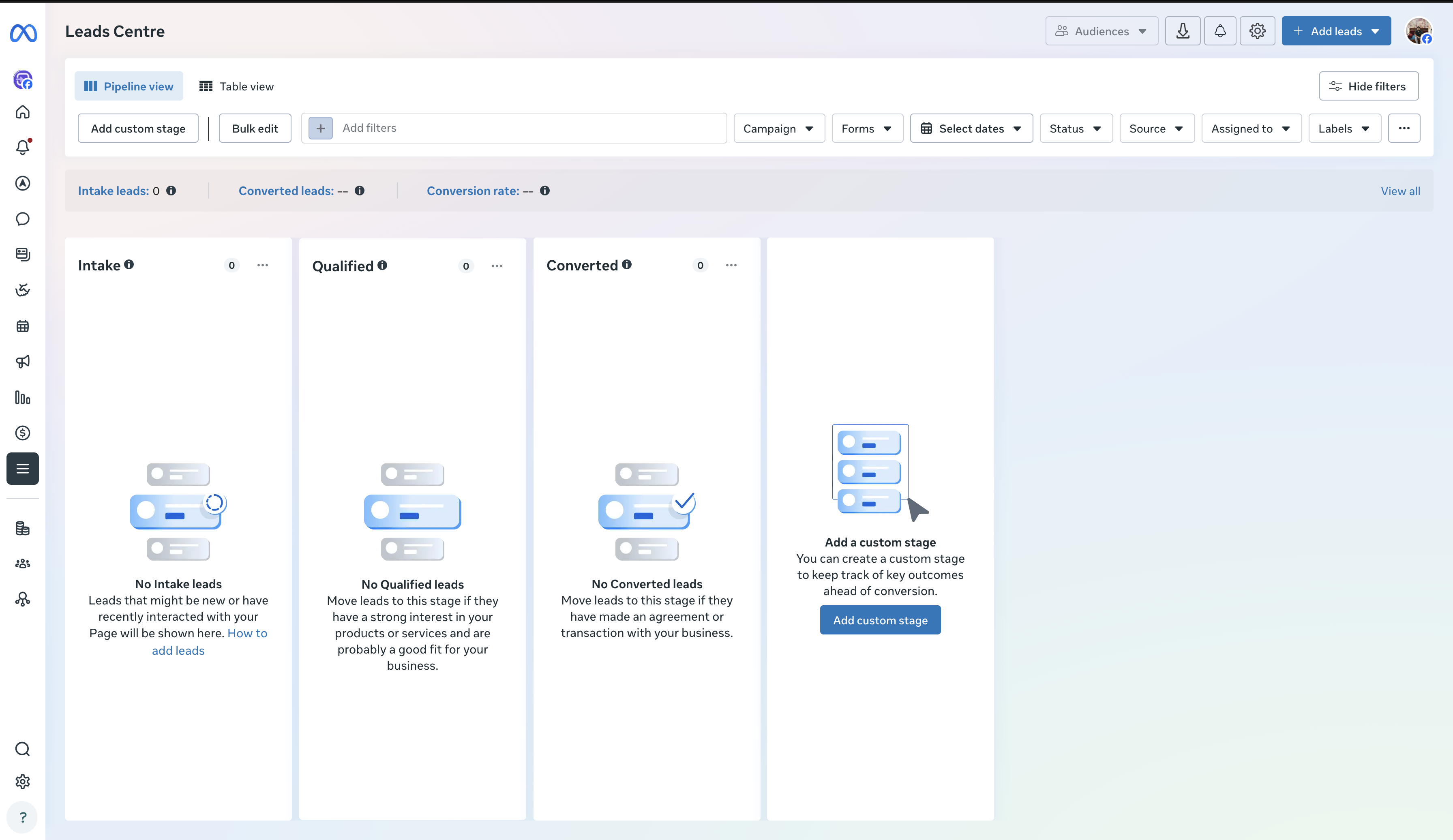 Move each lead to a stage
after the first call
Two things you get from doing this every day. You see which ad and form each qualified lead came from, so you can turn off the ones that only bring junk. And when the Page's data sharing is on, Meta says Leads Center connects to the Conversions API, which is the same signal the qualified leads goal learns from.
8. Call while they still remember you
A good lead turns into a “junk” lead with time. Someone who filled in your form at lunch has forgotten your name by dinner, and a forgotten lead sounds exactly like a fake one on the phone. Meta's own advice on lead quality is direct about it:
- Capture leads immediately with a connected CRM or Leads Center. Downloading them by hand slows you down, and quick follow-up can improve your lead quality.
- Run ads when you can answer. Schedule ads for business hours, so new leads arrive when someone can call.
- Ask when to call. An appointment request question, or a “best time to reach you” question, tells you when they'll pick up.
Facebook won't ring your phone when a lead arrives. How to get an alert the moment it does is at the end of this guide.
9. Judge ads on cost per real lead
Ads Manager shows cost per lead, and it counts every submission the same. Once you know how many of those leads you could actually reach and qualify, the cheapest ad is often not the best one. Put in your own numbers:
Count a lead as real when someone answered, the details were right and they fit your offer.
Judge ads on the second number. An ad at $12.50 a lead that brings mostly junk can cost more than one at twice the price.
Track it weekly per ad: leads, real leads, cost per real lead. Turn off ads where most leads are junk, even if their cost per lead looks great.
Mistakes that make lead quality look worse than it is
- Judging quality on test leads. Leads from Meta's Lead Ads Testing Tool are filled with dummy data and aren't tied to any ad (Meta). They test delivery, not quality.
- Calling days later. If leads sit in Leads Center until someone downloads them, people forget, and good leads look bad.
- Emailing typo addresses. A gmial.com address isn't a fake person. Call or text them, and fix the email on the call.
- Changing everything at once. Switch the form type first, run it for a week, then add questions. Otherwise you won't know what worked.
- Losing old leads. Meta only lets you download leads for 90 days. If you score leads later, keep them somewhere permanent first.
How to get instant alerts, so real leads get a call
All the filtering in the world doesn't help if a real lead waits until tomorrow. Pick one of these, from free to fully automatic:
| Option | How to set it up | Good for | Watch out for |
|---|---|---|---|
| Meta Business Suite app | Install the app, sign in with an account that has lead access to the Page, and allow notifications | One owner who handles every lead | Alerts can be late or buried among other notifications |
| Your CRM's Meta connection | If your CRM has a built-in lead ads integration, connect the Page and turn on new-contact alerts | Teams already living in that CRM | Only some CRMs have one |
| A lead delivery tool | Connect the Page once and choose where each lead goes: text, email, WhatsApp, Slack or a CRM | Getting each lead to whoever calls, wherever they are | A monthly cost, and a test lead to confirm it works |
Call every real lead in minutes with LeadSender
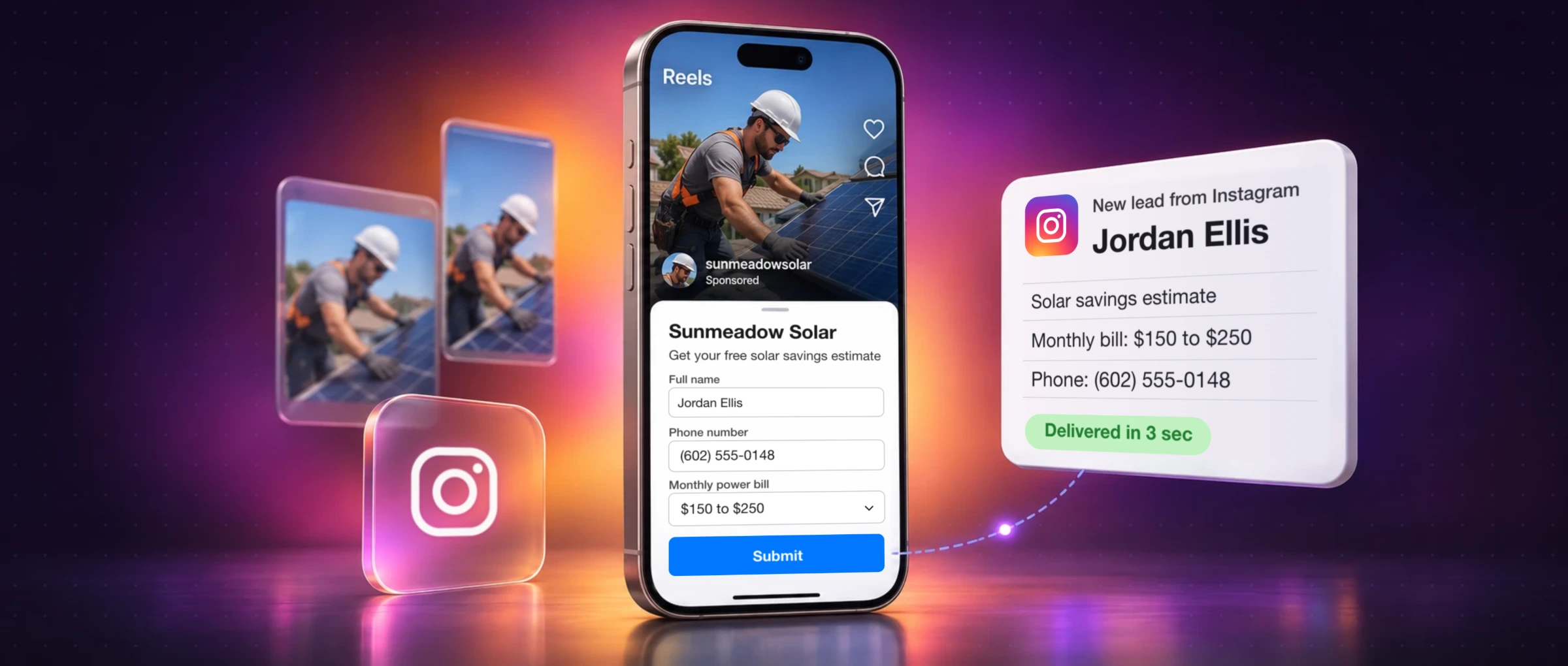
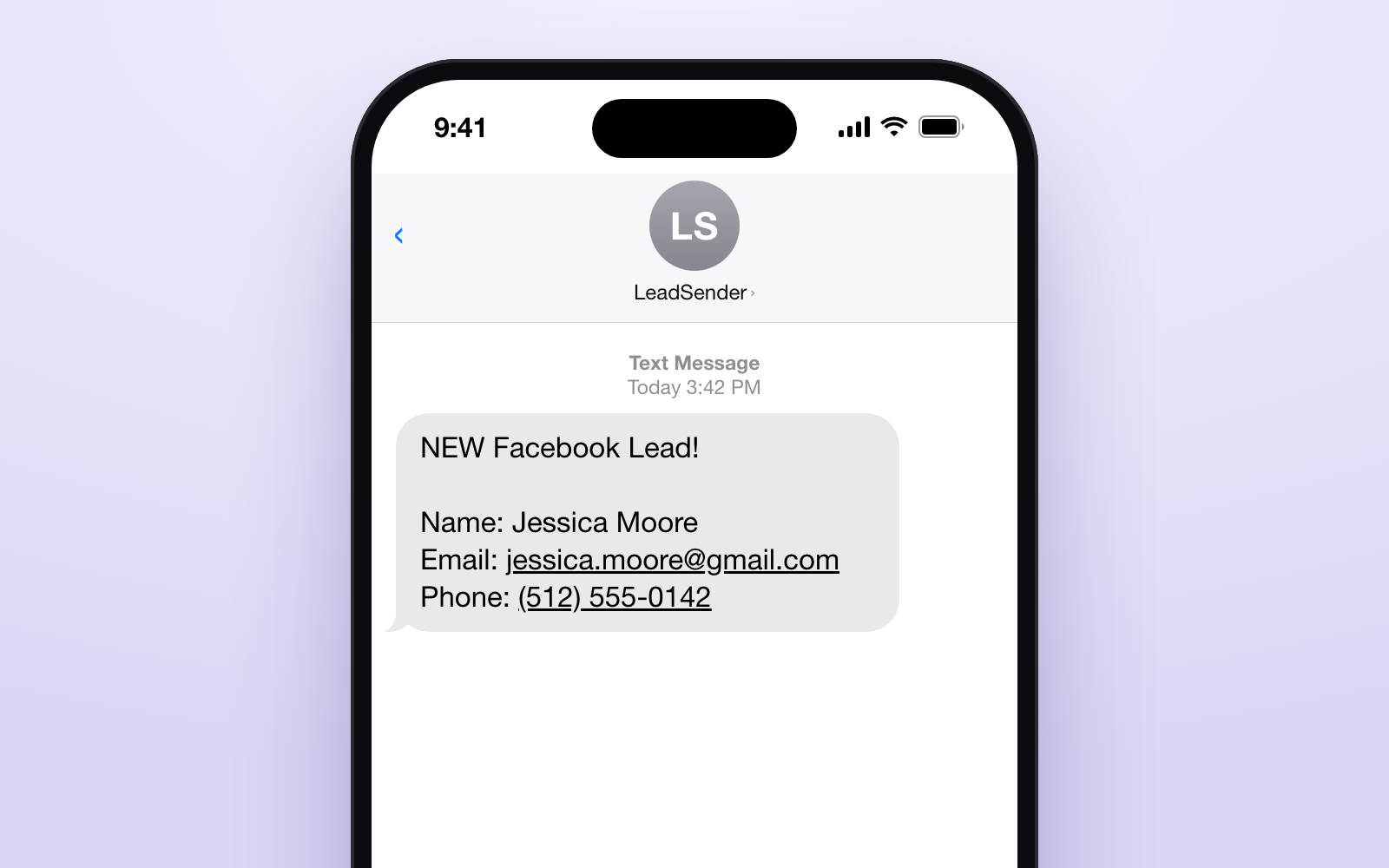
That's the job we built LeadSender for. Connect your Facebook Page once, and every new Facebook and Instagram lead arrives as a text, an email, a WhatsApp message or a new contact in your CRM within seconds, with every form answer, so whoever calls knows the timeline and budget before they dial.
- Set up in about 3 minutes. No Zapier, no code.
- Every lead scored. LeadScore, the checker above, runs on each lead, so you can see which ones look real before you call.
- Goes where your team works: email, SMS, WhatsApp, Google Sheets, HubSpot, GoHighLevel and more.
Connect your Page, send a test lead and watch it land on your phone. No card needed. Start your free trial.
Facebook lead quality FAQs
How do I improve Facebook lead quality?
Switch your instant form to Higher intent, turn on phone verification, add one or two multiple choice qualifying questions, and write ad copy that names the price, area and who the offer is for. Then mark leads in Leads Center or use the Maximize number of qualified leads goal, and call every lead within minutes.
Why are my Facebook leads so bad?
Usually three things together: the default More volume form submits in a couple of taps with details already filled in, the ad doesn't tell the wrong people to scroll past, and the campaign is optimized for any form submission. Slow follow-up makes it worse, because people forget they asked.
Are Facebook leads fake?
Most are real people, but not all of them meant to submit, typed their details correctly, or fit your offer. Meta itself says its phone verification filters out fake leads such as spam bots and bad actors, so some fake submissions do happen.
What is the Higher intent form on Facebook?
An instant form type that adds a review screen, where people confirm their details before submitting, and a note under the contact fields saying the business may follow up. Meta says it is for very intentional leads and filters out people who are only marginally interested. It runs in Facebook Feed and Instagram feed on mobile.
How do I verify phone numbers in Facebook lead ads?
Turn on phone verification in the form: people must enter a one-time code sent by WhatsApp or SMS before the form submits. The phone number has to be a required field, landlines can't verify, and a verified number isn't asked again for 180 days.
What happened to conversion leads optimization?
Meta now calls it Maximize number of qualified leads. It needs your CRM to send lead stages back to Meta through the Conversions API, and since April 2026 new campaigns can't use it without that integration.
How many leads do I need for the qualified leads goal?
Meta's developer guide asks for at least 200 leads a month, a stage you optimize for that happens within 28 days of the lead, and a conversion rate between 1% and 40% to that stage, with data uploaded at least once a day.
Do qualifying questions lower my number of leads?
Yes, a little, and that's the point. Meta's own best practices say more multiple choice questions typically bring more quality leads, while too many short answer questions lower completion. One or two multiple choice questions is a good start.
How fast should I call a Facebook lead?
As fast as you can. Meta's own advice is to capture leads immediately with a connected CRM or Leads Center, because quick follow-up can improve lead quality, and to run ads when your team can respond.
Why do my test leads look like junk?
Leads from Meta's Lead Ads Testing Tool are filled with dummy data by default and aren't tied to any ad. Use them to check delivery, never to judge lead quality.
How do I check if a Facebook lead is real?
Look for a valid email whose domain can receive mail, no common typos like gmial.com, a phone number with a valid length and area code, and a name that isn't keyboard mashing. Our free checker on this page runs those checks in seconds.
Sources
Checked on 12 November 2026. Meta changes Ads Manager often; if a screen looks different, trust Ads Manager.
- Meta Business Help Center: About instant form types
- Meta Business Help Center: Create an instant form
- Meta Business Help Center: Custom questions for instant forms
- Meta Business Help Center: Prefilled information in instant forms
- Meta Business Help Center: Best practices for lead quality
- Meta Business Help Center: Enable phone verification to improve lead quality
- Meta Business Help Center: Performance goals for lead campaigns
- Meta Business Help Center: Set up your CRM for qualified leads
- Meta Business Help Center: Keep lead status current in your CRM
- Meta Business Help Center: Lead stages in Leads Center
- Meta Business Help Center: Follow up with your leads
- Meta Business Help Center: About expired leads
- Meta for Developers: Conversion leads integration
- Meta for Developers: Lead ads testing and troubleshooting