














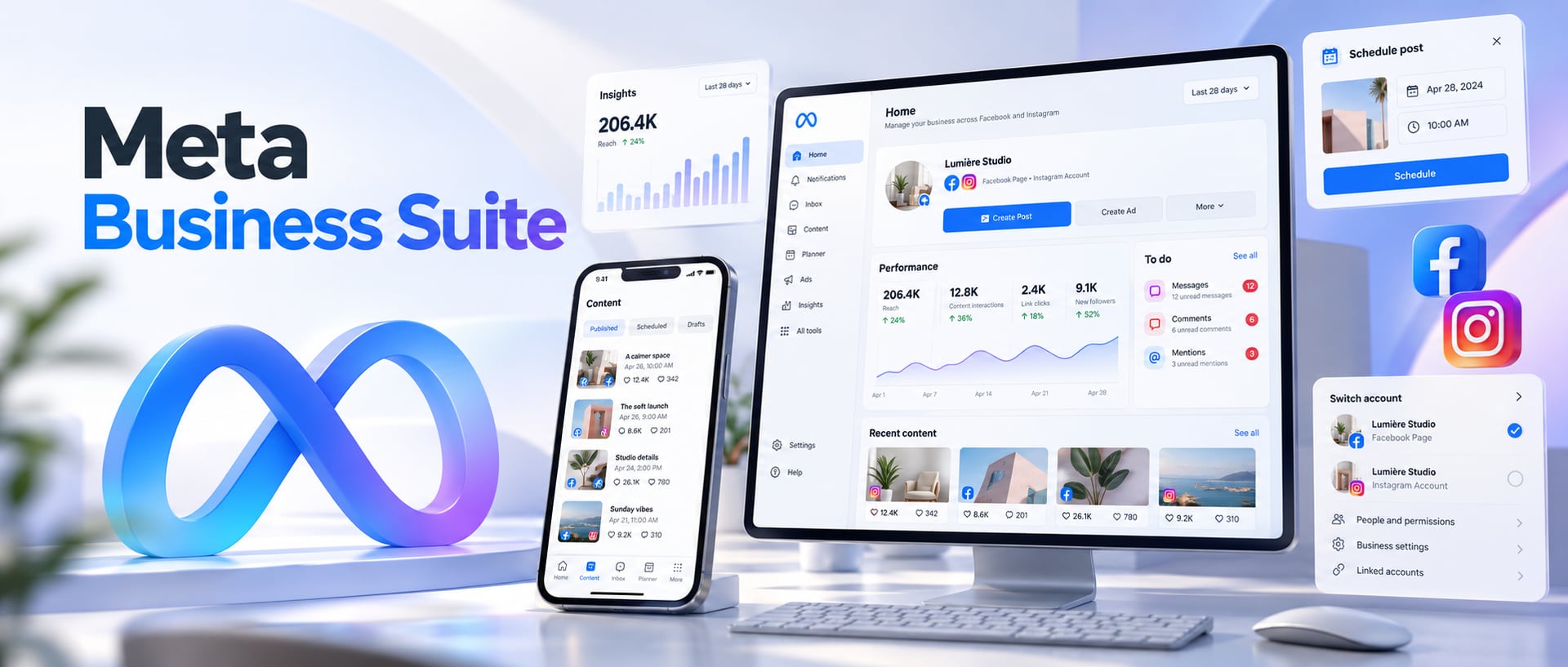
Meta Business Suite is where most businesses run Facebook and Instagram day to day. It's where you publish and schedule posts, answer messages and comments, check what's working, give your team access and jump into ads, from your desktop or your phone.
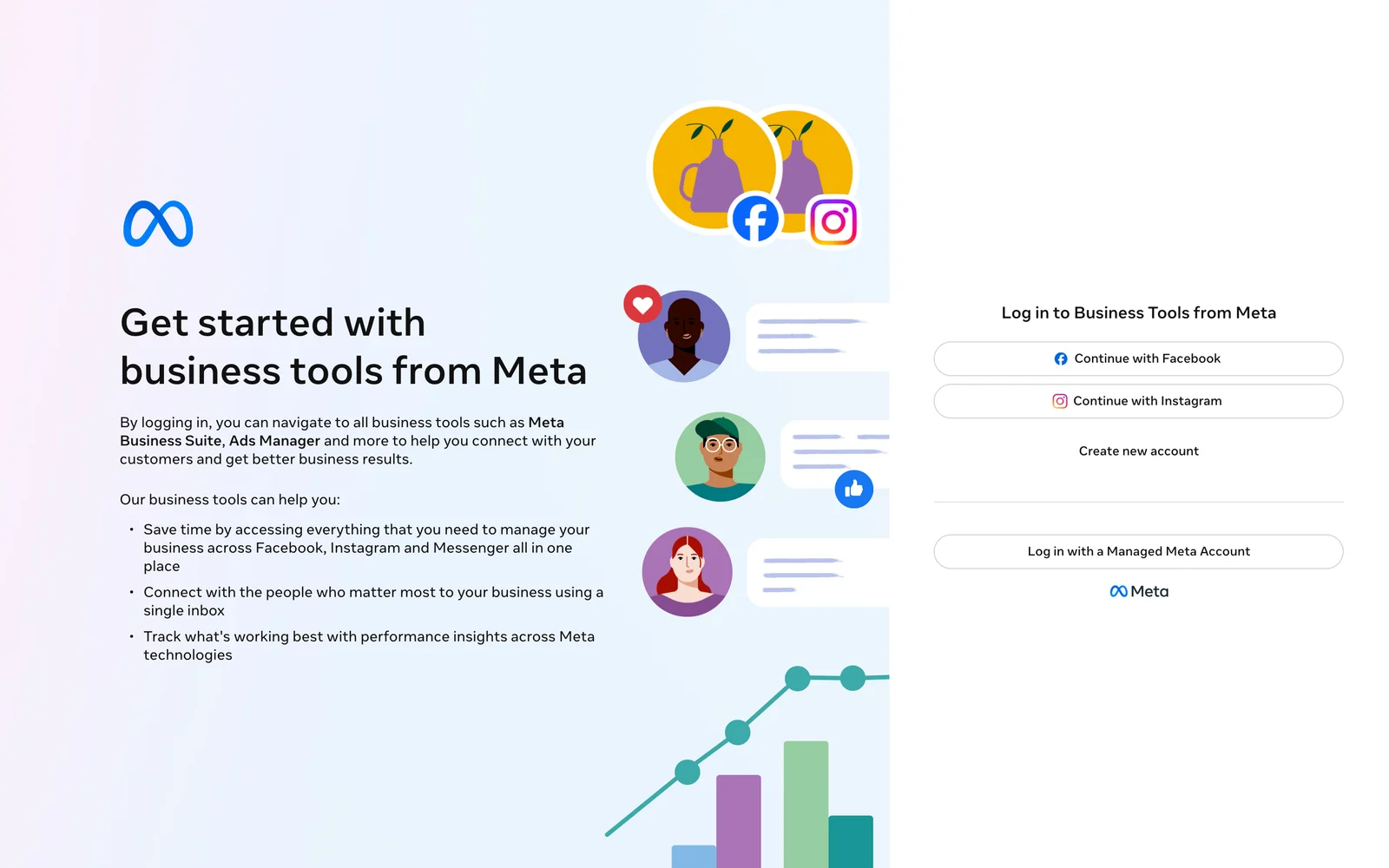
Go to business.facebook.com and choose Continue with Facebook, Continue with Instagram, or Log in with a Managed Meta Account, using the account that has access to your business. If you land in the wrong business, switch with the business selector at the top. Page or Instagram account missing? Jump to the fixes.
If you came here for the login, the link above is all you need. If you want to understand what Business Suite actually does, how it differs from Business Manager and Ads Manager, how to connect Instagram, or why something has gone missing, this guide covers the whole workflow, checked against Meta's own help pages in October 2026.
What is Meta Business Suite?
Meta Business Suite is Meta's free workspace for managing a business across Facebook, Instagram and Messenger. In Meta's own words it's a one-stop shop that brings your marketing and advertising activity together: notifications, messages, posts, stories, ads and insights, on desktop and mobile.
It launched in September 2020 as Facebook Business Suite and was renamed Meta Business Suite in 2021, when Facebook's parent company became Meta. That's why people still search for Facebook Business Suite, business suite Facebook or just “Meta Suite”: they all mean the same product.
Most confusion comes from the names around it. Business Suite is the everyday workspace. A business portfolio (what older guides call Business Manager) is the structure that holds your Pages, Instagram accounts, ad accounts, people and permissions. Ads Manager is the specialist tool for building campaigns. Keeping those three straight prevents most access and setup mistakes.
Who should use Meta Business Suite?
- Owners who run their own Facebook Page and Instagram account.
- Social media managers who want one calendar, one Inbox and one place for results.
- Agencies managing several Pages, Instagram accounts and ad accounts for clients.
- Advertisers who want a quick view of activity but build campaigns in Ads Manager.
- Lead-generation businesses that handle messages, comments and lead form leads.
- Teams that need proper, individual access instead of one shared Facebook login.
What can you do in Meta Business Suite in 2026?
Menus vary a little by account, country and permissions, but the core jobs are the same everywhere.
| Area | What you can do |
|---|---|
| Content | Create, publish and schedule Facebook and Instagram posts and stories; see everything in a calendar (Planner) |
| Inbox | Answer Messenger, Instagram messages and comments in one place; set up automated replies |
| Insights | See how posts, stories, ads and your audience are performing |
| Ads | Boost posts and create simple ads; jump to Ads Manager for full campaigns |
| Business settings | Manage your business portfolio, connected accounts, people, permissions and security |
| Notifications | See what needs attention in a notifications feed and to-do list |
| Mobile app | Do most of the above from iPhone, iPad or Android, including calls to customers |
Source: the App Store and Google Play listings and Meta's product page, checked 8 October 2026.
Meta Business Suite login: desktop and app
Most people searching “Meta Business Suite login” just want the right dashboard, so here's the quickest route.
Open business.facebook.com
Go to business.facebook.com. Use that address rather than an old bookmark: Meta has moved its business tools around over the years, and old links sometimes land somewhere else.
Choose how to log in
Meta's login page offers three options: Continue with Facebook, Continue with Instagram and Log in with a Managed Meta Account. Use whichever identity has been given access to your business.
Pick the right business
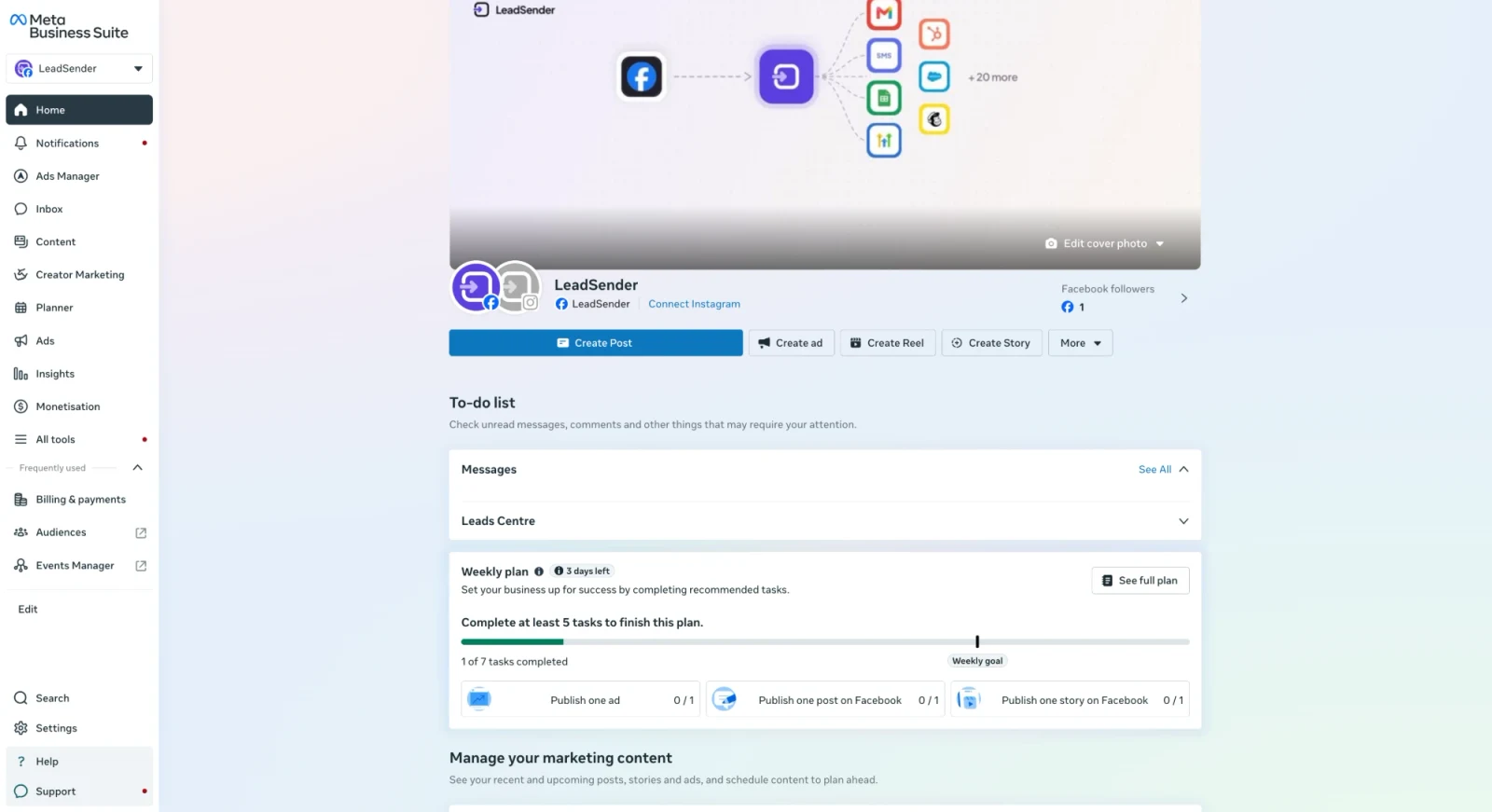
If you have access to more than one business portfolio, use the selector at the top left of Business Suite to switch to the one you want. The menu down the left (Home, Inbox, Content, Planner, Ads, Insights and All tools) then applies to that business.
 Switch business hereNew leads
show here
Pick the Page or Instagram account
When Business Suite asks for a specific asset, choose the Facebook Page and the connected Instagram account you want to work on.
Logging in on your phone
Install the official Meta Business Suite app from the App Store (iPhone and iPad) or Google Play (Android), sign in with the account that has business access, then choose the business or Page. Avoid third-party apps that copy the name.
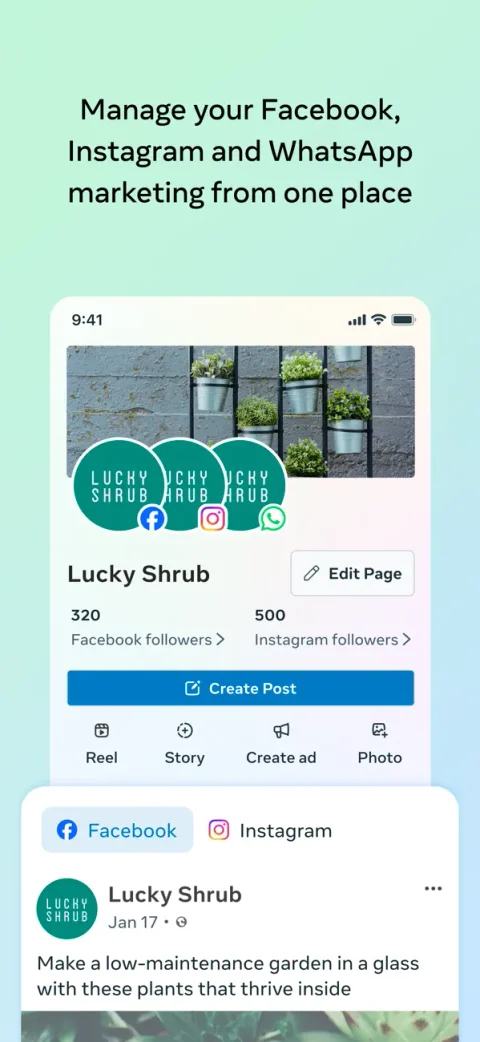 Home: Facebook, Instagram and WhatsApp in one place
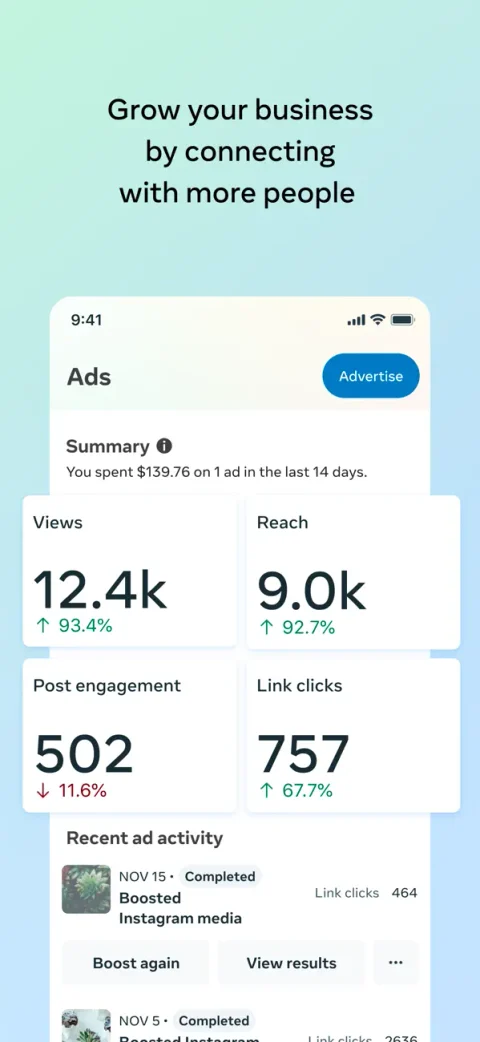 Ads: results of recent promotions
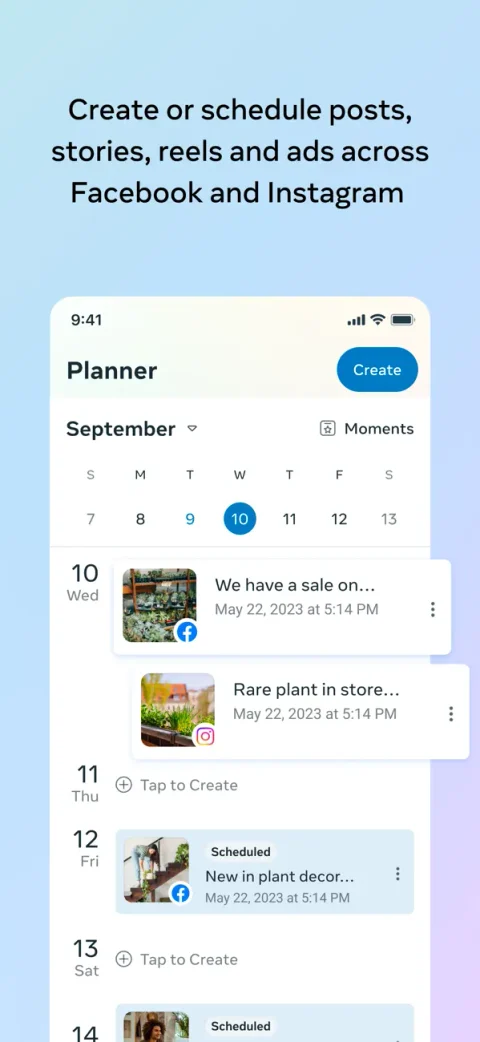 Planner: scheduled posts, stories and reels
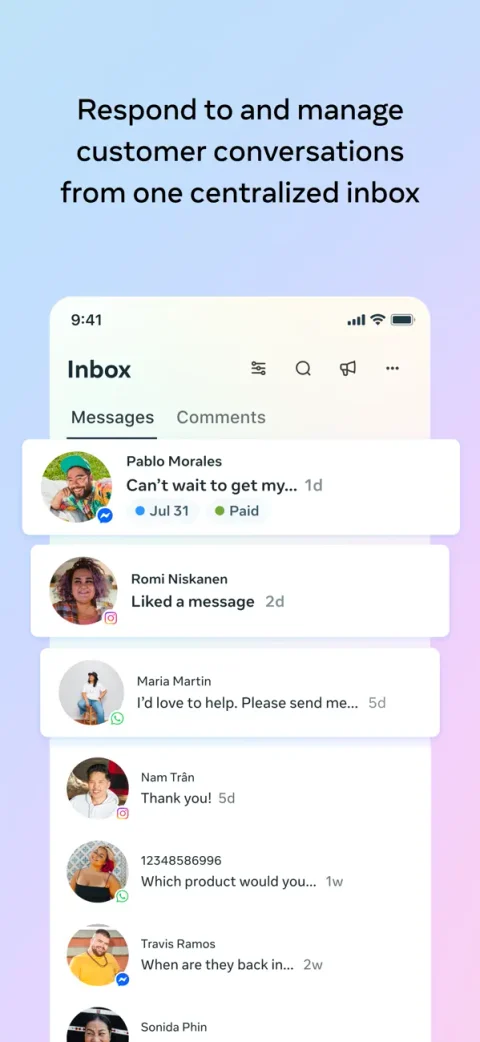 Inbox: messages from every app together
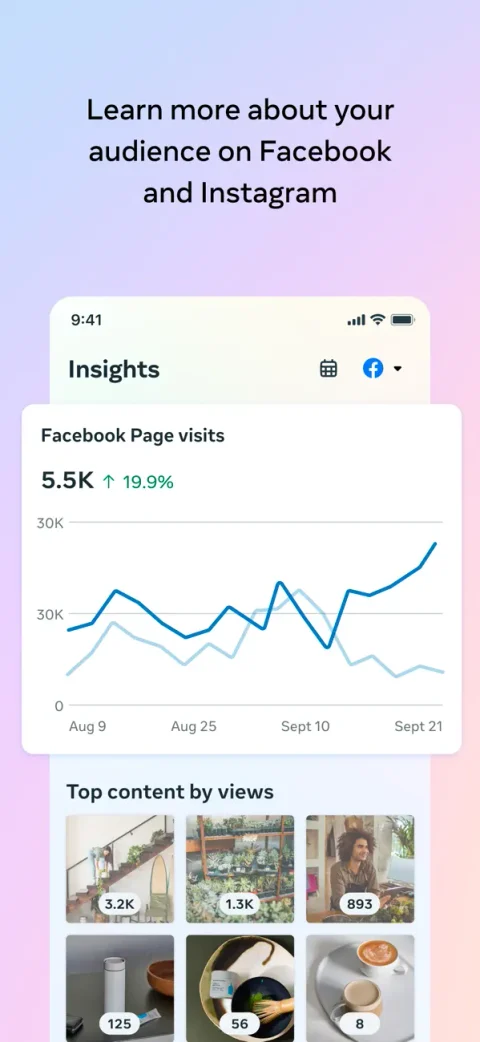 Insights: Page visits and top content
Why does Business Suite open the wrong business?
Usually because your profile has access to several Pages or businesses. Switch with the selector near the top. If the business doesn't appear at all, don't create a duplicate: first check that the profile you're signed in with has actually been given access to that Page, Instagram account or business portfolio.
Can you log in without Facebook?
Yes. Alongside Continue with Facebook, Meta's login page offers Continue with Instagram and Log in with a Managed Meta Account, which organisations can use to give staff business access without tying it to a personal Facebook profile. Whatever you use, the rule is the same: sign in with an identity that has been granted access to the business, never a shared password.
How to set up Meta Business Suite properly
If your business already has a Facebook Page, you can probably open Business Suite today. For a setup that won't cause problems later, think in four layers: the people who need access, the business portfolio that owns everything, the assets (Pages, Instagram accounts, ad accounts), and the permissions between them.
Recommended setup order
- Confirm which Facebook Page you want to manage.
- Create or select the right business portfolio in Business Suite.
- Add or claim the Pages and ad accounts your business owns.
- Connect the right Instagram professional account.
- Add team members individually, not with a shared password.
- Give each person only the permissions their job needs.
- Turn on two-factor authentication and review security settings.
- If you'll advertise, confirm your ad account, payment method and tracking.
Business Suite isn't just a posting tool. Meta's guidance on business portfolios focuses on accounts, permissions, brand safety and two-factor authentication, so setting those up first saves a lot of pain once several people and an agency are involved.
How to connect your Facebook Page
On the Facebook side everything starts with a Page, your public business identity. Business Suite is the workspace you manage it from. If your Page doesn't show up, the cause is almost always access, ownership or the business you have selected.
- You have access to the Facebook Page.
- The Page belongs to the business portfolio you're viewing, where that applies.
- Your access level is high enough for what you're trying to do.
- You're signed in as the profile that was given that access.
- You've selected the right business in Business Suite.
Ideally your business keeps ownership of its Page, Instagram account and ad accounts, and gives the agency partner or user access. Building everything inside an agency-owned business makes it hard to take back later.
How to connect Instagram to Meta Business Suite
Managing Instagram next to Facebook is one of the main reasons people use Business Suite: one calendar, one Inbox and one set of insights for both channels.
Before you connect Instagram
- Use the business's own Instagram account.
- Switch it to a professional account if business features need it.
- Make sure the person connecting it has the right business permissions.
- Select the right Facebook Page and business portfolio first.
- Have the Instagram login or approval method to hand in case Meta asks you to confirm.
Typical connection flow
- Open Business Suite and select the right business.
- Go to Settings (in some accounts, Business settings).
- Find Instagram accounts under your connected accounts.
- Choose to connect or add an Instagram account.
- Log in to Instagram and approve the permissions it asks for.
- Check the account is assigned to the right Page, people and ad account.
Instagram connected but not showing?
Refresh the account selector and check you're in the right business. Then confirm the Instagram account is actually assigned to the business or Page you're viewing, not just connected somewhere else in Meta. With several client accounts, similar names and old connections make this easy to miss.
How to schedule Facebook and Instagram posts
Scheduling is the clearest reason to use Business Suite. Meta's own pages and app listings put creating, scheduling and managing posts and stories first.
- Open Planner (or Content) in Business Suite.
- Choose Facebook, Instagram or both, where the format allows.
- Add the image or video, your caption and any link or other settings.
- Preview it for each place it will appear.
- Choose Publish now or Schedule.
- Pick the date and time.
- Check Planner to confirm it's scheduled.
Should you post at the same time on Facebook and Instagram?
Not automatically. Posting to both saves time, but the best caption length, crop, call to action and timing can differ. Use Business Suite to keep one workflow, not to make every channel identical. For anything important, preview both versions before you schedule.
What about Reels?
Reels matter on both apps, but the exact creation and scheduling controls vary by account and device. If an option you expect isn't in Business Suite, check the Instagram app and your account permissions before assuming it isn't available.
How to use Meta Business Suite Inbox
Inbox is where Business Suite becomes more than a calendar. Messenger conversations, Instagram messages and comments sit in one place, so your team can answer faster without switching apps (Meta: manage messages with Inbox).
- Facebook Page messages (Messenger).
- Instagram direct messages, once the account is connected.
- Comments that need a reply.
- Saved replies for questions you answer often.
- Labels, assignment and status to keep track of who handles what.
Inbox automations
Open Inbox, then Automations. According to Meta's help center, you can set up:
- Instant reply: a custom message sent straight away to the first message someone sends you.
- Away message: for when nobody is available to answer.
- Frequently asked questions: suggested answers for up to 5 common questions.
- Custom keyword replies: automatic answers to messages containing up to 5 keywords. Meta notes these are only available on desktop.
Setup steps: Meta: set up Inbox automations on desktop.
Use automations carefully
An instant reply speeds things up, but it shouldn't pretend a person has read the message. Say it arrived, say when someone will actually reply, and give the next step if the customer can help themselves. A starting point you can adapt:
Thanks for reaching out! We've got your message and someone from our team will reply within [your real response time]. If this is about an existing booking or order, please include your reference number so we can help faster.
Meta Business Suite leads and Facebook Lead Ads
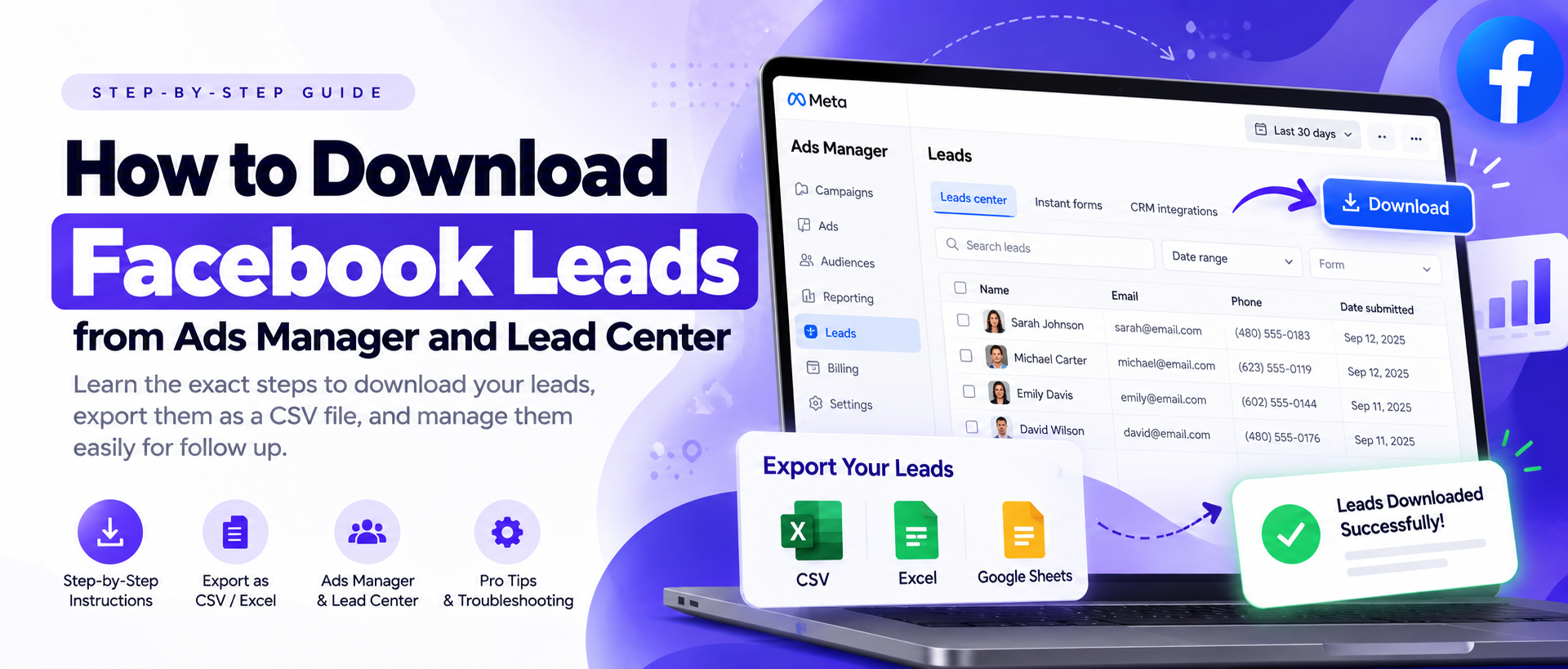
Leads from Facebook and Instagram lead ads land in Leads Centre, which Business Suite shows right on its Home to-do list, and leads can also arrive as messages in Inbox. But a lead sitting inside Meta isn't a lead being worked. The value comes from what happens next: who gets it, how fast they reply, and whether the outcome is recorded.
That's why serious lead-gen teams connect Meta to the place their team actually works, a CRM, an inbox or a phone, instead of relying on someone remembering to check a dashboard. And with Meta's Conversions API for CRM, the loop can go one step further: the CRM reports which leads turned into customers, and Meta optimises your ads for lead quality, not just volume.
Running lead ads? LeadSender sends each new Facebook and Instagram lead to your CRM, email, SMS or Google Sheets the moment it's submitted, so nobody has to keep checking Leads Centre. Before your ads go live, send a free test lead to check the whole path, and if you already have leads waiting, download them from Ads Manager.
A stronger lead workflow
- Capture the lead through a lead ad, a message or your website.
- Deliver it straight away to the system your team watches.
- Notify the right person or team.
- Reply quickly with a useful first response.
- Qualify the lead using your own sales process.
- Record the outcome in your CRM.
- Where it fits, send lead quality back to Meta through a supported Conversions API for CRM setup.
Meta Business Suite ads vs Ads Manager
Business Suite lets you boost posts and create straightforward ads, but Ads Manager is still where real campaign work happens. Plenty of people searching for Business Suite or Business Manager actually need Ads Manager.
| If you want to | Use |
|---|---|
| Quickly boost a post or check basic activity | Meta Business Suite |
| Build campaigns with objectives, ad sets and ads | Meta Ads Manager |
| Control budgets, bidding, placements and optimisation | Meta Ads Manager |
| Run daily content, Inbox and organic insights | Meta Business Suite |
| Manage people, asset permissions and security | Business portfolio settings |
| Check Pixel or Conversions API data | Meta Events Manager |
Think of Business Suite as the operating hub and Ads Manager as the cockpit. Planning a budget? See how much Facebook ads cost in 2026, and for creative ideas, how to use the Facebook Ad Library.
Meta Business Suite Insights
Insights answers a practical question: what's actually working across your Facebook and Instagram presence? Depending on the view, you can look at content, audience and ads.
- Reach and views, remembering they measure different things.
- Engagement: comments, shares and saves, not just likes.
- Video and Reels watch time, where it's shown.
- Follower and audience growth over time.
- Message volume, if customer conversations are a big part of your business.
- Ad results, in the reporting view built for them.
- Lead volume and, outside Meta, which leads became customers.
The biggest reporting mistake is optimising for whichever number is easiest to see. A Reel can reach thousands of people and produce nothing. A lead campaign can show a low cost per lead and still lose money if nobody answers the phone. Use Business Suite for visibility, then tie it to the result you actually care about.
The Meta Business Suite app
The app is Business Suite in your pocket, ideal for owners and teams who need to reply away from a desk. It's free on the App Store for iPhone and iPad (rated 4.7 from over 500,000 ratings) and on Google Play for Android (rated 4.5, 100M+ downloads, last updated 5 October 2026). Both listings promise the same core jobs: creating and scheduling posts and stories, answering messages and comments with optional automated replies, insights, and notifications with a to-do list. The Android listing also mentions calling customers directly from the app.
| Task | Desktop | Mobile app |
|---|---|---|
| Setting up the business and permissions | Best choice | Possible, but desktop is clearer |
| Scheduling content | Excellent | Great for routine posts |
| Replying to messages | Excellent | Excellent for quick replies |
| Custom keyword automations | Yes | Desktop only, per Meta |
| Reviewing insights | Better for deep review | Good for quick checks |
| Full campaign work | Ads Manager | The separate Meta Ads Manager app |
Store ratings and dates as shown on 8 October 2026.
Business portfolio, people and permissions
Most access problems come from mixing up four different things: a personal Facebook profile, a Page, an ad account and a business portfolio.
What is a business portfolio?
A business portfolio is the container Meta uses to organise your business assets and who can use them: Pages, Instagram accounts, ad accounts and people. With several Pages or ad accounts, a tidy portfolio makes ownership and access far easier to control.
Full control vs limited access
Give people only the access their job needs. Someone scheduling posts doesn't need control of billing or ownership. Someone running ads may need the ad account, not full control of the Page. Least privilege isn't just an IT idea; it's the easiest way to prevent accidental changes and security problems.
Agency access
Never give an agency your personal Facebook password. Add the agency, or its people, through your business portfolio. Keep ownership of your core assets with your company, and remove access when a vendor or employee leaves.
Security checklist
- Turn on two-factor authentication for everyone with important access.
- Remove former employees, contractors and agencies.
- Stop sharing personal logins.
- Keep recovery email addresses and phone numbers up to date.
- Review who has full control of the business and each Page.
- Be careful with browser extensions and third-party tools asking for Meta permissions.
- Make sure your important assets are owned by the right business portfolio.
If something does go wrong with an ad account, see what to do when your Facebook ad account is disabled.
Which Meta tool do I need?
Meta's naming history is why people search for Business Manager, Facebook Business Suite and Meta Suite Business interchangeably. The quickest way to cut through it is by task. Pick what you want to do:
Pick Facebook, Instagram or both, preview each version, then choose a date and time.
Open Meta Business Suite →- Schedule a Facebook or Instagram post
- Meta Business Suite: Planner (or Content), then Create post and Schedule. Pick Facebook, Instagram or both, preview each version, then choose a date and time.
- Reply to messages and comments
- Meta Business Suite: Inbox. Messenger, Instagram messages and comments sit side by side, so nothing waits on someone switching apps.
- Set an automatic instant reply
- Meta Business Suite: Inbox, then Automations, then Instant reply. Custom keyword replies (up to 5 keywords) are only available on desktop. Say when a person will actually reply.
- Build a full ad campaign
- Meta Ads Manager: Campaigns, then Create. Objectives, ad sets, budgets, bidding and placements all live here. Business Suite is fine for a quick boost.
- Give a teammate or agency access
- Business portfolio settings: Settings, then People (or Partners), then assign assets. Give each person their own access with only the permissions they need. Never share one Facebook login.
- Check my Pixel or Conversions API
- Meta Events Manager: Data sources, then your Pixel or dataset. This is where event data, diagnostics and test events live, not in Business Suite itself.
- Get lead form leads to my team fast
- LeadSender: Facebook Leads to Email, SMS, Google Sheets or your CRM. Meta stores lead form submissions in Leads Centre. LeadSender sends each one to your team the moment it arrives.
- See what ads competitors run
- Meta Ad Library: Public search, no login needed. Search any Page or keyword to see the ads it is running right now.
| Tool or term | Think of it as | Typical use |
|---|---|---|
| Meta Business Suite | Day-to-day workspace | Content, Inbox, insights, notifications, business settings, simple ads |
| Business portfolio | Container for assets and access | People, Pages, Instagram accounts, ad accounts, security |
| Meta Ads Manager | Advertising workspace | Campaigns, ad sets, ads, budgets, optimisation, reporting |
| Events Manager | Measurement workspace | Pixel, Conversions API, events, diagnostics |
| Commerce Manager | Shop and catalog workspace | Catalogs and shops, where available |
| Facebook Business Manager | The older name | Now the business portfolio settings inside Meta's business tools |
Is Meta Business Suite the same as Meta Business Manager?
Not exactly, though people use the names interchangeably. Business Suite is the everyday workspace; the business portfolio and its settings handle ownership and permissions, which is what Business Manager used to be. If an old tutorial says to open Business Manager, look in Business Suite's settings.
Is Facebook Business Suite the same as Meta Business Suite?
Yes. Facebook Business Suite is the old name, changed to Meta Business Suite in 2021. Old bookmarks, videos and searches still use it.
A practical Meta Business Suite daily workflow
Here's how Business Suite fits into a real working day for an owner or social media manager.
| When | What to do | Why |
|---|---|---|
| Start of day | Open Inbox and notifications | Catch questions, complaints and buying signals before they go cold |
| Next | Check new leads and who has them | Fast follow-up is worth more than another hour polishing posts |
| Morning | Open Planner | Confirm what's scheduled, spot gaps, fix anything failed or out of date |
| After posting | Watch the first comments | Reply while the post is still active |
| Midday | Check key numbers | Look for real spikes, drops or service issues, not vanity metrics |
| Ads check | Open Ads Manager | Make real campaign decisions in the tool built for them |
| End of day | Clear priority Inbox and lead tasks | Don't carry hot enquiries into tomorrow with nobody owning them |
Use Business Suite to bring everything into one view, and a specialist tool when the job gets specialist. Content and Inbox belong in Business Suite. Deep ad work belongs in Ads Manager. Lead follow-up belongs wherever your sales team actually works.
Meta Business Suite not working? Common problems and fixes
Meta changes its menus often, and what you see depends on your access, the business you've selected and what's connected. Two people can follow the same tutorial and see different screens. Work through it in order: who you're signed in as, then the business, then the asset, then your permissions, then the connection.
I can't log in to Meta Business Suite
- Use the account that was given business access (Facebook, Instagram or a Managed Meta Account).
- Go to business.facebook.com directly instead of an old bookmark.
- Complete any security or two-factor checks.
- If your account is restricted, sort that out before creating anything new.
- Signed into several profiles? Try a private window.
My Facebook Page is missing
- Check you've selected the right business portfolio.
- Confirm your profile has access to the Page.
- Check whether a different business owns or has claimed the Page.
- Ask an existing admin to confirm your access.
- Don't create a duplicate Page just because the real one isn't visible.
Instagram is connected but not available
- Confirm it's connected to the business and Page you're viewing.
- Log in to Instagram again if Meta asks you to.
- Check it's a professional account if the feature needs one.
- Check you have access to the Instagram account itself, not just the Facebook Page.
- A recent password or security change can break the connection.
I can't schedule a post
- Check that format can be scheduled from Business Suite.
- Confirm the selected account and your publishing permissions.
- Read any warning about image or video requirements.
- Try desktop if the app fails, or the other way round.
- For Instagram-only options, check the Instagram app.
Messages aren't showing in Inbox
- Check the right Page and Instagram account are selected.
- Confirm the account is connected and you have messaging access.
- Look for filters that hide some conversations.
- Check whether the conversation is in Messenger, Instagram or another Meta app.
- Only reconnect an account after checking permissions; don't keep disconnecting working ones.
I can't see the ad account
- Check which business portfolio owns the ad account.
- Confirm the ad account has been assigned to you, with ad permissions, not just Page access.
- Check whether the ad account is disabled or restricted.
- Open Ads Manager directly to tell a navigation problem from a real access problem.
Someone left but still has access
Remove the person or partner from your business portfolio, check access on each Page, Instagram account and ad account, and change any passwords that were shared. Removing someone from one Page doesn't automatically remove every other permission they have.
Meta Business Suite FAQs
What is Meta Business Suite?
Meta Business Suite is Meta's free workspace for running a business on Facebook, Instagram and Messenger. It brings content publishing and scheduling, Inbox, insights, notifications, ads and business settings into one place, on desktop and in a mobile app.
How do I log in to Meta Business Suite?
Go to business.facebook.com and choose Continue with Facebook, Continue with Instagram, or Log in with a Managed Meta Account, using the identity that has access to your business. Then select the right business portfolio and Page.
Can I log in to Meta Business Suite without Facebook?
Yes. The login page also offers Continue with Instagram and Log in with a Managed Meta Account. What matters is that the identity you use has been given access to the business assets you need.
Is Meta Business Suite free?
Yes. Meta Business Suite and its mobile app are free. You only pay for any ads you run and for separate tools you choose to connect.
What happened to Facebook Business Suite?
Facebook Business Suite launched in September 2020 and was renamed Meta Business Suite in 2021, when Facebook's parent company became Meta. It is the same product, and older articles and videos still use the Facebook name.
Is Meta Business Suite the same as Meta Business Manager?
Not exactly. Business Suite is the day-to-day workspace for content, Inbox and insights. Ownership, people and permissions are handled in your business portfolio's settings, which is what older guides called Business Manager. If a tutorial says to open Business Manager, the same settings now sit inside Business Suite's settings.
Can I use Meta Business Suite for Instagram?
Yes. Once an Instagram professional account is connected, you can publish and schedule to it, answer its messages and comments in Inbox, and see its insights alongside Facebook.
Can I schedule Instagram posts in Meta Business Suite?
Yes, for supported formats. You can schedule posts and stories to Facebook, Instagram or both from Planner. Options vary by format and account, so check the preview before you schedule.
Can Meta Business Suite manage multiple Facebook Pages?
Yes. If you have access to several Pages or businesses, switch between them with the selector at the top. Check which Page is selected before you post or reply.
Can several people use the same Meta Business Suite?
Yes. Add each person to the business portfolio with their own access and only the permissions they need. Don't share one personal Facebook password across a team.
Is there a Meta Business Suite app?
Yes. The official Meta Business Suite app is free on the Apple App Store for iPhone and iPad and on Google Play for Android.
Can I set up automatic replies in Meta Business Suite?
Yes. In Inbox, open Automations to set up an instant reply, an away message, answers to frequently asked questions, and custom keyword replies. Meta says custom keyword replies are only available on desktop.
Can I run ads from Meta Business Suite?
You can boost posts and create simple ads from Business Suite. For full campaigns with detailed budgets, bidding, placements and reporting, use Meta Ads Manager.
Where are my Facebook lead form leads in Meta Business Suite?
Leads from instant forms appear in Leads Centre, which also shows on the Business Suite Home to-do list. To make sure every new lead reaches the right person quickly, connect your forms to your CRM, email or SMS so leads are delivered the moment they arrive instead of waiting for someone to check.
Why can't I see my Facebook Page or Instagram account?
Usually because you are signed in as a different profile, viewing a different business portfolio, missing access to that asset, or the account is connected to another business. Check each of those before disconnecting anything, and ask an existing admin to confirm your access.
Final takeaway
Meta Business Suite is the operating hub for a business on Facebook and Instagram: content, conversations, insights and access in one place. It doesn't replace every specialist tool. Use Ads Manager for serious advertising, a well-organised business portfolio for ownership and security, and a proper CRM or lead workflow when a new lead needs a fast, accountable reply.
Came for the login? It's business.facebook.com. Setting it up for a business? Get ownership, permissions, Instagram and security right before you scale content or ads. Those foundations are much harder to fix once several people, agencies and ad accounts are involved.
Sources
Checked on 8 October 2026 against Meta's own pages and the official app listings. Meta changes menus and features often, so if your screen looks different, trust your screen.