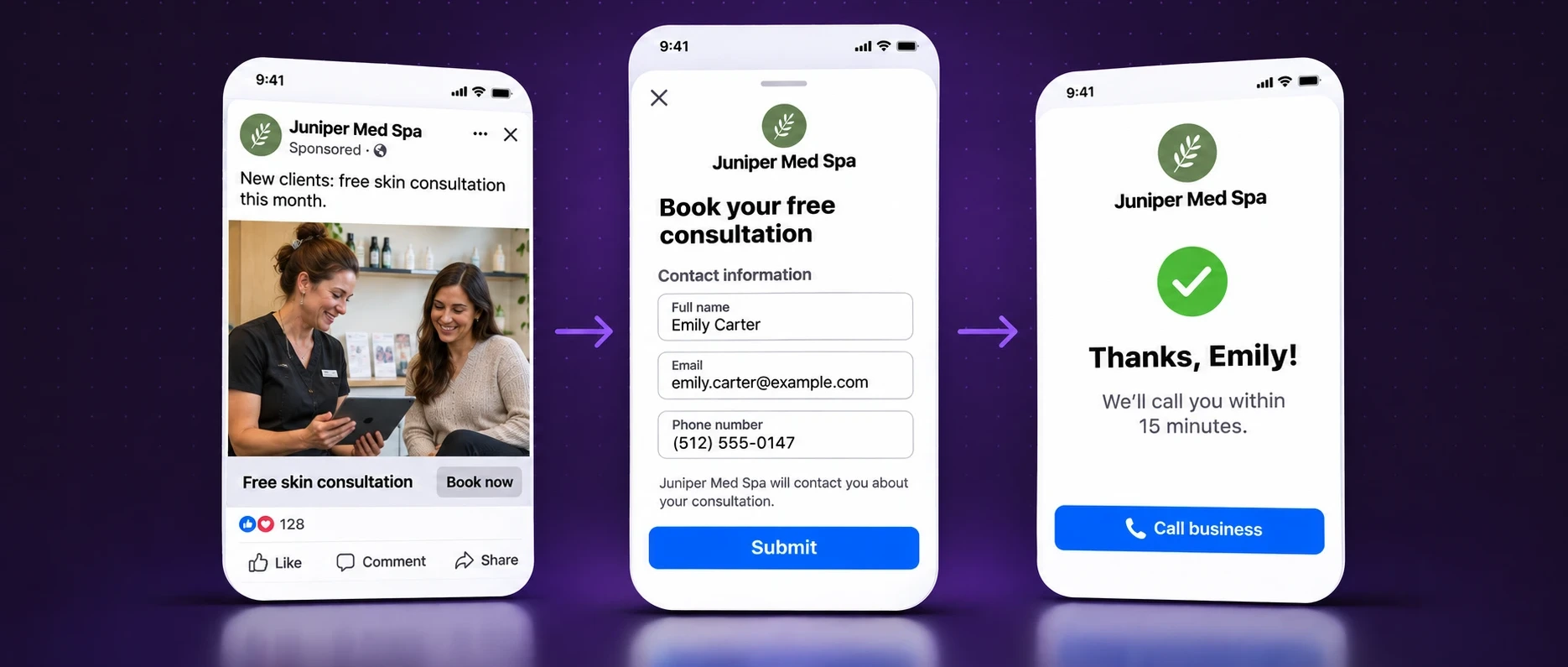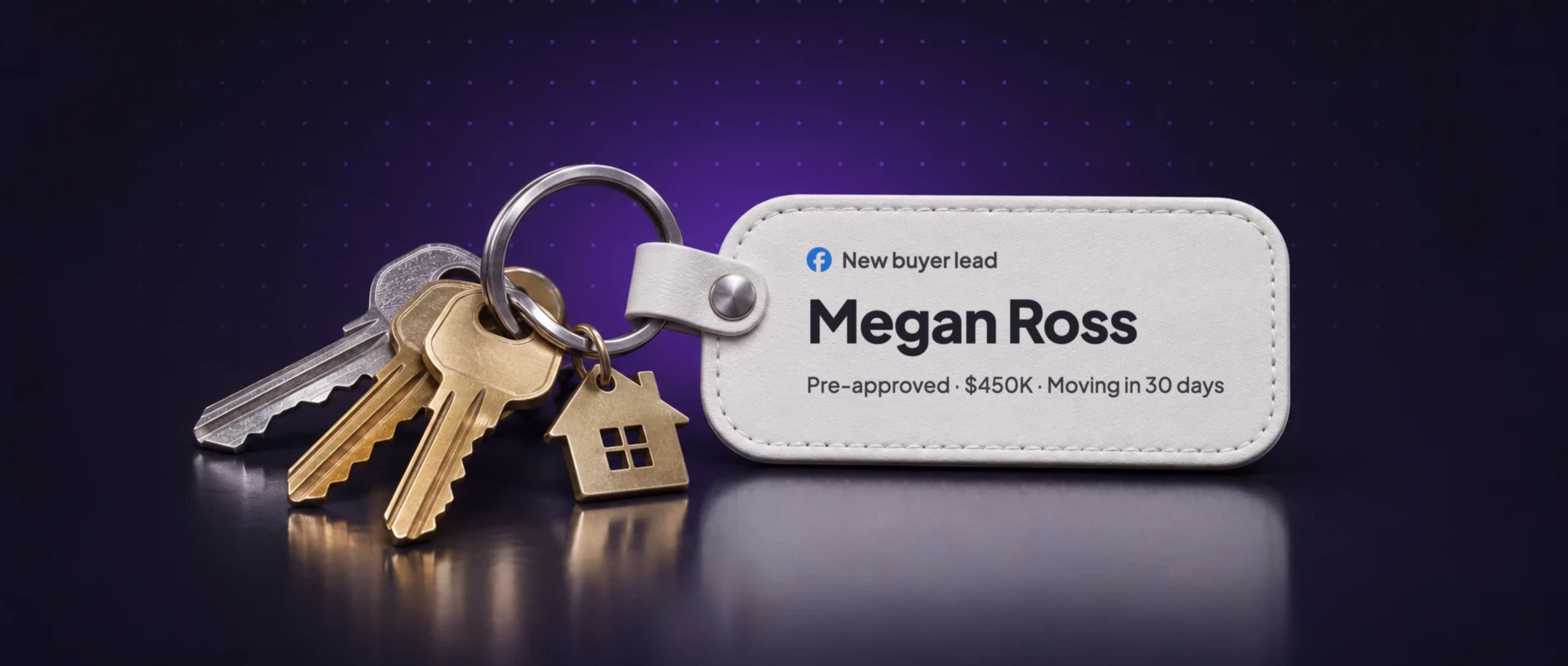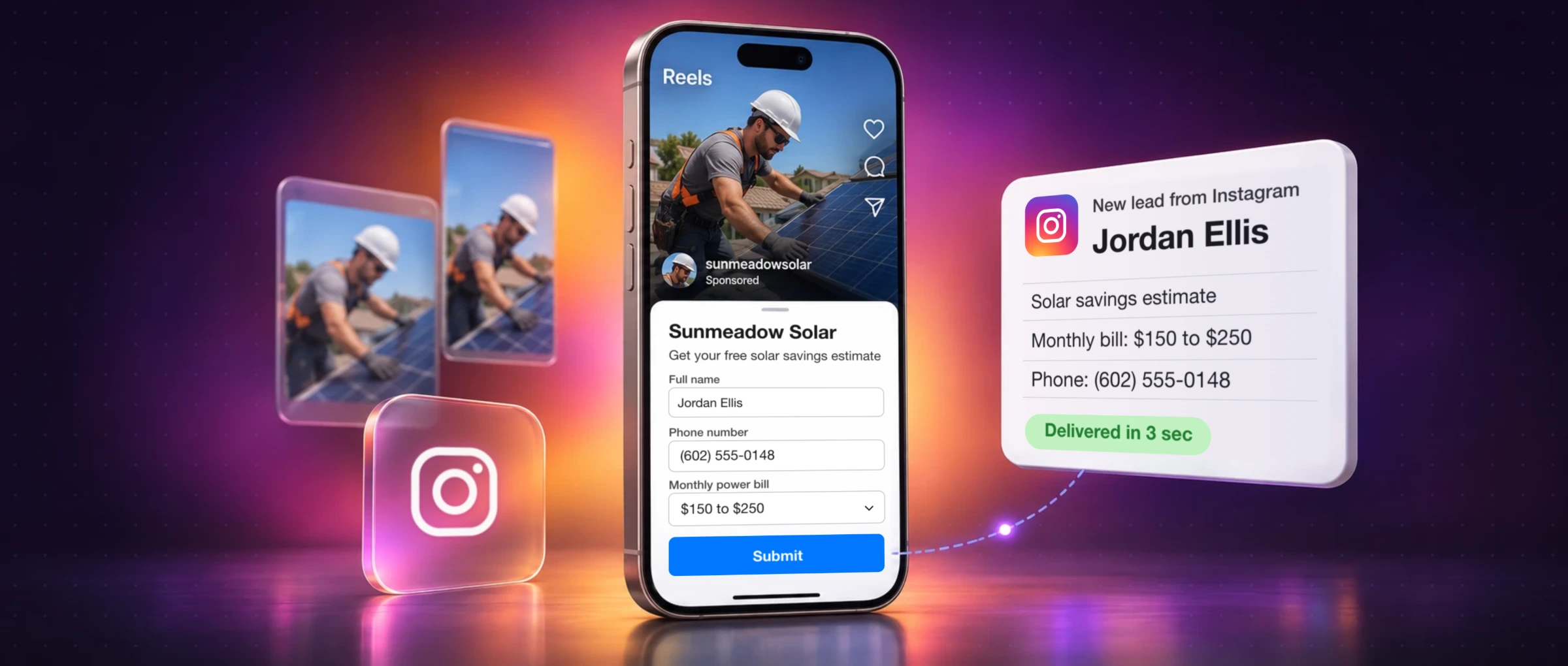










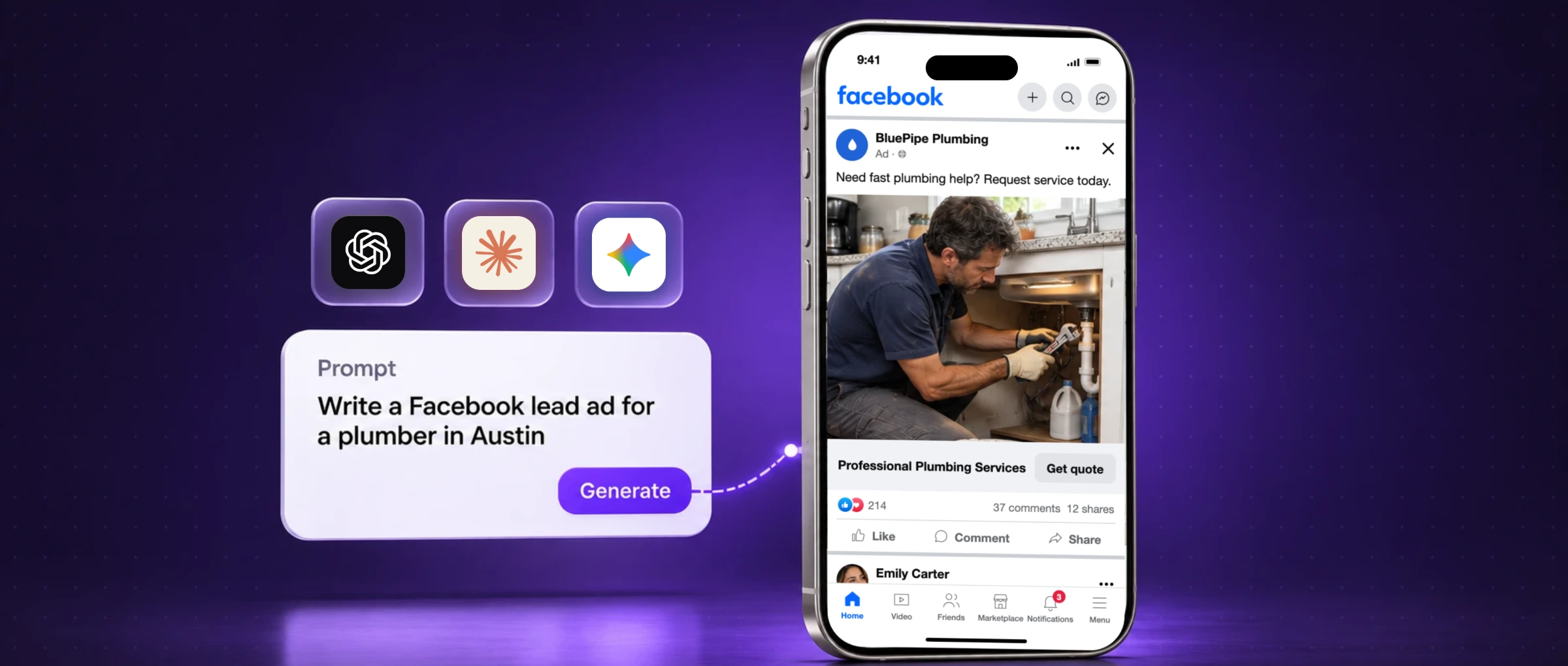
Ask ChatGPT for a Facebook ad and you'll get one in five seconds. It will probably promise something you don't offer, invent a review, and use a headline every competitor already runs. The problem isn't the AI. It's that it was given nothing real to work with.
This guide shows how to create Facebook ads with AI that are true, follow Meta's rules and bring in leads: which AI to use for which job, a prompt builder you can fill in now, an 8-step workflow, 25 copy-and-paste prompts and eight finished lead ad examples for local businesses, each with what to check before it runs.
Yes, you can use ChatGPT, Claude or Gemini to create Facebook ads: the angles, primary text, headlines, Instant Form questions and image ideas. Give the AI a real brief (offer, area, proof, what not to say), ask for three different angles, pick one, use a real photo, then build the ad and form in Meta Ads Manager, send a test lead and launch. For lead ads, our free AI lead ad generator writes the ad and the form together.
ChatGPT vs Claude vs Gemini for Facebook ads
There's no single best AI for Facebook ads. Each is good at a different part of the job, and all of them write a bad ad from a bad brief. The fair test is to give two of them the same brief and compare what comes back.
| Tool | Best for | Watch out for |
|---|---|---|
| ChatGPT | Fast angles and copy, feedback on a draft, image concepts | Invents proof and polishes copy until it sounds like everyone else |
| Claude | Long briefs, consistent brand voice, careful editing | Can write a strategy memo when you wanted one short ad |
| Gemini | Turning your website, reviews and research into a brief | Research summaries aren't verified facts |
| Perplexity | Researching what your market asks and what rules apply, with sources | A cited source isn't permission to copy a competitor |
| Microsoft Copilot | Ads from documents you already keep in Word, Excel or Outlook | Only give it files you're allowed to share |
| Grok | Brainstorming hooks and what people are talking about | Trending topics can be wrong for a local service brand |
| Meta AI and Advantage+ creative | Text and image variations inside Ads Manager | Preview every variation: features differ by account |
| LeadSender's free generator | A lead ad and its Instant Form in one go, previewed side by side | Lead ads only, so use an assistant above for other ad types |
ChatGPT for Facebook ads
ChatGPT is quickest at turning a service brief into angles, headlines, primary text and form questions, and it can draft image concepts too. Ask for one strong ad first, then variations, and ask it to list every claim you need to check. Left alone, it will happily add “5-star rated” to a business with no reviews.
Claude for Facebook ads
Claude handles long inputs well: paste a full client brief, your website copy and your best reviews, and ask it to pull out the strongest true offer and write a short ad in your brand's voice. Tell it you want the ad, not a marketing plan, or you'll get both.
Gemini for Facebook ads
Gemini is useful for organizing what you already have: your website, product details and existing ads, into a clean brief and a set of angles. Anything it pulls from the web, like local prices or rebates, needs checking before it goes near an ad.
Perplexity, Copilot, Grok and Meta AI
Perplexity is best for research with sources, like the questions people ask about solar in your state. Microsoft Copilot fits teams whose pricing and service details already live in Microsoft 365. Grok is a brainstorming partner for hooks. Meta AI helps with ideas, while the ad itself is still built and checked in Ads Manager. Choose by the task, not the hype.
Free AI lead ad generator: the ad and the form in one go
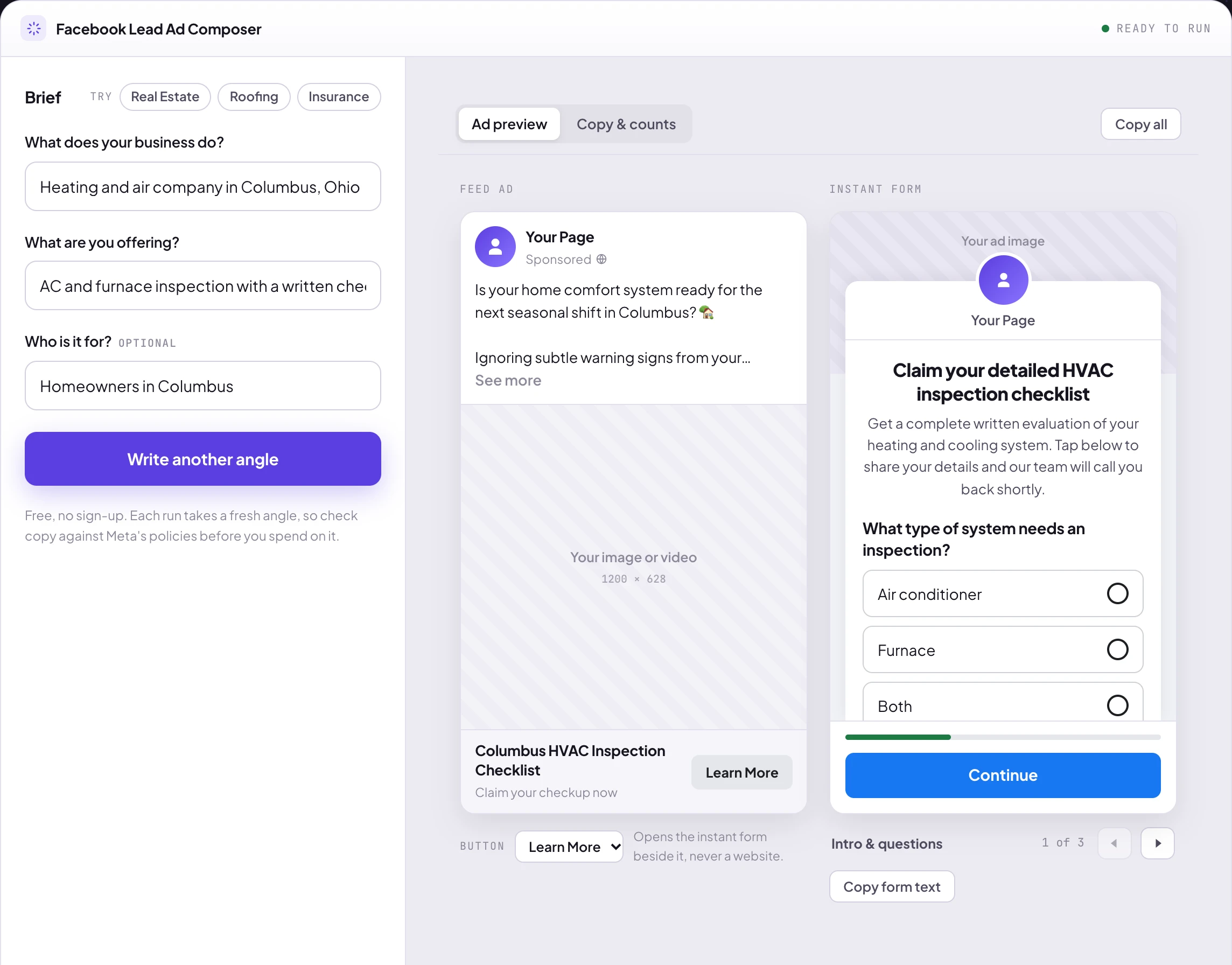
Most AI tools write ad copy. A Facebook lead ad also needs an Instant Form, and the form is where leads are won or lost: it has to keep the promise the ad made and ask the questions your team needs. Our free Facebook Lead Ad Generator writes both together and shows them side by side, the way they'll look on a phone.
Write a Facebook lead ad and its form with AI, free
- Describe your business and offer in a sentence each. No sign-up, no email.
- Get the ad and the Instant Form together: hook, primary text, headline, form intro, qualifying questions and thank-you screen.
- See it as Facebook shows it, cut at the same “See more” point, with Meta's real buttons.
- Write another angle in one click until one feels right.
Build your AI ad prompt
Prefer ChatGPT, Claude or Gemini? This builds the prompt for you. Pick your type of business, change the details to yours and copy it. The rules for your industry, like Meta's Housing category for real estate or no savings claims for solar, are added automatically.
You are a senior Facebook ads strategist who writes lead ads for local businesses.

Business: TrueTemp Heating & Air, a heating and cooling company
Area: Columbus, Ohio
Offer: An AC or furnace inspection with a written checklist of what we found
Proof I can back up: None yet, so don't invent any.
Goal: leads from a Facebook Instant Form
Button: Book Now

Write:
1. Three different angles, each a different reason to act (not reworded headlines). One line each, plus what the image should show.
2. For the strongest angle: primary text with a first line under 125 characters and no more than 3 short sentences, a headline under 40 characters, and a description under 30 characters.
3. The Instant Form: a headline, a one-sentence intro, 2 or 3 multiple-choice qualifying questions with answers, and a thank-you screen that says what happens next.
4. An image brief for a 4:5 Feed image (1080 x 1350) and a 9:16 Stories version (1080 x 1920), with 8 words or fewer on the image.
5. A list of every claim in your copy that I should check before the ad runs.

Rules:
- Use only the facts above. If something you need is missing, ask me instead of making it up.
- No fake reviews, star ratings, prices, discounts, deadlines or results.
- Don't say or imply anything about the reader's personal traits or situation (Meta's personal attributes rule), like "Are you struggling with...".
- Don't promise response times, same-day service or prices unless they're in the facts above.
- Plain American English, no hype words, one emoji at most.
Paste it into ChatGPT, Claude or Gemini. The rules for HVAC are already in it.
How to create a Facebook ad with AI in 8 steps
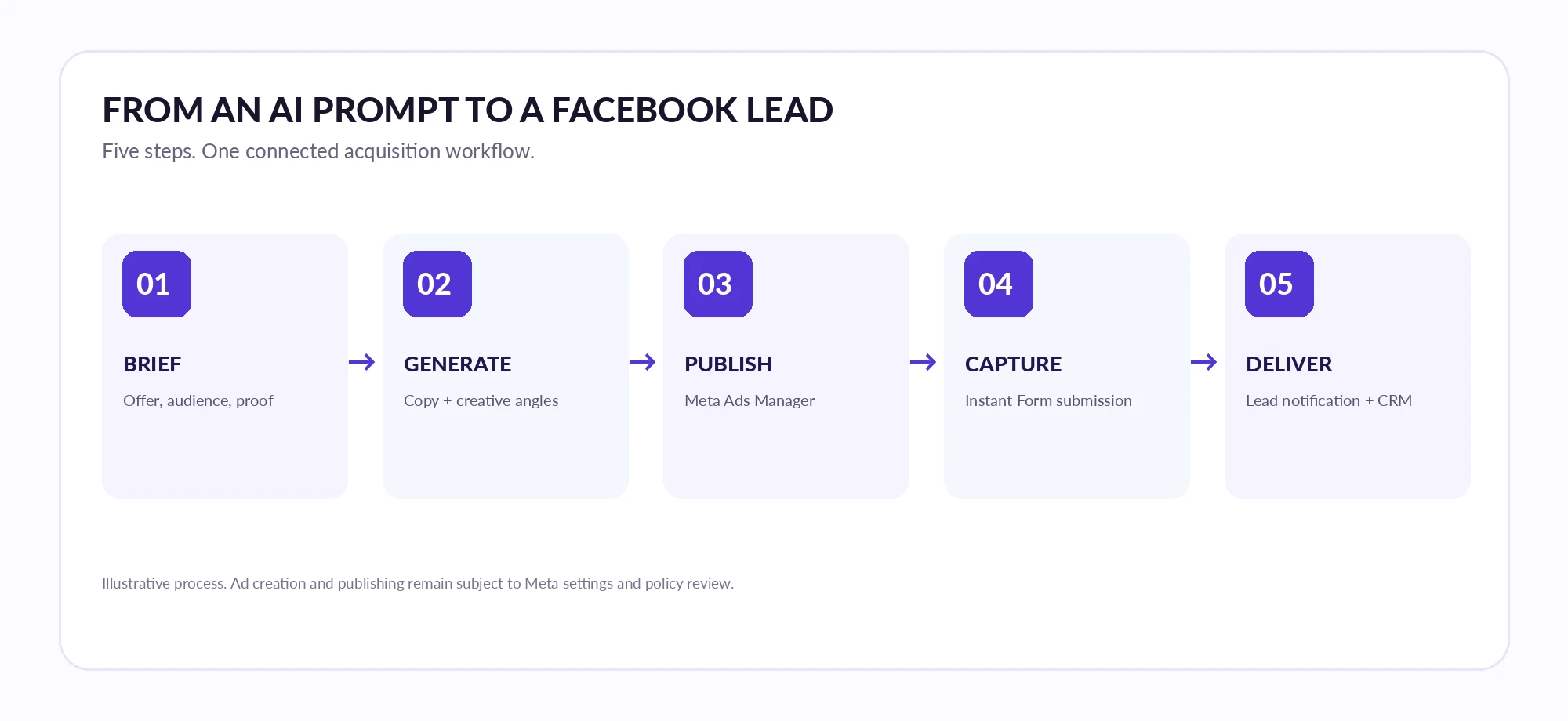
The workflow that works is brief, angles, copy, image, form, targeting, retargeting, test. It's more reliable than asking a chatbot to “make a viral Facebook ad” and pasting the first answer.
Step 1. Write a brief the AI can actually use
Decide the outcome first: a quote request, a booked appointment, a home list. Then write down the offer, the area you serve, what's included, proof you can back up, and the objections people raise. Add what the ad must not say. Five minutes here saves an hour of fixing generic copy.
A real estate example: “Home search in Austin. Goal: buyers request a list of homes through an Instant Form. Offer: a free, personalized list of homes for sale. No invented listings or inventory numbers, no demographic targeting. Button: Learn More.” That's enough for a useful first draft.
Step 2. Ask for three different angles
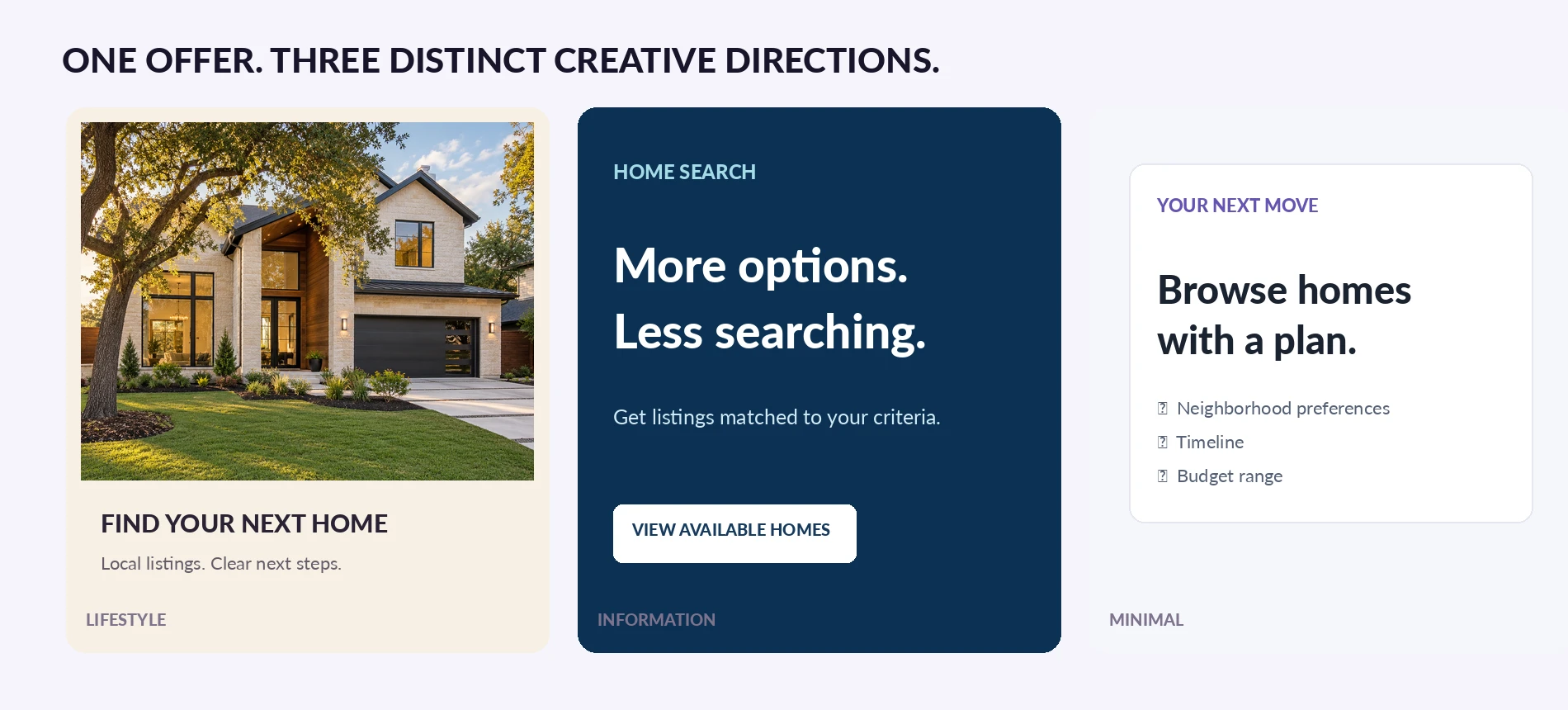
An angle is a different reason to act, not a reworded headline. For one home search offer you could test the lifestyle (a beautiful home), information (listings matched to your criteria) and a plan (browse with a clear next step). Ask the AI for each angle's one-line promise and what the image should show, then pick one.
Step 3. Write the ad for a phone
One clear first line, a short explanation of the offer and a natural call to action. Most people never tap “See more”, so the offer has to land in the first line.
| Part | Aim for | Tip |
|---|---|---|
| Primary text | First line under 125 characters | Facebook cuts it around there with “See more” |
| Headline | Under 40 characters | The offer, not a slogan |
| Description | Under 30 characters | Often hidden, so never put the offer only here |
| Button | One of Meta's buttons | Learn More, Get Quote, Book Now, Sign Up, Apply Now, Get Offer, Subscribe, Download |
Step 4. Make the image, not an “AI-looking” ad
Start with a real photo of your work, your team or your place. If you use an AI image, check it like a designer: hands, roofs, pipes and text are where it goes wrong. Put the headline and button on the image in a design tool so the words are exact, and make a version for each placement rather than stretching one. Full specs are in our Facebook ad sizes guide.
| Ratio | Size | Where it shows |
|---|---|---|
| 1:1 | 1080 x 1080 | Feed, right column, works almost everywhere |
| 4:5 | 1080 x 1350 | Facebook and Instagram Feed on phones (takes more of the screen) |
| 9:16 | 1080 x 1920 | Stories and Reels, keep text away from the top and bottom |
Step 5. Build the Instant Form
In Ads Manager, create a Leads campaign, choose Instant forms as the conversion location and build the form. Its headline must match the ad: if the ad offers a roof estimate, the form says “Request a roof estimate”, not “Get a discount”. Ask two or three questions your team actually uses, and choose the form type on purpose: More volume is quicker to submit, while Higher intent adds a review screen so people confirm their details (Meta's form types). Our guide to creating Facebook lead ads walks through every screen.
Step 6. Set targeting that follows Meta's rules
AI can describe your customers, but it can't change Meta's rules. Ads about housing, employment and financial products and services must run in a Special Ad Category, which removes age, gender and ZIP code targeting and limits location targeting to a radius of at least 15 miles. Never ask AI to find a way around it.
Step 7. Plan the retargeting ad
The second ad should answer the question that stopped people the first time, not repeat the first ad six more times. Someone who opened the form but didn't submit may need to know what happens after they do. There's more on this in retargeting ads with AI.
Step 8. Test the lead delivery, then launch
Before spending a dollar, send a test lead with our free Lead Ads Testing Tool and check it arrives in your CRM, inbox or phone with every answer in the right field. Then launch, and judge ads on booked jobs and appointments, not just cost per lead. A $12 lead who never answers costs more than a $25 lead who books.
8 AI Facebook ad examples for local businesses
Here are eight Facebook lead ad examples made with AI, one per industry, each with its own look, plus the copy, the button to pick in Ads Manager and the form questions to ask.
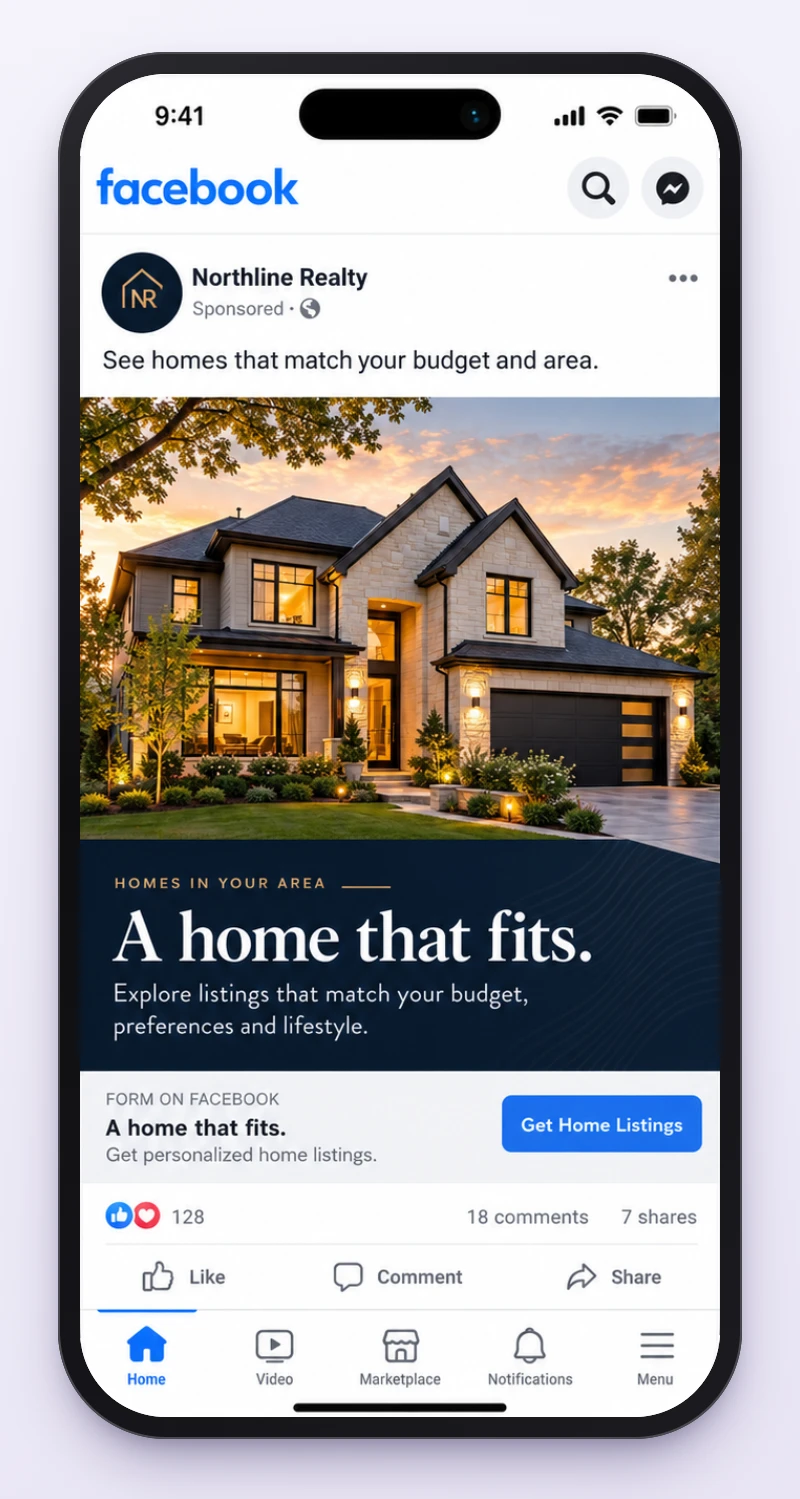
1. Real estate buyer leads: Northline Realty
- Primary text
See homes that match your budget and area.
- Headline
- A home that fits.
- Button
- Learn More
- Form questions
- Neighborhoods you like, price range, when you plan to buy.
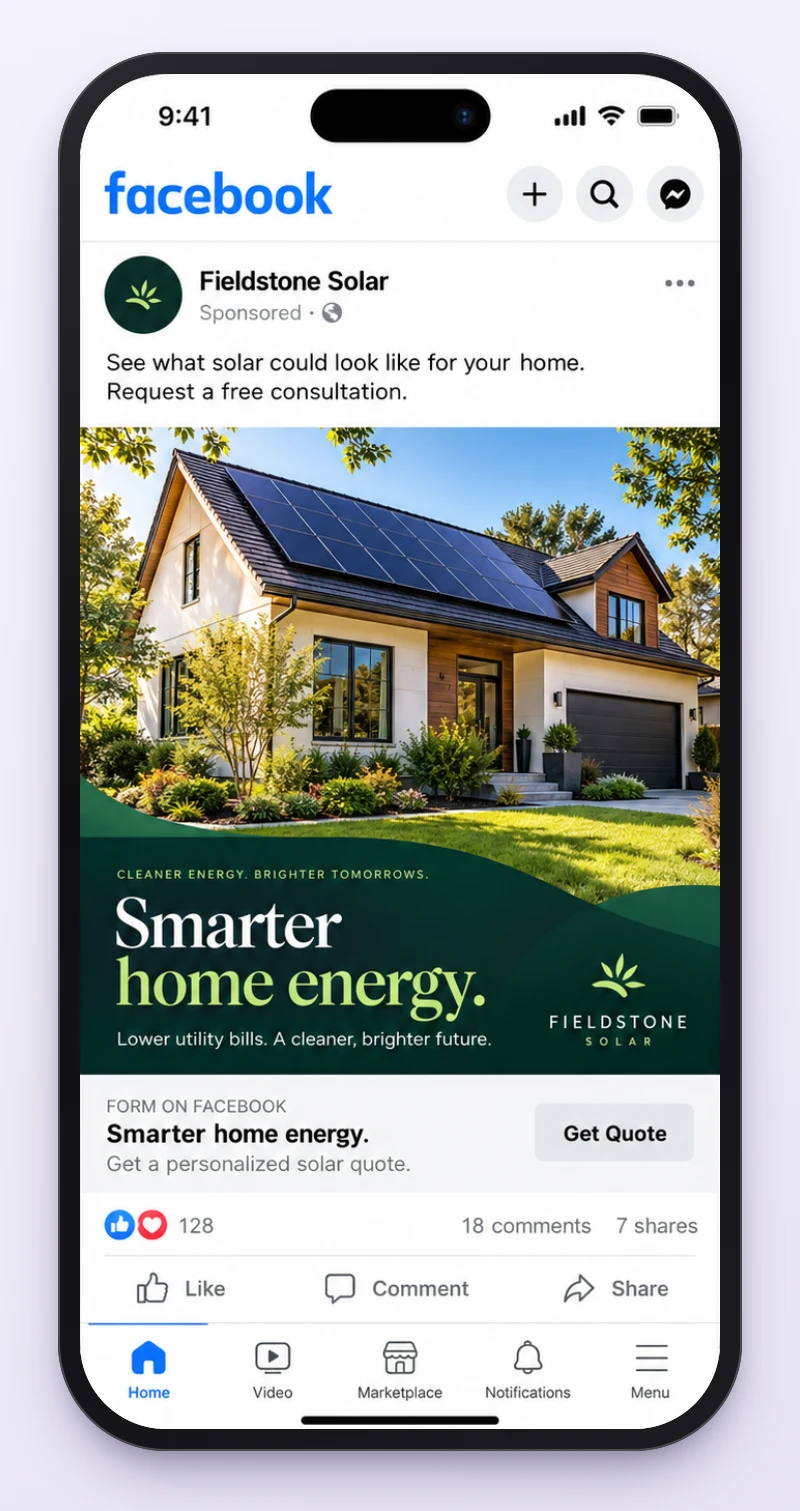
2. Residential solar consultations: Fieldstone Solar
- Primary text
See what solar could look like for your home. Request a free consultation.
- Headline
- Smarter home energy.
- Button
- Get Quote
- Form questions
- Home ZIP code, whether they own the home, best time for a call.
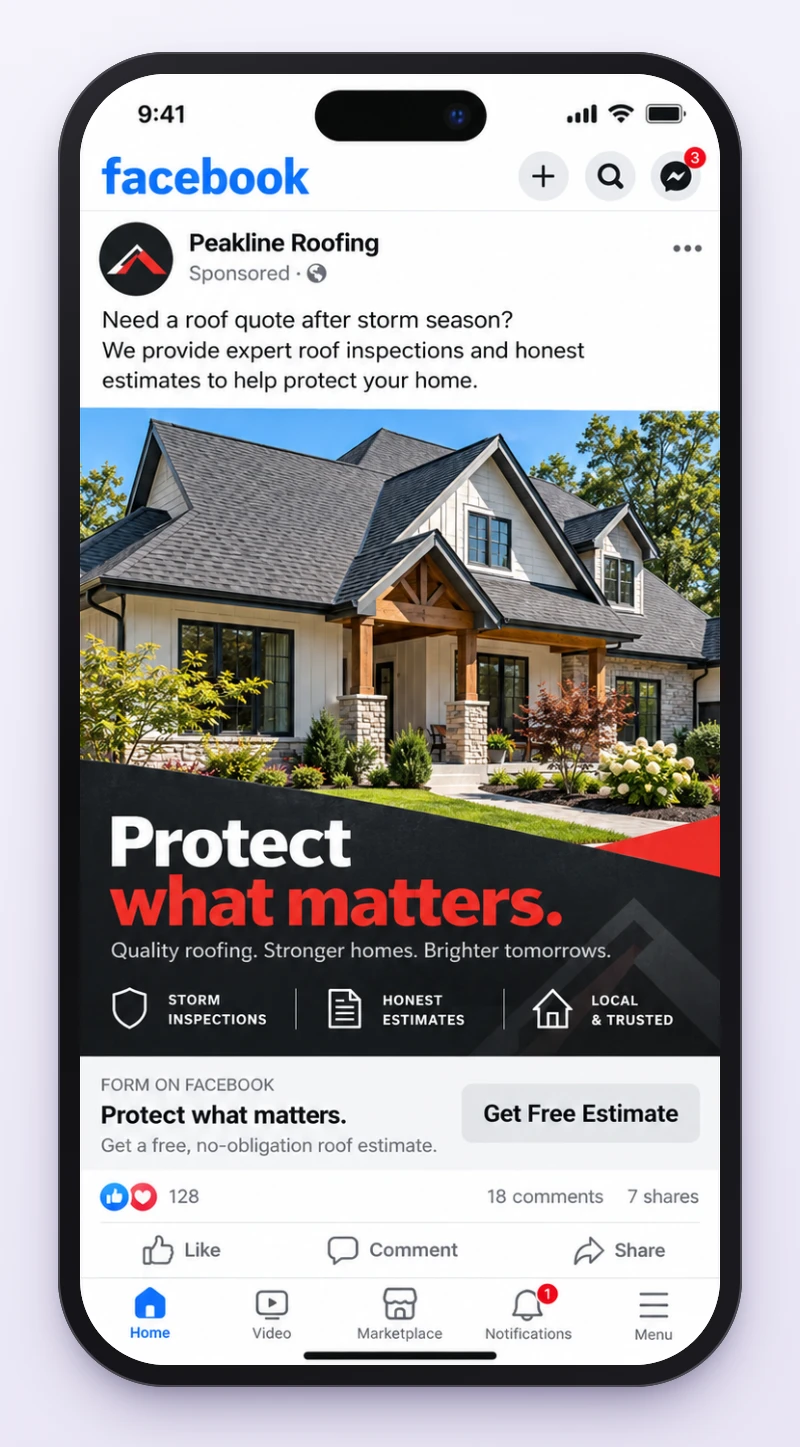
3. Roofing estimates: Peakline Roofing
- Primary text
Need a roof quote after storm season? We provide expert roof inspections and honest estimates to help protect your home.
- Headline
- Protect what matters.
- Button
- Get Quote
- Form questions
- Address or ZIP code, inspection, repair or replacement, best way to reach them.
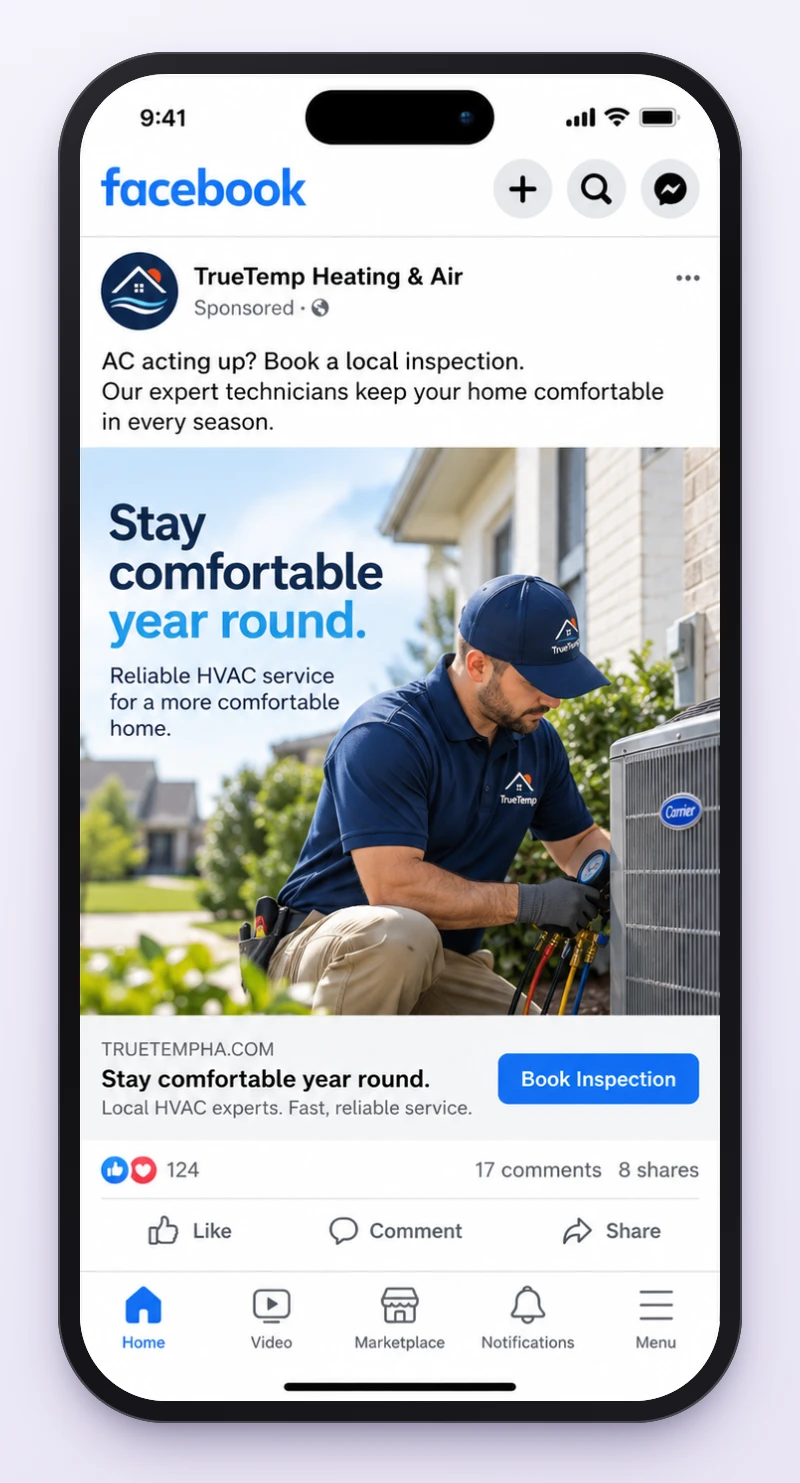
4. HVAC inspection bookings: TrueTemp Heating & Air
- Primary text
AC acting up? Book a local inspection. Our expert technicians keep your home comfortable in every season.
- Headline
- Stay comfortable year round.
- Button
- Book Now
- Form questions
- ZIP code, heating or cooling, preferred appointment window.
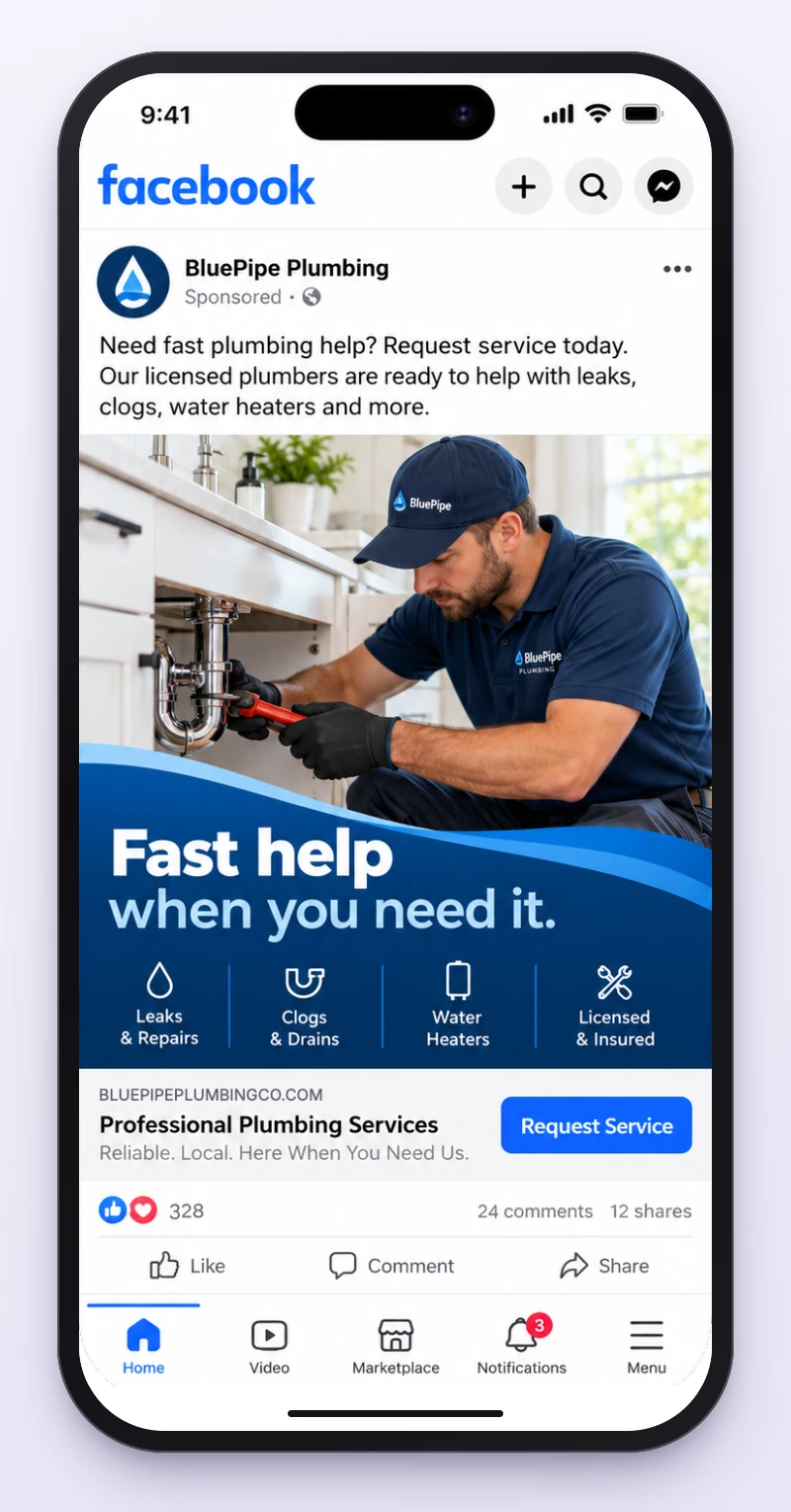
5. Plumbing service requests: BluePipe Plumbing
- Primary text
Need fast plumbing help? Request service today. Our licensed plumbers are ready to help with leaks, clogs, water heaters and more.
- Headline
- Professional Plumbing Services
- Button
- Get Quote
- Form questions
- ZIP code, what needs fixing, is it urgent, best time to call.
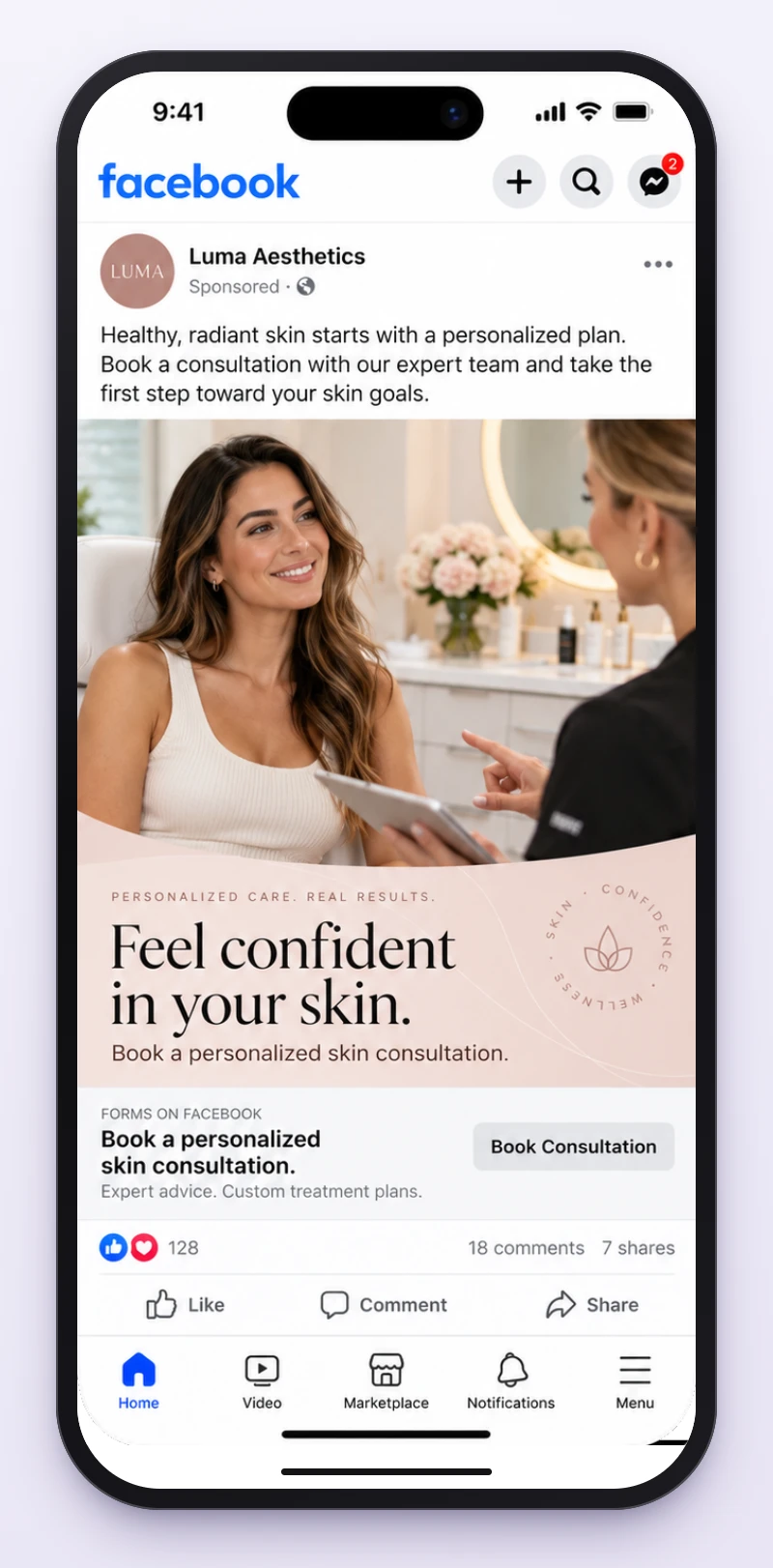
6. Med spa consultations: Luma Aesthetics
- Primary text
Healthy, radiant skin starts with a personalized plan. Book a consultation with our expert team and take the first step toward your skin goals.
- Headline
- Book a personalized skin consultation.
- Button
- Book Now
- Form questions
- Treatment they're interested in, location, preferred day.
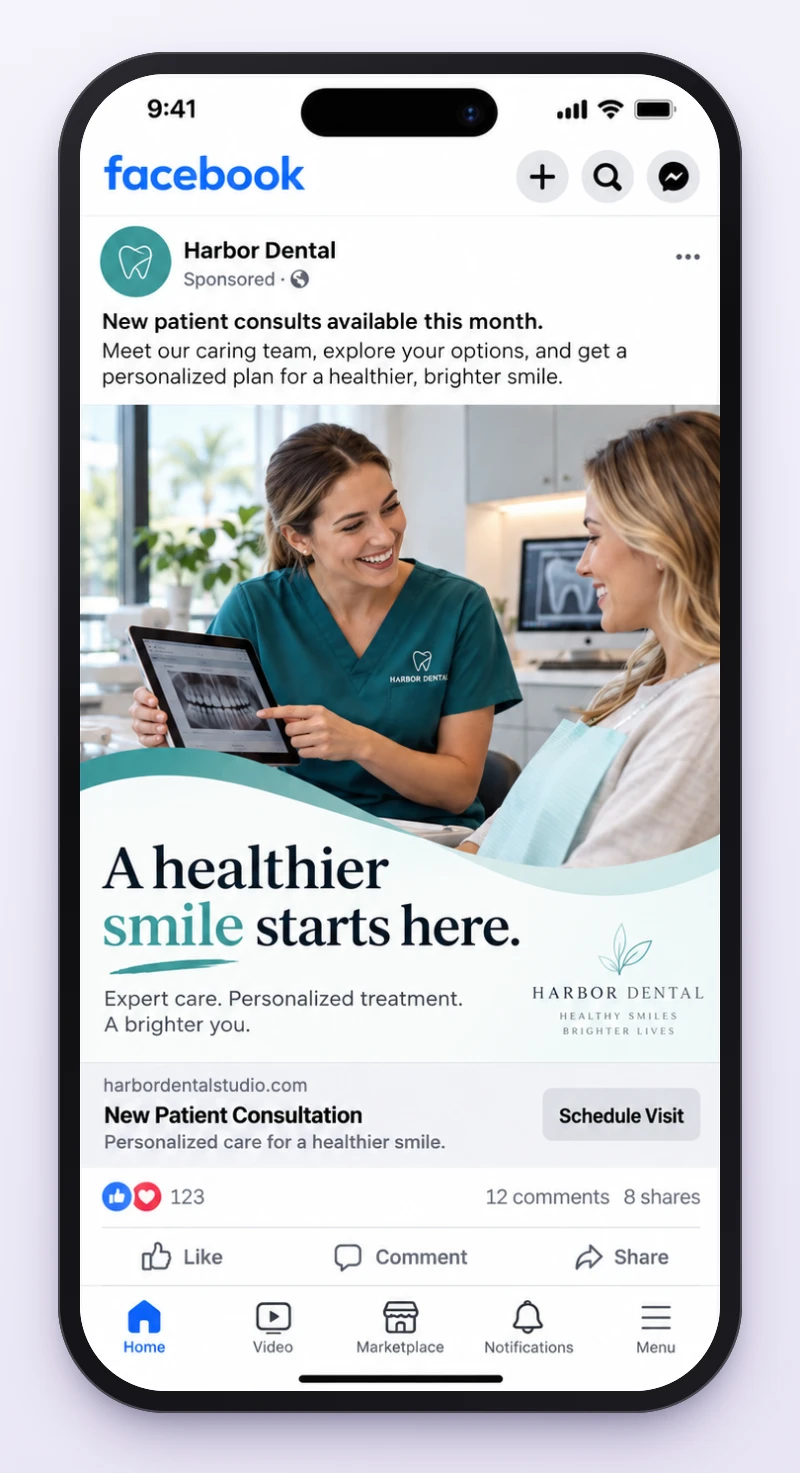
7. Dental new patients: Harbor Dental
- Primary text
New patient consults available this month. Meet our caring team, explore your options, and get a personalized plan for a healthier, brighter smile.
- Headline
- New Patient Consultation
- Button
- Book Now
- Form questions
- What they're looking for, preferred office, days that work.
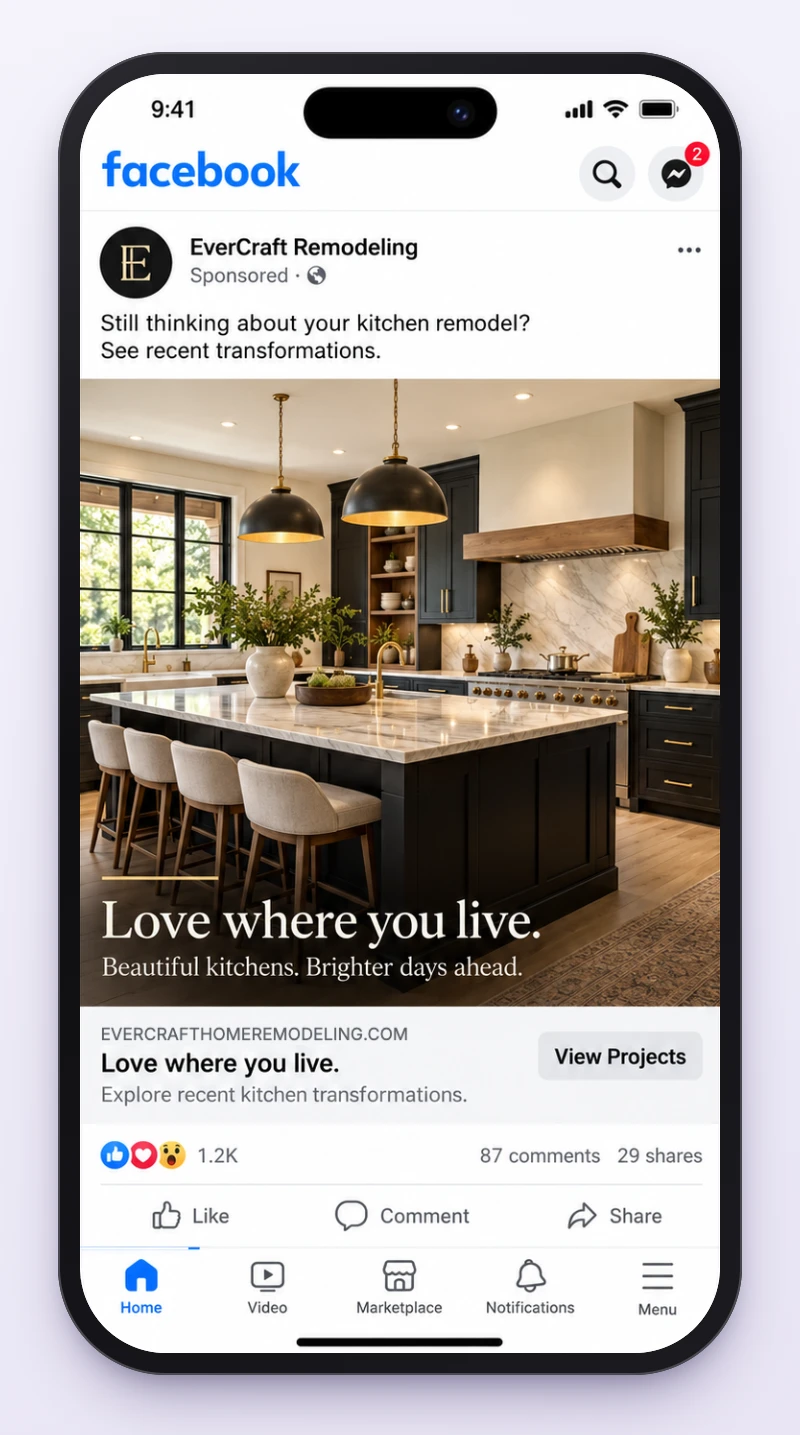
8. Kitchen remodeling retargeting: EverCraft Remodeling
- Primary text
Still thinking about your kitchen remodel? See recent transformations.
- Headline
- Love where you live.
- Button
- Learn More
- Form questions
- Project type, ideal start date, project ZIP code.
These are illustrations with made-up businesses, and the photos were made with AI. For a real ad, use photos of your own work, team and office, then check three things:
- Every claim is true for you: “lower utility bills”, “licensed & insured”, “available this month”. AI adds these happily.
- The button is one of Meta's: the mockups show custom button text; in Ads Manager pick the button listed with each example.
- Nothing implies something about the reader, like a damaged roof or a flaw in their skin, and real estate runs in the Housing Special Ad Category.
Rules to give AI for your industry
AI doesn't know which claims will get your ad rejected, or your business in trouble. Put these lines in your prompt (the prompt builder does it for you), and check the draft against Meta's Advertising Standards.
| Industry | Tell the AI | Why |
|---|---|---|
| Real estate, rentals, mortgages | No invented listings or prices, no hints about family status, age or other protected traits | Housing Special Ad Category and fair housing law |
| Solar | No savings, payback, tax credit or $0 down claims unless verified | The most common misleading claim in solar ads |
| Roofing | Never say their roof is damaged, never promise insurance will pay | Implies knowledge you don't have |
| HVAC and plumbing | Only real response times, licenses and service areas | Easy for AI to invent, easy for customers to check |
| Med spa, dental, health | No flaws, conditions or before-and-after promises | Meta's personal attributes and health rules |
| Remodeling | Only real finished projects and real reviews | Fake project photos are false advertising |
| Jobs and recruiting | No age, gender or background targeting language | Employment Special Ad Category |
| Loans, credit, insurance | No guaranteed approval or rates | Financial products Special Ad Category |
Meta rejects ads that say or imply something about the reader's personal traits: health, finances, age, religion and more. “Are you struggling with debt?” and “Tired of your wrinkles?” both fail. Write about the offer, not about the person reading it.
How to make AI Facebook ad images that don't look fake
A professional ad image is one clear photo, one promise, one supporting detail and one next step. The tool doesn't make it look professional; the choices do.
- Use real photos for real things. Never present an AI home as a listing, an AI kitchen as your work or an AI person as a patient or reviewer.
- Generate the scene, not the words. Ask the image model for the photo or background, then add the headline and button in Canva, Figma or Photoshop so the text is exact.
- Check what AI gets wrong: hands, faces, roof lines, pipes, logos, and any text it drew.
- Make each size on purpose: 1:1, 4:5 and 9:16, each checked in Ads Manager's preview.
- Test against a real photo. Don't assume the AI image wins; a phone photo of your crew often beats it.
Meta's own AI tools and AI labels
You don't need a separate chatbot for everything. Inside Ads Manager, Advantage+ creative can write variations of your primary text and headline, generate new backgrounds, expand an image to fit other placements and create image variations, depending on your account and market. Treat every suggestion as a draft: preview it and turn off anything that changes your offer or brand.
Meta adds an “AI info” label to ads made or significantly edited with its generative AI tools, shown next to “Sponsored” or in “About this ad”, and detects some ads made with other AI tools too (Meta's announcement). Political and social issue ads have stricter disclosure rules. For a local service business, the rule that matters more is simple: an AI image must never pass for a real property, person, result or review.
Can ChatGPT or Claude run your Facebook ads?
Partly, since 2026. Meta launched Meta Ads AI Connectors on April 29, 2026 and expanded them in July. They let an AI assistant such as Claude or ChatGPT connect to your ad account to pull reports, build and edit campaigns, ad sets and ads, manage catalogs and check your tracking. That's different from chatting with ChatGPT about ad copy: a connected assistant can change real campaigns.
A connected assistant can change budgets and spend money. Let it read reports freely, but approve every change it makes, and remember that frequent edits to budget, audience or creative can restart Meta's learning phase and make results worse.
Not ready to connect an account? The manual way still works: AI drafts and critiques, you approve the copy, upload the images, set targeting and budget, and check the preview before you publish.
25 ChatGPT, Claude and Gemini prompts for Facebook ads
These work in ChatGPT, Claude, Gemini, Copilot and any other capable assistant. Replace the parts in brackets, use only facts you can back up, and keep customer names and details out of public AI tools. Filter by job and copy the one you need.
- 1
Turn a messy brief into a campaign plan
You are a senior Meta Ads strategist. Organize this raw brief into: objective, offer, who it's for, approved claims, proof, restrictions, three ad concepts and the questions you still need answered. Brief: [PASTE]. Don't invent facts. Mark anything unsupported as "needs checking".
Strategy - 2
Get three genuinely different angles
For [OFFER] aimed at [WHO IT'S FOR], give me three different reasons to act, for example convenience, expert help and a clear process. For each: the message, what the image should show, the offer and one risk to avoid. No angles that are just the same idea reworded.
Strategy - 3
Turn real customer questions into ad angles
Here are real questions customers ask us: [FAQ LIST]. Pick the three that most often stop people from buying. Turn each into a Facebook ad angle that answers it, and say whether it suits people who've never heard of us or people who already know us. Stick to the questions I gave you.
Strategy - 4
Build a message for each stage
For [OFFER], write a short messaging plan for three groups: people who've never heard of us, people who visited our site or opened the form, and existing leads. Base it on what each group still needs to know and what proof would help, not on personal traits. Give a hook, promise, image idea and button for each.
Strategy - 5
Write the primary text
Write ONE short Facebook primary text for [OFFER]. Open with a clear first line under 125 characters, explain the real benefit in two short sentences and end with a natural call to action. No assumptions about the reader's personal traits, no unrealistic promises, no invented proof, no fake urgency.
Ad copy - 6
Write one strong headline
Write 10 Facebook ad headlines under 40 characters for [OFFER]. Use plain English and a concrete outcome where it's true. Rank them by clarity and how different they are from what competitors say. Pick the single best one and tell me why in one line.
Ad copy - 7
Fix weak copy without adding hype
Edit this Facebook ad for clarity, rhythm and specifics: [AD COPY]. Keep every fact exactly as it is. Cut filler, questions about sensitive traits, inflated superlatives and extra emojis. Give me the new copy and one line explaining each change.
Ad copy - 8
Use social proof without faking it
Write a Facebook ad using ONLY these approved reviews or numbers: [VERIFIED PROOF]. Say where they come from if it helps. Don't invent names, ratings, statistics, reviews or results. Give me one headline and one short primary text.
Ad copy - 9
Translate an ad without losing the meaning
Translate this approved Facebook ad into [LANGUAGE] for [REGION]. Keep the meaning and the call to action, use natural local phrasing, and flag anything a native speaker or a lawyer should check. Don't change prices or offers.
Ad copy - 10
Brief the ad image like an art director
Act as an art director. Brief a 4:5 Facebook Feed image (1080 x 1350) for [OFFER]: subject, lighting, crop, colors, what the eye sees first, the exact words on the image (8 at most), empty space and where the button sits. It must use a photo we own or have licensed, with no invented features or fake testimonials.
Creative - 11
Adapt one design to every placement
Here is a 1:1 ad design: [DESCRIPTION]. Rework it for 1080 x 1080, 1080 x 1350 and 1080 x 1920. Say where each element goes, what to drop, and which areas must stay clear of Facebook's buttons and profile name. Don't just stretch or crop it.
Creative - 12
Write a 15-second video script
Write a 15-second Facebook video ad script for [OFFER]. Open with the customer's question [OBJECTION], show real footage of the product or service, give the true answer and end with one clear action. Give me a shot list, voiceover and on-screen captions. No made-up customer stories.
Creative - 13
Write video hooks that work with the sound off
Write six opening lines for a 10 to 15 second Facebook video about [OFFER]. Each must make sense without sound, be about a benefit the viewer can see, and suit the audience. No fake countdowns or sensational claims.
Creative - 14
Critique an ad like a senior designer
Review this ad image or description: [IMAGE]. Score it for clarity, relevance, text hierarchy, readability on a phone, whether it looks real, brand consistency and how well it matches the button. Give me five specific edits. Don't reward gradients, effects or 3D unless they help the message.
Creative - 15
Design a real estate buyer form
Design a Facebook Instant Form for [BUYER OFFER]: a headline, a short intro, no more than three qualifying questions we genuinely need, a thank-you screen and what happens next. Keep it consistent with the ad, with no invented listings and no pressure.
Lead forms - 16
Design a home services quote form
Build a short Facebook Instant Form for [SERVICE]. Ask only for contact details plus the one or two details we need to quote or route the job. Add a clear line about how we'll follow up, and list the privacy and consent wording we need to supply.
Lead forms - 17
Check the ad and form say the same thing
Compare this Facebook ad [AD] with this Instant Form [FORM]. Find every mismatch in wording, what's promised, the questions asked and what happens next. Rewrite only what's needed so the experience is consistent and honest.
Lead forms - 18
Plan where each lead goes
Here are our lead form fields [FIELDS] and our team [WHO HANDLES WHAT]. Propose a simple plan for sending each lead to the right person in our CRM: required and optional fields, how to handle duplicates, who gets an alert when a lead fails, and a checklist for testing with a test lead.
Lead forms - 19
Write the first reply to a new lead
Write the first message to a new [SERVICE] lead who agreed to be contacted. Mention what they asked for [OFFER], give a realistic next step and make it easy to reply. No fake familiarity, no pressure, and don't claim someone has already reviewed their request.
Lead forms - 20
Write a housing ad that follows Meta's rules
Write a Facebook ad for [HOUSING OFFER] in [MARKET]. Use inclusive language and real listing or service details only. Don't suggest restricted targeting, and don't imply the reader has a particular age, income, family status or any protected characteristic.
Policy - 21
Review an ad for policy risks
Check this draft against Meta's Advertising Standards: [COPY + IMAGE DESCRIPTION]. Flag implied personal attributes, missing context, unsupported guarantees, housing, employment or financial restrictions, misleading before-and-after claims and weak consent wording. Give me fixes, and don't tell me it's approved: only Meta can say that.
Policy - 22
Invite past visitors back
Write a retargeting ad for [LOCAL SERVICE] inviting people who visited our website to see how the service works. Say which questions it answers. Don't mention tracking or hint that we know what they did. Give me one headline and the button.
Retargeting - 23
Help people who are comparing options
Someone may be comparing [OUR BUSINESS] with other local options. Write a calm Facebook ad that helps them compare on [WHAT MAKES US DIFFERENT], ending with a comparison checklist. Don't attack competitors or claim we're the best without proof.
Retargeting - 24
Find insights in real ad data
Analyze this anonymized campaign report: [METRICS TABLE]. Compare spend, impressions, CTR, CPC, leads, qualified leads and bookings where available. Separate what you see from what caused it. Suggest three things to test next and say what data is missing.
Results - 25
Plan a small-budget creative test
Design a simple test for [OFFER] with a total budget of [AMOUNT]. Choose two or three genuinely different ad concepts, one result to optimize for, and when to check results. Don't pretend there's a perfect budget or guaranteed sample size.
Results
How to create Facebook retargeting ads with AI
A retargeting ad should answer a different question from the first ad. A roofing prospect wants to know how inspections work; a dental prospect wants to see the office; a home buyer wants to know what a personalized list actually is. Give AI the real questions your customers ask and it will write a sequence that answers them.
| Who | What they need | Ad idea | Measure |
|---|---|---|---|
| Website visitors | What exactly you do | A short walkthrough or project gallery | Return visits, form opens |
| Opened the form, didn't submit | Less uncertainty about the form | “What happens after you ask” in 3 steps | Completed forms |
| Existing leads | Answers to decision questions | FAQ or a real customer story | Appointments and sales |
| Past customers | A relevant next service | Seasonal check-up or add-on | Repeat bookings |
Three examples from the ads above:
- Roofing: first ad “Request a roof estimate”, follow-up “What happens during a roof inspection?” with three steps: share the address, we visit, you get your options in writing.
- Remodeling: first ad a finished kitchen, follow-up a gallery of real projects with cabinets, storage and layouts. Button: Learn More.
- Solar: first ad a consultation, follow-up “What your solar consultation covers”: roof check, layout, equipment and how the written quote is put together.
Never let AI write creepy lines like “We noticed you were looking at this last night.” Speak to a common question, not to what you know about one person. Use only audiences you're allowed to build, and remember Special Ad Categories limit retargeting too.
10 mistakes when using AI for Facebook ads
- Prompting with no offer or proof. The AI fills the gap with generic benefits and invented specifics.
- Testing 20 headlines instead of 3 ideas. Synonyms aren't strategies.
- Passing off AI images as real properties, customers, reviews or finished jobs.
- Keeping fake numbers, reviews or urgency because the draft “sounds convincing”.
- Ignoring Special Ad Categories for housing, jobs and financial products.
- Forcing one square image into Stories and Reels without checking the crop.
- Optimizing for cheap leads without tracking which ones book.
- Never testing the form and CRM connection after changing the campaign.
- Retargeting copy that feels like being watched.
- Trusting AI's guesses about performance instead of your own ad account data.
How to measure what AI ads actually bring in
Start with Meta's reporting, then follow each lead further: spend, form opens, completed leads, qualified leads, appointments and revenue. Agree what counts as a qualified lead before you compare ads, keep one control ad, and change one thing at a time. With a small budget, treat results as hints rather than proof. AI can summarize the numbers, but it can't make a small test statistically strong. Our Facebook ads cost guide has typical cost per lead by industry, and the Facebook Ad Library guide shows how to study competitors' ads without copying them.
Your AI ad got a lead. Now what?
A great ad is only the start. The moment someone submits your Instant Form, they're at their most interested, and Meta keeps the lead in Leads Center until someone goes and looks. Businesses that reply in minutes book far more of those leads than businesses that call back tomorrow, so the fastest win after a better ad is usually a faster reply, not another 20 ad variations.
Get every Facebook lead in seconds with LeadSender
- Every new lead delivered within seconds to your CRM, Email, SMS, WhatsApp, Slack or Google Sheets, with every answer from the form.
- 33 apps, from HubSpot, GoHighLevel and Follow Up Boss to Pipedrive, Mailchimp and Google Sheets. Set up in about 3 minutes, no Zapier.
- Told the moment a lead fails, in plain English, with a one-click resend once it's fixed.
- Send a test lead from inside the app before your AI ad goes live.